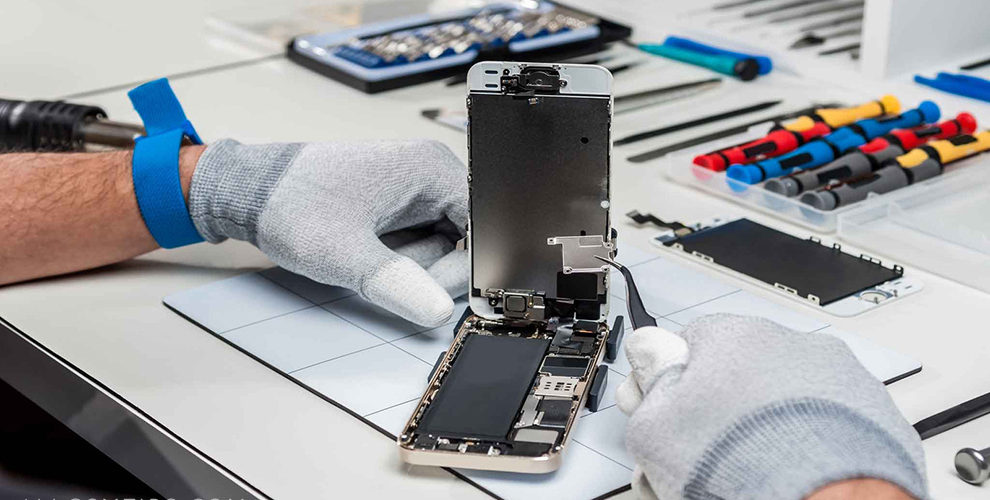
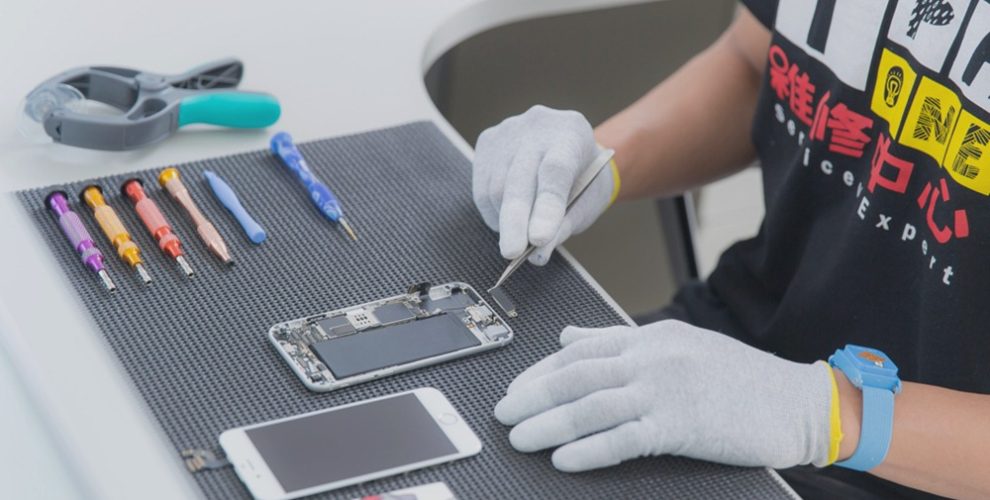
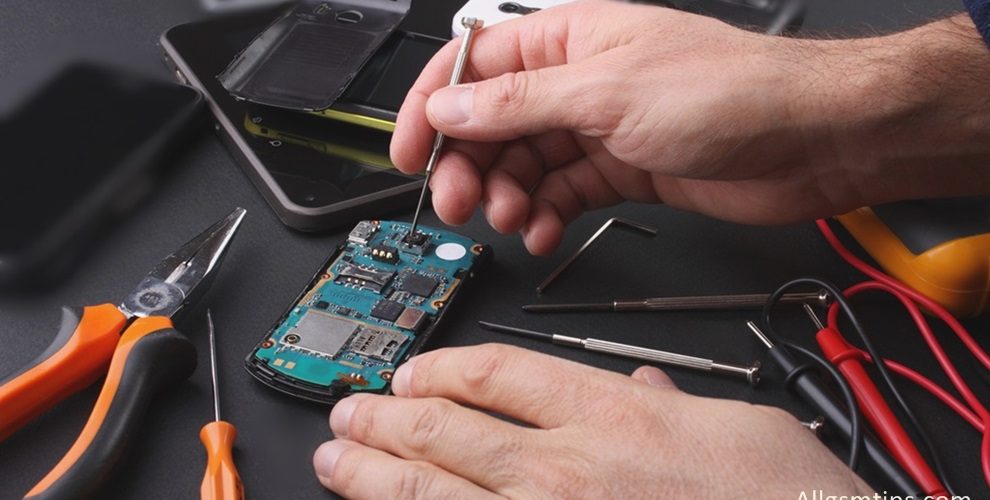
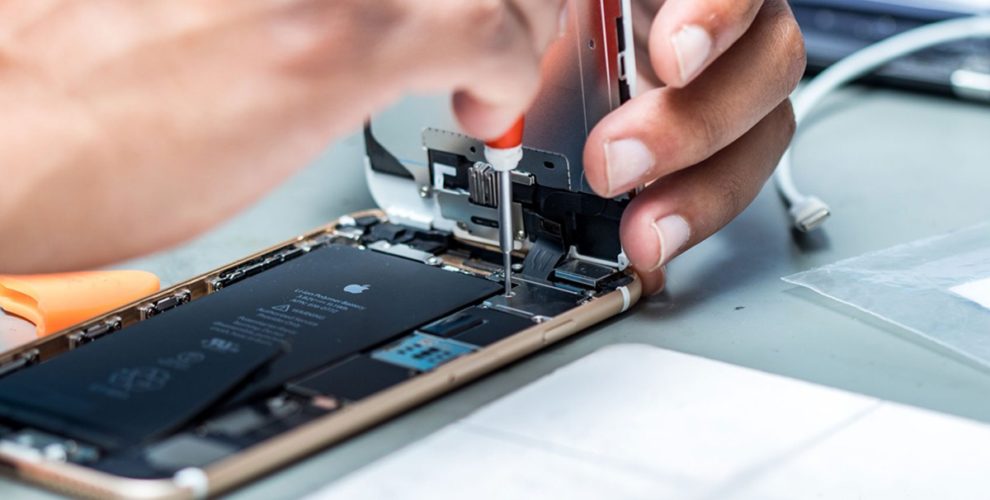
You can easily learn cell phone repair for free with our free cell phone repair guides and tutorials. Here we are providing free training for people interested in learning the skills required to repair all types of smartphones, iPhones and tablets because tablets are also almost the same, nothing different! Also you have to keep in mind that the repair procedure for all mobile phones is almost same. All the following guides start from basics of repairs and also cover advanced troubleshooting methods.
In the age of internet, you can learn anything like a do-it-yourselfer by getting access to proper manuals, tips, guides or tutorials. You will also need lots of practice and have to do trial and error until you learn a particular skill perfectly.
Other than our guides which are for both beginners and experts, you can get loads of tips and information on many other tutorial websites. I have come across many people who have learned cell phone repair only through Google and YouTube! YouTube is the best resource to get free information of various mobile phone repair procedures and techniques.
Free Cell Phone Repair Lessons
The topics covered are how to use various tools, how to check various parts and components inside a mobile phone the components, the printed circuit board (motherboard) description and all the stuff you need to learn. We are also providing here tips to start and successfully run your own cell phone repair business.
Other than the above mentioned topics, there are many other websites where you can get the information you need to learn cell phone repair.
The other top sites for free cell phone repair guides and tutorials are
iFixit: iFixit is among the top websites in the world for do-it-yourselfers. They have many guides for repairs of mobile phones, laptops, computers, iPhones, iPads and various other gadgets.
GSM Forum: GSM forum is the world’s biggest and oldest forum of mobile phone technicians. Here all the oldies as well as newbies share the information for various techniques used to fix various models of phones and tablets. They have many different categories for different purposes. You should make it a habit to visit this site daily to increase you knowledge. Visiting it frequently helps you to keep yourself updated with the latest technology and developments.
Another valueable theory resource:cellphonerepairtutorials.blogspot.com is a very good place to get all the basic knowledge of electronics. This website has a comprehensive list of many guides for beginners. Right from explanation of various parts and components to understanding the functioning of mobile communication, there are lots of topics which are useful as well as informative and is a must read for all the newbies.
In addition to the above mentioned websites, there are various blogs, forums, Youtube channels, Whatsapp groups and Facebook groups which provide plenty of useful tips to newbie mobile repairing technicians. And all new technicians should have a passion of Googling and surfing Youtube for a few years daily to learn all those techniques and tricks which are essential to be learned by every mobile phone repair technician. Every technician must also follow mobile phone repair blogs to keep themselves updated.
Note: All the above tips and tutorials are solely for information purpose. We do not guarantee the accuracy of any tip or technique.
We have spent a lot of time writing these articles. So please share it on facebook and twitter to make it a success.
Please keep visiting this page for getting more tips and updates.
Please let us know if we can add any more important tutorials in this article.
Learn how to make a hard reset or format Sony Xperia Z1 by using any of our simple methods. Sony Xperia Z1 code named ”Honami” is a high-end Android smartphone produced by Sony. It is water as well as dust proof with a 20.7 megapixel camera and is shipped with Android 4.2 (Jelly Bean) operating system.
Hard-reset means to format i.e you delete all the data in the phone memory. Many mobile repairing technicians do not know how to open pattern locks. With a hard reset through key combinations, you can easily open pattern locks in Android phones.The cell phone will also come back to its original factory settings. It is also called master-reset and even alternate reset. We are showing here all the methods to hard-reset your Xperia Z1.
You should first try a soft-reset i.e to re-boot your handset. Just press the power button until it shuts down and then restart it. If the fault gets resolved, you do not need to perform a hard-reset.
When is hard-reset required?
If you want to bring your phone back to its default settings.
If your device is infected by any virus.
If your handset is functioning very slowly.
If it gets stuck, freezes, hangs or become unresponsive frequently.
Some of the apps are crashing and not functioning properly and you are unable to even uninstall them manually.
If there is some software or OS related problem which you cannot resolve by basic methods.
When you are planning to sell your handset and want to delete all your personal data.
If you have forgotten phone code or user code.
When your handset is pattern locked due to too many wrong pattern attempts. You have forgotten the pattern as well as the gmail account ID or password associated with that device. ( if you know the gmail ID and password of that handset, you can recover the pattern and save your data.)
There are 3 methods of doing a hard reset on Sony Xperia Z1
1. Hard-Reset through physical button:
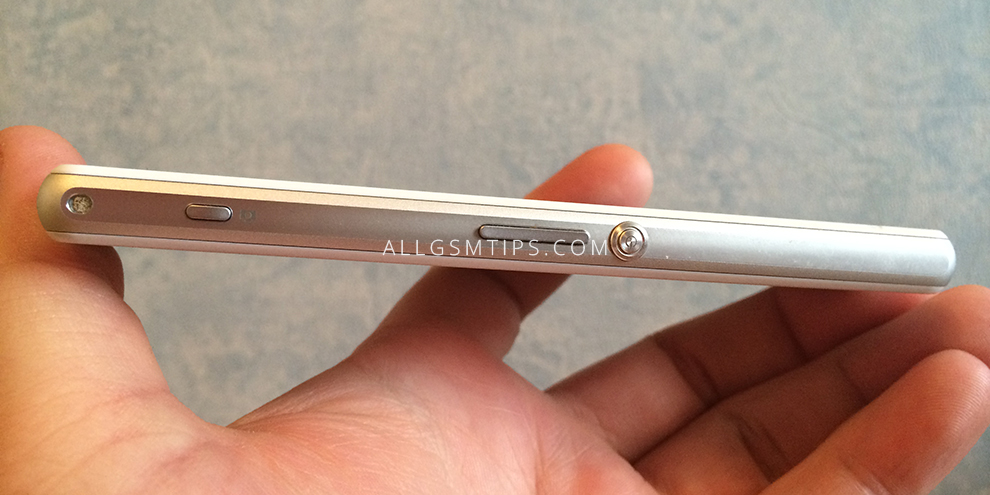
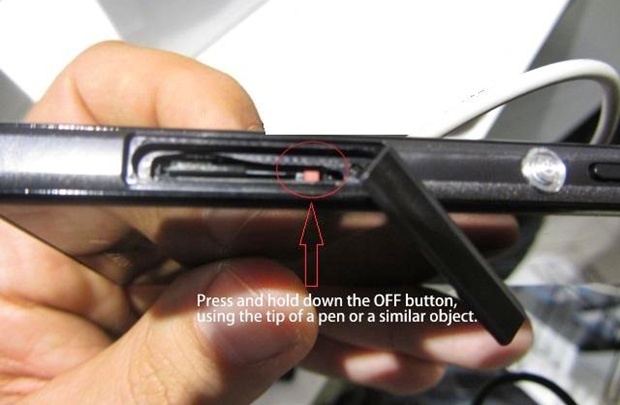
You can format Sony Xperia Z1 by a special physical button. Just remove the memory card and besides the SD card slot, you will find a small red coloured button. Press and hold this button for 3 to 10 seconds. The phone will now shut down. Now press the power button to switch it on.
2. Hard-Reset through settings:
This is the most simple and easy method and is possible if you are able to access the menu and go to settings.
Search for the settings option in the menu.
Now select ‘Backup Ad Restore’
Now select the ‘Factory Data Reset’ option.
Now select ‘Reset Phone’ option.
Now tap on ‘Erase Everything’. The process will take some time and the handset will now restart. It will then restart.
3. Hard-Reset through key combinations:
If you cannot access the menu due to pattern lock or booting related problems, you can use this option.
Volume Up + Power Button
1. Switch-off your handset
2. Press the power button volume up button simultaneously and hold until you see the android logo.
3. You will see an option – Wipe data/Factory reset. Go to this option with volume down button. Select this option with power button.
4 Now come down to the option – delete all user data with volume down option and select it with power button.
5. The device will now be formatted. After this select the option – reboot system now by pressing the power button.
Perform a factory data reset only if absolutely necessary as it will remove all the below things including all your data:
Google account
Downloaded apps and their data.
App settings
Contacts, messages, music, pictures, videos, etc.
If your problem or fault is still not resolved after performing a hard reset, you will have to flash or update your cell phone.
Note:
1. Hard reset erases all data, so take a backup of all your data if possible before performing a hard-reset to an external device.
2. It is important that your phone battery is charged enough to last the procedure i.e atleast for 10-15 minutes.
Please let us know if any of the above method is not working. Please also let us know if the above procedure solved your problem or not in the comments section below.
Few things are more frustrating than a weak mobile phone network signal. Calls drop suddenly. Messages fail to send. Mobile data crawls when you need it most. Whether you are using an Android phone, an iPhone, or another smartphone, poor network reception can interrupt work, travel, and daily life.
A weak signal is not always the fault of your device. Many factors affect how well your phone connects to the network, including location, surroundings, network congestion, and even how you hold your phone. The good news is that in many cases, you can improve signal strength with simple and practical steps.
“A strong connection is not about having the newest phone, but about understanding how your device interacts with the network around you.”
This guide explains what causes weak mobile network signals and shows clear, proven ways to improve reception. The advice is practical, experience-based, and written to help real users—not just to sound technical.
What Does Weak Mobile Network Signal Mean?
A weak mobile network signal means your phone is struggling to communicate with the nearest cell tower. This affects:
Voice call quality
Call stability
Internet speed
App performance
Location services
Signal strength is usually shown as bars on your phone screen. Fewer bars mean weaker reception, but bars alone do not tell the full story. A phone may show bars yet still struggle with data due to network congestion or interference.
Common Reasons for Weak Mobile Phone Signal
Understanding the cause helps you choose the right solution.
1. Distance From Cell Towers
Mobile phones rely on nearby towers. The farther you are, the weaker the signal becomes. This is common in rural areas, highways, or remote locations.
2. Physical Obstructions
Concrete walls, metal structures, basements, elevators, and underground parking areas block signals. Even thick building materials can reduce reception indoors.
3. Network Congestion
When too many users connect to the same tower, speeds drop and calls may fail. This often happens during peak hours or large public events.
4. Weather and Environment
Heavy rain, storms, or dense foliage can slightly affect signal quality, especially for data services.
5. Phone Hardware Limitations
Older devices or damaged antennas inside the phone can struggle to maintain stable reception.
6. Software or Network Settings
Incorrect network mode, outdated software, or SIM-related issues can reduce signal performance.
How to Improve Weak Mobile Phone Network Signal
1. Move to a Better Location
This sounds simple, but it works more often than people expect.
Step closer to a window
Go outside briefly
Move to a higher floor
Avoid enclosed spaces
Even a few steps can make a noticeable difference because the phone may connect to a clearer signal path.
2. Turn Airplane Mode On and Off
This forces your smartphone to reconnect to the nearest available tower.
How it helps: It refreshes the network connection and often resolves temporary signal drops.
When to use it:
After traveling
When calls suddenly start dropping
When data stops working
Wait about 10 seconds before turning airplane mode off.
3. Restart Your Mobile Phone
Restarting clears temporary software glitches and resets network connections.
This simple step can:
Improve call stability
Restore mobile data
Fix sudden signal loss
If your phone has not been restarted for days or weeks, this is a good place to start.
4. Check Network Mode Settings
Modern smartphones support multiple network types such as 2G, 3G, 4G LTE, and 5G.
What to do:
Ensure your phone is set to automatic network selection
Avoid locking the device to a single network mode unless necessary
In areas with weak 5G coverage, switching temporarily to 4G LTE can provide more stable performance.
5. Update Phone Software
Manufacturers regularly release updates that improve network compatibility and performance.
Software updates can:
Improve signal handling
Fix modem-related bugs
Enhance carrier compatibility
Always install official updates from your device manufacturer.
6. Check the SIM Card
A faulty or old SIM card can cause poor reception.
Try this:
Remove the SIM card
Clean it gently
Reinsert it properly
If the SIM is very old or damaged, request a replacement from your mobile service provider.
7. Use Wi-Fi Calling Where Available
Wi-Fi calling allows your phone to make calls using an internet connection instead of cellular towers.
Best for:
Homes with weak indoor signals
Office buildings
Basement locations
Most Android phones and iPhones support Wi-Fi calling if enabled by the carrier.
8. Reduce Signal Interference Indoors
Certain household items can interfere with mobile signals:
Routers placed too close to phones
Metal furniture
Large appliances
Try changing where you sit or where you keep your device when using it indoors.
9. Keep Your Phone Case in Check
Some thick or metal phone cases can block antennas.
If you notice signal issues:
Remove the case temporarily
Check if signal improves
If it does, consider switching to a lighter, signal-friendly case.
10. Reset Network Settings (When Necessary)
This clears saved network data and reconnects your phone from scratch.
What it resets:
Mobile network settings
Wi-Fi connections
Bluetooth connections
Use this only if other steps do not help, as you will need to reconnect to networks again.
Advanced Ways to Improve Mobile Signal
Mobile Signal Boosters
Signal boosters amplify existing cellular signals and rebroadcast them indoors.
Pros:
Effective in remote or weak-signal areas
Improves call quality and data speed
Cons:
Requires installation
Needs at least some existing signal to work
They are useful for homes or offices with consistent signal issues.
External Antennas (Limited Use)
Some devices and routers support external antennas, but most smartphones do not. This option is more relevant for mobile hotspots or data routers.
Myths About Improving Mobile Network Signal
It is important to avoid false solutions that waste time or money.
Myth: Apps can magically boost signal Reality: Apps cannot increase signal strength beyond hardware limits.
Myth: Wrapping the phone in foil improves reception Reality: This usually makes reception worse.
Myth: Signal bars always reflect real performance Reality: Data speed and call quality depend on many factors beyond bars.
How Network Type Affects Signal Quality
Voice Calls
Voice calls need stable connectivity more than speed. A moderate signal can still provide clear calls.
Mobile Data
Data services are more sensitive to congestion and signal quality. Weak signals often result in slow browsing and buffering.
VoLTE and Wi-Fi Calling
These technologies improve call clarity when supported by your carrier and device.
Android vs iPhone: Any Difference in Signal Strength?
Both Android phones and iPhones follow similar network principles.
Differences usually come from:
Antenna design
Modem quality
Software optimization
A newer device may perform slightly better, but location and network quality still matter more than brand.
When the Problem Is the Network Provider
Sometimes the issue is not your phone at all.
Signs include:
Everyone nearby facing similar issues
Signal drops at specific times daily
Poor coverage maps for your area
In such cases:
Contact customer support
Report the coverage issue
Ask about tower upgrades or alternative network options
“Technology works best when the environment supports it. Even the smartest phone needs a reliable network behind it.”
Practical Real-Life Scenarios
At Home
Use Wi-Fi calling, sit near windows, and avoid basements for important calls.
While Traveling
Toggle airplane mode after crossing regions. Network handovers can cause temporary drops.
At Work
Identify signal-friendly spots. Some buildings have dead zones due to construction materials.
When to Consider a Phone Upgrade
Upgrading makes sense if:
Your device is very old
It lacks support for newer network bands
The antenna has physical damage
However, upgrading alone will not fix poor coverage in your area.
Safety and Battery Considerations
A phone struggling for signal consumes more battery.
To reduce drain:
Use Wi-Fi when possible
Avoid constant signal searching in no-coverage zones
Enable low-power modes when signal is weak
Quick Checklist for Improving Weak Signal
Restart your phone
Toggle airplane mode
Move to a better location
Check SIM and network settings
Update software
Use Wi-Fi calling
Avoid signal-blocking cases
Final Thoughts
Weak mobile phone network signal is a common issue, but it is not always permanent or unsolvable. By understanding how signals work and applying practical steps, you can improve call quality, data speed, and overall smartphone performance in many situations.
Focus first on simple fixes before considering advanced solutions. Most signal problems are caused by environment, settings, or temporary network conditions—not faulty devices.
If issues persist despite trying everything, reaching out to your service provider is the most reliable next step.
A stable connection makes your phone truly useful. With the right approach, better signal strength is often closer than you think.
Since the invention of various brands of smartphones and its various operating systems, there has been a battle between Android devices and Iphones. An Iphone user will boast about its features and Siri while Android user will tell you about different ways they can customize their phones. The battle is endless and no matter how many compliments the users speak about their device over the other, there is no real winner. In the end, it all comes down to the user.
Choosing between an iPhone and an Android phone is no longer just about brand loyalty. Smartphones have become work tools, personal assistants, entertainment hubs, and communication devices—all packed into one pocket-sized gadget.
For many users, the real question is not which is better overall, but which phone works better for work and which suits personal life. Some even use both.
This guide offers a clear, balanced, and practical comparison of iPhone and Android devices for professional and personal use. No hype. No myths. Just real-world insights based on how people actually use their smartphones today.
“The best phone is not the most powerful one—it’s the one that fits your daily life.”
Understanding the Core Difference Between iPhone and Android
At the highest level, the difference is simple:
iPhone runs on Apple’s iOS
Android phones run on Android OS by Google
But the experience goes far beyond the operating system. It affects how you work, how you relax, how secure your data is, and how flexible your phone feels.
iPhone for Work Use: Why Professionals Prefer It
Many professionals lean toward iPhones for work-related tasks. This preference is not accidental.
1. Strong Focus on Security and Privacy
One of the biggest reasons businesses trust iPhones is data security.
Key advantages:
Tighter control over apps
Hardware-level encryption
Consistent security updates
For people handling sensitive data—emails, financial apps, client information—this reliability matters.
2. Smooth Performance Over Time
iPhones are known for:
Stable performance
Minimal lag even after years of use
Consistent app behavior across devices
This makes them dependable work tools, especially for users who cannot afford app crashes or unexpected slowdowns during meetings or tasks.
3. Better App Optimization for Business Tools
Many popular work-related apps are first optimized for iOS, including:
Productivity tools
Design and creative apps
Video conferencing platforms
Apps often feel more polished and predictable on iPhones, which matters in professional settings.
4. Seamless Ecosystem for Workflows
If you use:
A MacBook
An iPad
Apple Watch
The iPhone integrates seamlessly. Features like file sharing, device continuity, and synchronized notifications save time and reduce friction.
Android for Work Use: Where It Stands Strong
Android phones are no longer just “budget devices.” Many Android smartphones are powerful business tools.
1. Better Customization for Work Needs
Android allows:
Custom launchers
App automation
Advanced notification control
Professionals who like to tailor their phone exactly to their workflow often prefer Android.
2. Wide Hardware Choices for Different Professions
Android offers:
Large screens for multitasking
Stylus support on some models
Rugged phones for field work
This flexibility is useful for engineers, designers, technicians, and on-site professionals.
3. File Management Feels More Like a Computer
Android handles files more openly:
Easy drag-and-drop
Direct access to folders
Better compatibility with external storage
For people dealing with documents, media, or technical files, this can be a major advantage.
iPhone for Personal Use: Simplicity and Experience
For personal use, iPhones shine in areas related to ease and enjoyment.
1. User-Friendly Interface
The iPhone interface is:
Clean
Consistent
Easy to learn
Even non-technical users feel comfortable quickly. This makes it ideal for everyday tasks like calling, messaging, photography, and browsing.
2. Camera Performance for Everyday Moments
iPhones are known for:
Natural-looking photos
Reliable video quality
Easy-to-use camera apps
For social media, family moments, and casual photography, iPhones deliver consistent results without much effort.
3. Long-Term Software Support
iPhones receive updates for many years. This means:
New features over time
Better resale value
Longer usable life
For personal users who do not upgrade often, this matters a lot.
Android for Personal Use: Freedom and Value
Android smartphones offer unmatched variety for personal use.
1. Wide Price Range for Every Budget
Android phones are available:
From entry-level to premium
With different designs and features
This makes Android accessible to students, families, and first-time smartphone users.
2. Customization and Personal Expression
Android allows users to:
Change themes
Customize home screens
Use widgets freely
For people who enjoy personalizing their phone, Android feels more expressive.
3. Better Control Over Notifications and Apps
Android gives more control over:
App permissions
Background activity
Notification behavior
This is helpful for managing screen time and avoiding distractions.
Work-Life Balance: Using One Phone vs Two Phones
Many professionals today use:
One phone for work
One phone for personal life
A common setup:
iPhone for work (emails, meetings, official apps)
Android for personal use (media, customization, experimentation)
This separation helps maintain boundaries and reduces stress.
“Sometimes productivity improves not by doing more, but by separating what matters.”
Performance Comparison: iPhone vs Android
iPhone Performance Highlights
Strong optimization between hardware and software
Reliable long-term speed
Fewer background conflicts
Android Performance Highlights
High-end Android phones offer powerful processors
More RAM options
Better multitasking on large displays
Both platforms perform well. The difference lies in how performance is managed, not raw power alone.
Battery Life and Charging Experience
Battery experience varies by model, but trends are clear.
iPhone Battery Approach
Focus on efficiency
Optimized power usage
Predictable performance
Android Battery Approach
Larger battery options
Faster charging technologies
More charging accessories compatibility
Users who value fast top-ups may prefer Android. Users who value consistent battery health may prefer iPhone.
App Availability and Compatibility
Both platforms have strong app ecosystems.
iPhone App Experience
Strict quality control
Fewer poorly designed apps
Better privacy enforcement
Android App Experience
Greater variety
More flexibility
Ability to install apps outside the official store
Your preference depends on whether you value control or curation.
Security and Privacy: A Balanced View
iPhone Strengths
Controlled ecosystem
Faster security updates
Hardware-level data protection
Android Strengths
Improved security in recent versions
More permission control
Secure devices from trusted brands
Both are secure when used responsibly. The difference is how much control the user wants.
Repairability and Service Perspective
From a technician-level view:
Android phones are often easier and cheaper to repair
iPhones require specialized tools and skills
However:
iPhones offer better parts consistency
Android parts availability varies by brand
Repair choice matters for long-term ownership.
Pros and Cons Summary
iPhone – Key Strengths
Strong security
Long software support
Smooth ecosystem
Consistent user experience
iPhone – Limitations
Limited customization
Higher repair costs
Closed system
Android – Key Strengths
Customization freedom
Wide price range
Hardware variety
Better file control
Android – Limitations
Update consistency varies
App quality depends on source
Performance differs by brand
Which Is Better for You?
There is no single correct answer.
Choose iPhone if you:
Value stability and security
Use Apple products
Want long-term reliability
Choose Android if you:
Want customization and flexibility
Prefer more hardware choices
Need better file control
Choose both if you:
Want clear work-life separation
Use different ecosystems
Need the best of both worlds
Final Thoughts
The iPhone vs Android debate is not about winners and losers. It is about use cases.
Smartphones are tools. The best phone is the one that supports your work, fits your lifestyle, and feels comfortable to use every day.
Understanding your needs matters more than following trends.
Smartphones have become an essential part of daily life. From simple calling devices, they have evolved into powerful pocket computers. Today, a mobile phone is used for work, payments, photography, entertainment, navigation, health tracking, and much more.
Naturally, this raises an important question: what is the future of smartphones, and how will mobile technology change in the coming years?
This article explores upcoming smartphone technology, future phone features, and emerging trends in a clear, practical, and realistic way. There is no hype here—only fact-based insights drawn from industry patterns, consumer behavior, and current technological direction.
“Technology moves forward not to impress us, but to quietly become essential.”
Understanding the Direction of Smartphone Evolution
The future of smartphones is not about sudden radical change. Instead, it is about steady improvement in performance, intelligence, durability, and user experience.
Manufacturers focus on solving real problems:
Battery anxiety
Device longevity
Data security
Performance efficiency
Smarter daily assistance
Rather than reinventing the smartphone, companies are refining it to become more intelligent, more personal, and more reliable.
Smarter Phones Powered by On-Device Intelligence
One of the biggest shifts in future smartphones is deeper on-device intelligence.
Modern smartphones already use machine learning, but upcoming devices will rely even more on local processing instead of cloud dependency.
What this means for users:
Faster response without internet
Better privacy since data stays on the device
Smarter camera processing
More accurate voice commands
Phones will understand user habits better, such as:
When you usually charge your device
Which apps you open at certain times
How you interact with notifications
This intelligence works quietly in the background, improving efficiency without constant user input.
Battery Technology Focused on Longevity, Not Just Speed
Battery life remains one of the most discussed smartphone concerns.
Future smartphones are focusing on:
Longer battery lifespan, not just fast charging
Smarter power management
Reduced battery degradation
Instead of only increasing charging speed, manufacturers are improving:
Charging cycles
Heat management
Adaptive charging behavior
This means your smartphone battery will stay healthy for more years, reducing the need for early replacement.
From a technician’s perspective, this also means better-designed power circuits and safer charging systems.
Displays That Adapt to Usage
Screens are becoming smarter, not just brighter.
Upcoming smartphone displays will focus on:
Adaptive refresh rates that change based on content
Reduced eye strain through intelligent color tuning
Better outdoor visibility with lower power usage
Foldable and flexible display technology continues to improve. While not every user prefers foldable phones, this technology pushes innovation in:
Screen durability
Compact device design
Multi-tasking experiences
Traditional slab smartphones will still dominate, but with more refined display quality and durability.
Cameras Will Focus More on Intelligence Than Hardware
Smartphone cameras are no longer just about megapixels.
The future lies in computational photography, where software enhances images more than hardware alone.
Improvements include:
Better low-light photography
Realistic portrait effects
Accurate color reproduction
Intelligent video stabilization
Phones will recognize scenes automatically:
Documents
Food
Night scenes
Movement
For users, this means better photos without manual settings. For technicians, it means more complex camera modules integrated tightly with software.
Stronger Focus on Repairability and Durability
There is a growing demand for devices that last longer.
Future smartphones are slowly moving toward:
More durable materials
Improved water and dust resistance
Modular internal design where possible
While fully modular phones are rare, manufacturers are making internal layouts more service-friendly than before.
This benefits:
Users, through longer device life
Technicians, through safer and cleaner repair processes
Expect better-quality connectors, improved adhesives, and more standardized components in many models.
Enhanced Security and Privacy by Default
Security is no longer optional. It is expected.
Upcoming smartphones emphasize:
Hardware-level security chips
On-device biometric processing
Improved encryption standards
Future mobile phones will:
Store sensitive data locally
Reduce third-party tracking
Give users clearer permission controls
For example:
Facial recognition and fingerprint data stay within secure hardware
App permissions become more transparent
This makes smartphones safer for:
Banking
Digital payments
Work-from-home usage
The phone could measure several human characteristics and accordingly unlock itself for the user. If some intruder tries to hack in, the phone could immediately erase all data. Or better yet, hide all the data and make it seem like there is nothing there. The mobile phone should equally be able to resist all types of virusses and malware. It could also fake a malfunction to keep the nosey people out of the phone’s contents.
Connectivity That Feels Seamless
Future smartphones are designed to stay connected everywhere with minimal user effort.
Improvements include:
Faster mobile data speeds
Smarter switching between Wi-Fi and mobile networks
Better signal stability in crowded areas
Devices will automatically choose the best connection based on:
Speed
Stability
Battery usage
This is especially useful for video calls, navigation, and cloud-based work.
Smartphones as Health and Lifestyle Companions
Mobile phones are becoming health-aware devices.
Future trends include:
Advanced motion tracking
Better sleep analysis
Stress and activity insights
While phones will not replace medical devices, they will:
Encourage healthier habits
Offer early warnings
Integrate more deeply with wearables
This shift makes smartphones more personal and useful beyond communication.
Seamless Ecosystem Integration
The future smartphone is not a standalone gadget. It is part of an ecosystem.
Phones will work smoothly with:
Laptops and tablets
Smartwatches and earbuds
Smart TVs and home devices
Users can expect:
Easy file sharing
Unified notifications
Cross-device continuity
This ecosystem approach improves productivity and convenience, especially for professionals and students.
Software Experience Will Matter More Than Ever
Hardware differences between phones are narrowing.
What truly sets devices apart is software experience.
Future smartphones will offer:
Cleaner interfaces
Less unnecessary background activity
Longer software support
Users value:
Stability
Timely updates
Smooth daily performance
This also means technicians must understand software troubleshooting alongside hardware repair.
Sustainability and Responsible Manufacturing
Sustainability is becoming part of smartphone design.
Brands are focusing on:
Reduced electronic waste
Longer software support
Eco-friendly packaging
For users, this means:
Phones that stay usable longer
Better resale and refurbishing value
For repair professionals, this creates more demand for repair and refurbishment services.
“The best technology is the one that lasts longer and wastes less.”
Will Smartphones Replace Other Devices?
Smartphones are already replacing many tools:
Cameras
GPS devices
Music players
Wallets
In the future, smartphones will handle even more tasks, but they will not completely replace laptops or desktops.
Instead, they will:
Handle quick tasks
Support remote work
Act as control centers for other devices
This balanced role keeps smartphones central to digital life.
What This Means for Users
For everyday users, the future of smartphones means:
More reliable devices
Better performance with less effort
Improved privacy and security
Longer usable life
Upgrading will be driven less by trends and more by actual need.
What This Means for Technicians and Repair Professionals
For mobile repair technicians, future smartphones bring:
More advanced diagnostics
Increased importance of software knowledge
Better-quality components
Continued demand for skilled repair
Basic repairs will still exist, but technician-level skills such as board-level troubleshooting and precise component handling will matter more.
Pros and Possible Challenges Ahead
Advantages
Smarter, more efficient devices
Better user experience
Increased device lifespan
Strong repair and service ecosystem
Challenges
More complex internal design
Higher skill requirement for repairs
Increased dependence on software tools
Overall, benefits clearly outweigh challenges.
Frequently Asked Questions (FAQs)
1. Will smartphones still be relevant in the future?
Yes. Smartphones remain essential for communication, work, payments, navigation, and entertainment. Their role continues to expand rather than decline.
2. Will future smartphones focus more on software or hardware?
Future smartphones will focus more on software intelligence, while hardware improvements will support better performance, efficiency, and durability.
3. Will smartphone batteries last longer in the future?
Yes. New battery technologies and smarter power management aim to increase battery lifespan, not just charging speed.
4. Will smartphones become harder to repair?
Some repairs may become more complex, but manufacturers are also improving internal design, tools, and documentation, keeping skilled repair work relevant.
5. Will future smartphones replace laptops completely?
No. Smartphones will handle more daily tasks, but laptops and desktops will still be needed for heavy professional and creative work.
Final Thoughts
The future of smartphones is not about flashy gimmicks. It is about refinement, intelligence, and reliability.
Mobile phones will become:
Smarter companions
More secure personal devices
Longer-lasting everyday tools
For users, smartphones will feel simpler to use despite advanced technology underneath. For professionals and technicians, they will continue to offer strong opportunities for learning and growth.
The smartphone is evolving—but it is not going anywhere.
Before choosing any career, one basic question matters the most: Will this field still be relevant and rewarding in the coming years? This question becomes even more important when you are planning a skill-based career or a small business.
Mobile repairing is one such field that creates confusion. Some people say the market is crowded. Others believe smartphones are becoming too advanced to repair. At the same time, thousands of technicians across India are earning stable incomes from mobile phone repair shops, service centers, and freelance work.
We have seen the trend of many technicians who have passed out of leading mobile repairing institutes in Mumbai and India who are successfully running their mobile repairing shops and are successful businessmen today. While there are many of them who are doing jobs as technicians all over India or abroad. Students from Prizm Institute – a leading mobile repairing course institute in Mumbai are at the forefront who are either working in authorized service centers or have started their own mobile repairing shops all over.
So what is the reality?
Let us break it down honestly and clearly, based on real industry trends, technician experience, and how smartphones are actually used today.
“A career is not decided by trends alone, but by how essential the skill remains in everyday life.”
Understanding the Mobile Repairing Business Today
Mobile repairing means diagnosing and fixing faults in smartphones, Android devices, iPhones, tablets, and other handheld gadgets. The work includes both hardware and software-level repairs.
Common services include:
Screen replacement and glass repair
Charging port and battery replacement
Speaker, microphone, and camera repairs
Software flashing and OS issues
Lock problems like pattern, PIN, and account verification locks
Motherboard-level troubleshooting
This is not a niche market. It is a mass requirement because mobile phones are no longer luxury items. They are daily-use devices for communication, payments, work, education, and entertainment.
Why People Doubt the Future of Mobile Repairing
Before talking about opportunities, it is important to address common concerns that stop people from choosing this field.
1. “There Is Too Much Competition”
Yes, there are many mobile repair shops across India. But there are also hundreds of millions of mobile phone users. Every day, devices fall, batteries weaken, software crashes, and ports stop working.
Any business that has demand will have competition. The real difference is made by:
Skill level
Service quality
Honest pricing
Speed of repair
Competition does not kill a business. Lack of skill does.
2. “Mobile Repairing Is Not as Profitable as Before”
This statement is only partially true.
Basic repairs like simple software jobs may not pay as much as earlier. But new types of repairs have replaced old ones.
Today, higher-value work includes:
Display replacement and OCA glass work
Charging IC and power IC repairs
Face ID and fingerprint sensor issues
Board-level chip replacement and reballing
Data recovery and advanced diagnostics
Technicians who upgrade their skills earn more than those who stick only to basic repairs.
3. “Profit Margins Have Reduced”
Margins depend heavily on:
Shop location
Type of customers
Range of services offered
A small shop offering only screen guards and basic flashing will struggle. A full-service repair center offering repair, accessories, resale, and pickup-drop services earns consistently.
In many urban and semi-urban areas, experienced technicians earn more today than they did earlier because smartphone repair costs have increased along with device prices.
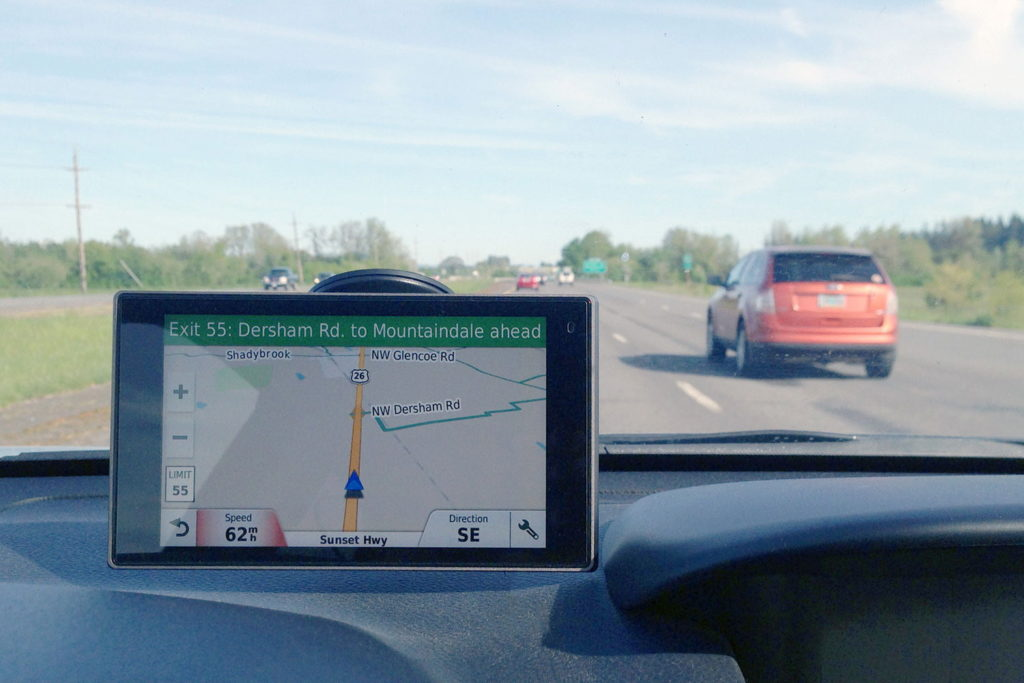
Car GPS has become a quiet hero of everyday driving. It guides us through traffic, helps us avoid wrong turns, and even recalculates routes when we miss an exit. Yet most drivers use GPS navigation daily without really knowing how it works.
Understanding how a car GPS system works is not just about curiosity. It helps you trust the directions, understand its limits, and troubleshoot common problems when navigation fails. This guide explains the entire process in simple language, without technical confusion, while still being accurate and useful.
“Good navigation does not just tell you where to go. It tells you where you are.”
What Is a Car GPS?
A car GPS (Global Positioning System) is a navigation system that helps a vehicle determine its exact location on Earth and guide the driver to a destination using digital maps.
In simple terms, a car GPS answers three basic questions:
Where am I right now?
Where do I want to go?
Which route should I take to get there?
Modern GPS systems can be found in:
Built-in car navigation systems
Infotainment screens
Android Auto and Apple CarPlay setups
Dedicated GPS devices
Even though smartphones also use GPS, car GPS systems are designed for driving conditions, larger displays, and vehicle-based accuracy.
Most owners of large fleets of cars or trucks will know more about the usefulness of these GPS tracking devices. You are easily able track your vehicles and literally know their location 24/7, and also it’s quite useful if your vehicle has one, for the purposes of reimbursement for trips and assists with distance travelled for bookkeeping.
The Basic Idea Behind GPS (In Simple Words)
At its core, GPS works using satellites in space and a receiver inside your car.
Here’s the simplest way to understand it:
Satellites send signals to Earth
Your car’s GPS receiver listens to those signals
It calculates how far away each satellite is
Using that data, it figures out your exact position
This process happens continuously while you drive.
GPS Satellites: The Backbone of the System
GPS depends on a network of satellites orbiting the Earth. These satellites constantly send signals that include:
Their exact position in space
The exact time the signal was sent
Your car’s navigation system does not send signals back. It only receives them.
Why Satellites Matter
To calculate location accurately, your GPS receiver usually needs signals from at least four satellites:
Three satellites determine position (latitude and longitude)
One satellite corrects time errors
More satellites mean better accuracy.
How Your Car Knows Its Exact Location
This is where the real magic happens, but it’s easier than it sounds.
Step-by-Step Location Calculation
The satellite sends a signal with a timestamp
Your car’s GPS receives that signal
The system calculates how long the signal took to arrive
Distance is calculated using signal travel time
The process is repeated with multiple satellites
Your exact location is calculated using triangulation
This happens in seconds and updates constantly as you drive.
What Is Triangulation in GPS?
Triangulation is the method used to pinpoint your position.
Imagine standing somewhere and knowing:
You are 10 miles from satellite A
12 miles from satellite B
15 miles from satellite C
There is only one spot on Earth where all three distances match. That spot is your location.
This is how GPS pinpoints your car’s position on the map.
GPS Maps: The Digital Road Guide
Knowing your location is only half the job. GPS also needs maps to guide you.
What GPS Maps Contain
Roads and highways
Street names
Speed limits
Intersections and exits
Landmarks and points of interest
These maps are stored:
Inside the car system (offline maps)
Or updated through internet connection
Navigation works best when maps are up to date.
How GPS Chooses the Best Route
Once you enter a destination, the system:
Looks at available roads
Calculates distance and travel time
Considers speed limits and road types
Chooses the fastest or shortest route
Many systems also consider:
Traffic congestion
Road closures
Accidents
This is why GPS sometimes reroutes you while driving.
Does Car GPS Need the Internet to Work?
This is one of the most common questions.
No, basic GPS does not need the internet.
GPS satellites provide location data without any network connection. However, the internet helps with:
Live traffic updates
Faster route recalculation
Map updates
Voice search
Without internet, GPS still shows location and directions using stored maps.
Car GPS vs Smartphone GPS: Is There a Difference?
Both use satellite signals, but there are practical differences.
Car GPS Systems
Designed for driving accuracy
Larger antennas
Better visibility on dashboards
Less battery concern
Smartphone GPS
Depends on phone battery
Uses GPS + mobile networks + Wi-Fi
May lose accuracy in tunnels or dense areas
For long drives, car GPS systems are often more stable.
How Accurate Is a Car GPS?
Under normal conditions, GPS accuracy is usually within:
5 to 10 meters
Accuracy can improve with:
Clear sky view
More satellite connections
Updated software and maps
Accuracy can reduce due to:
Tall buildings
Tunnels
Heavy trees
Bad weather (rare but possible)
Why GPS Sometimes Shows Wrong Location
Common reasons include:
Weak satellite signal
Outdated maps
Software glitches
Interference from buildings
If your GPS jumps around or shows wrong turns, recalibration or updates often fix the issue.
GPS and Vehicle Sensors Working Together
Modern cars use more than just satellites.
They combine GPS with:
Speed sensors
Gyroscope
Steering angle sensors
This helps maintain accuracy when satellite signals are weak, such as in tunnels or parking garages.
Turn-by-Turn Navigation Explained
Turn-by-turn navigation is the feature that:
Gives voice instructions
Shows lane guidance
Alerts about upcoming turns
It works by constantly comparing:
Your real-time location
The planned route
If you miss a turn, the system recalculates instantly.
Real-Life Example of GPS in Action
Imagine driving in a new city:
You enter your destination
GPS finds your location
It chooses the fastest route
Alerts you before every turn
Adjusts route when traffic slows
All this happens automatically, without you noticing the complex calculations behind it.
Common GPS Problems and Simple Fixes
GPS Signal Lost
Move to an open area
Avoid underground parking
Wrong Directions
Update maps
Restart the system
Slow Response
Clear cache (if possible)
Update software
Small steps often solve big navigation issues.
Advantages of Car GPS Systems
Reduces chances of getting lost
Saves time and fuel
Improves driving confidence
Helps in emergencies
Useful for long-distance travel
For many drivers, GPS is now as important as seatbelts.
Limitations You Should Know
GPS is powerful, but not perfect.
Limitations include:
Cannot predict sudden roadblocks
Depends on map accuracy
Signal issues in rare conditions
The limitation with these GPS trackers is that they’ll require a cell service with good netwok signals to determine real-time location, but nevertheless you can easily keep a track of your vehicle’s location with these GPS trackers. Understanding these limits helps you drive smarter.
The Future of Car GPS Navigation
Modern navigation systems are improving with:
Better traffic prediction
Integration with car safety systems
Smarter voice assistants
Improved accuracy in cities
Navigation is moving from simple directions to intelligent driving assistance.
Final Thoughts
A car GPS works by combining satellite signals, precise timing, and digital maps to guide you safely to your destination. While the technology behind it is complex, using it is simple—and that’s the beauty of it.
Knowing how GPS works helps you trust it, use it better, and understand its limitations.
“Technology works best when you understand just enough to use it wisely.”
Frequently Asked Questions (FAQs)
1. Does car GPS work without mobile network or Wi-Fi?
Yes. Car GPS works using satellites, not mobile data. Internet is only needed for traffic updates and map downloads.
2. Why does GPS sometimes show the wrong location?
This can happen due to weak satellite signals, tall buildings, tunnels, or outdated maps.
3. How many satellites does a car GPS need to work properly?
A car GPS usually needs signals from at least four satellites for accurate location tracking.
4. Is built-in car GPS better than phone GPS?
Built-in car GPS is more stable for long drives, while phone GPS is more flexible but depends on battery and network support.
5. Can GPS work inside tunnels or parking garages?
GPS signals may weaken in such places. Modern cars use sensors along with GPS to maintain navigation until signals return.
When you plan to join any course, it is important to choose the right institute and the best institute. The same rule applies to mobile repairing course. If you want to learn mobile repairing techniques properly and become a skilled technician, you should select the best mobile repairing institute in Mumbai, Thane, Navi Mumbai, or your local city in India.
Anyone planning to join mobile repairing course should read this article fully before making a decision on their choice for joining the best mobile repairing course in Mumbai. Learning mobile repairing skills properly and professionally is the first and most important step toward building a successful career in this field.
Why Mobile Repairing Is a Smart Career Choice
Mobile repairing has a strong future and career scope because lakhs of mobile phones are sold every year. When these phones develop problems, trained technicians are needed to repair them. Today, almost everyone uses a smartphone, which creates continuous demand for mobile repair services.
There is high demand for skilled mobile repairing technicians in India as well as abroad. Repairs like charging port issues, screen replacement, motherboard-level work, OCA fixing, IC reballing, and EMMC repair are common and offer good earning potential.
Mobile repairing is easy to learn and does not require a high educational qualification. You do not need to be 10th or 12th pass to join a mobile repairing course. With proper practical training, anyone can learn this skill.
There are many job opportunities for mobile repairing technicians in service centers and telecom companies in India and other countries. Mobile phone brands and service networks regularly need trained technicians to handle repair work efficiently.
The government’s Make in India initiative has also increased opportunities in this field. With more mobile phone manufacturing and assembly units operating in India, the demand for trained technicians has grown further, making mobile repairing a stable, profitable, and long-term career option.
A career in mobile repairing is a very good option for students who do not want to make a career through higher studies. They can start earning a very good income after just a few months of training.
Students can also start their own mobile repairing shops or service centres in Mumbai or in their native towns or villages after completing the short-term mobile repairing course. Mobile repairing is a very profitable and easy business. You require a very low investment to open a mobile repairing shop or store.
Mobile repairing technicians earn a good salary in India. At the same time, mobile shop owners can easily earn anywhere between Rs 25,000 to Rs 2 lakh per month depending on the location and size of the business.
Many other lucky mobile shop owners even earn much more than this. There is a lot of profit in repairing all types of faults of Android smartphones, iPhones and tablets.
Some key reasons why many students choose this field:
Constant demand for smartphone repairs
Low investment compared to other technical businesses
Quick learning curve with practical training
Opportunities for self-employment
Scope to earn through repairs, resale, and accessories
Mobile repairing course is very easy and interesting to learn. You do not need any qualification or any technical experience to learn mobile repairing and start.
There are many mobile repairing institutes all over Mumbai, Navi Mumbai, Thane, Kalyan and other parts of India, but the most important things to check are ‘quality of trainers’, ‘quality of training’ and the ‘depth of syllabus’ that are very important to know for selecting the top and the best mobile repairing institute. A good institute should also teach replacing cracked screens, doing OCA work, removing shorting, checking components and unlocking.
A certificate has no value if you do not learn the skills properly. What matters most is being able to repair all types of mobile phones and tablets confidently and professionally after completing the course.
After completing the mobile repairing course, a student starts as a fresher. With a few months of work and practice, he/she can gain experience and become a skilled technician. This depends on the student’s ability, hard work, and dedication.
Mobile repairing offers strong career opportunities with steady demand and multiple growth paths. By learning these skills, students can build a stable profession, work independently, or grow into advanced technical roles over time.
6 points to check for selecting the best mobile repairing institute
1. Practical Training: Does the institute provide good practical training? Many mobile institutes in Mumbai, Thane and Navi Mumbai that focus only on theory but not practicals. Many institutes teach very less practically. Adequate practical training is very important. Choose an institute that offers enough practical training so you can learn confidently. Practical learning is the most important part of mobile repairing.
2. Detailed and Deep Syllabus: The syllabus of the mobile course should also include all important repair techniques that are necessary to be a good technician. Some technical institutes have a very short or basic syllabus that is not sufficient to become an expert technician. A good institute will cover both hardware and software repairs in detail.
There are some institutes that teach only hardware repairing and do not teach software repairing or teach only 1 to 2 types of softwares.
3. Quality of Trainers: There are many institutes whose trainers do not know how to repair phones, they know only to teach theory topics. If you give the trainers a faulty smartphone or iPhone to repair, they will not be able to repair it as they do not know how to repair it! Trainers should have real repair experience, not just theoretical knowledge and explain the process clearly. So it is important that the instructors should also know how to repair mobiles practically for both hardware and software problems.
The trainers should teach all techniques properly. Good trainers also encourage questions and clear all doubts.
4. Personal Attention: Small batch sizes help students learn better. Ideally, each batch should have around 5 to 10 students so everyone gets proper guidance and hands-on time.
5. Valid Certificate: There are some institutes that are not registered or not authorized to conduct mobile repairing course. Make sure the institute is registered and authorized to conduct mobile repairing courses. The certificate you receive should be useful for job applications or for starting your own mobile repair business.
6. Post-Training Technical Support: Learning does not stop after the course ends. A good institute provides technical support even after course completion to help students repair common mobile phone problems during the early stages of their career. Future technical support to solve students’ doubts is a plus point and is very useful in every technical field.
Which are the best mobile repairing course institutes in Mumbai, Thane & Navi Mumbai?
1. Prizm Institute
Prizm Institute conducts mobile repairing course in a professional and well-structured way. According to us, it is one of the best institute to learn mobile repairing. The syllabus at Prizm Institute is very deep in both hardware and software. They start from basics and then go up to troubleshooting of faults in a proper step by step manner.
The institute focuses strongly on practical training than many of the other institutes in Mumbai. Prizm Institute also provides free technical support to its students after the course is completed..
Fees: Rs 10,000/-
Rating: (4.8 / 5)
2. Mnemonics Institute
Mnemonics Institute has branches in Thane, Vashi and Andheri in the western suburbs. This training institute also conducts many other technical courses and has a well-equipped lab with modern tools.
The training quality is good, though the course fees are slightly higher. However, the trainers are experienced and focus on practical learning. The institute also provides technical support to students after training.
Fees: Rs 20,000/-
Rating: (4.7 / 5)
3. JMD Institute of Mobile Repairing
JMD Institute is a good option for students who want professional mobile repairing training. The institute focuses on practical learning and offers lifetime technical support.
Located in Ulhasnagar, Thane, JMD Institute has experienced trainers for both hardware and software repair. The course fees are reasonable, batch timings are flexible, and the training is suitable for students from Kalyan and nearby areas.
Fees: Rs 10,000/-
Rating: (4.5 / 5)
4. New Mobile Point
New Mobile Point is located in the Fort area near CSMT station in South Mumbai. The institute trains students in small batches, giving personal attention to each student. The training is mainly hands-on and practical, and certificates are provided after course completion.
Fees: Rs 8,000/-
Rating: (4.4 / 5)
5. Reepair Institute
Reepair Institute of Mobile Technologies offers good training in mobile phone repair and also provides chip-level laptop and computer repairing courses. It is among the well-known electronics training institutes in Mumbai.
The institute has qualified trainers who teach in a simple and practical way. It also has a well-equipped lab for hands-on training and is located in Nahur, Mumbai.
After completing mobile repairing course, if students want to start their own mobile repair shop, they should choose a good location for opening the shop. Some of the best places for mobile repairing business in western suburbs are Mumbai Central, Bandra, Mahim, Santacruz, Kalina, Vakola, Andheri, Jogeshwari, Kandivali, Goregaon, Malad, Borivali, Mira Road, Vasai, Nallasopara and Virar.
In central suburbs, we should prefer places like Byculla, Dadar, Parel, Sion Kurla, Sakinaka, Powai, Ghatkopar, Vidyavihar, Vikhroli, Bhandup and Mulund. In Harbour Line, Chembur, Govandi, Mankhurd, Vashi, Nerul, Turbhe, Kharghar, Belapur and Panvel are very good locations. In Thane district, places like Kalwa, Mumbra, Dombivli, Kalyan, Bhiwandi, Ambernath, Badlapur, Titwala, Uran, Karjat, Kasara and Khopoli have good scope for mobile repairing business. All these locations offer good scope for starting a mobile repairing business.
Are Government Mobile Repairing Courses Good?
Government sponsored mobile repairing courses in India under schemes like Pradhan Mantri Kaushal Vikas Yojana (PMKVY), Skill India, National Skill Development Corporation (NSDC) and STAR scheme are usually very basic and not deep enough to make good technicians. These courses are mostly theory-based and do not focus on providing deep practical training. The quality of teaching varies and totally depends on the training partners.
There are some other top technical institutes that are famous for conducting technical courses. Kohinoor Technical Institute (KTI), Abhinav Technical Institute, Government Polytechnic, Saboo Siddik Polytechnic and some ITIs also conduct mobile phone repair training. But the problem with some of these institutions is that their training is mainly focused on theory topics.
In many institutes, the teaching quality is very poor and the syllabus is very outdated. In the age of iPhone and smartphones, some institutes are still teaching repairing of old outdated keypad phones!
There are many mobile repairing institutes in Mumbai that conduct very low quality training. So its important to learn mobile repairing at a good institute.
What is the status of Free Mobile Repairing Courses in Mumbai?
Free mobile repairing courses offered in Mumbai and other parts of India are usually short and basic. They mostly teach hardware repair and do not cover smartphone software repair. These courses are also largely theory-based and offer very little practical training.
While some government-funded institutes provide good education in other technical fields, they are not suitable for learning mobile repairing professionally. For mobile servicing course, they cannot be recommended.
If you are planning to make a career in mobile repairing, then free mobile repairing courses are not recommended as they will teach you only theory topics.
Mobile repairing is one of the low-budget best career option for people of all ages.
The advantages of learning mobile repairing course from a good institute are:
1. You learn mobile repairing in a professional way.
2. You understand proper troubleshooting methods.
3. You gain skills in both hardware and software repair.
4. You receive a valid technician certificate.
5. You get technical support whenever you need help.
Which is the best mobile repairing institute in Mumbai?
According to us, Prizm Institute is one of the best mobile repairing institutes in Mumbai. It offers strong practical training in both mobile hardware and software, helping students learn professionally.
If you know of any good mobile repairing institute in Mumbai, Thane, Navi Mumbai, or nearby areas, please share it in the comments below.
High demand for skilled mobile repair technicians due to increasing smartphone usage and frequent repairs.
Opportunity to start your own mobile repairing shop with low investment and quick return.
Job openings in authorized service centers, local repair shops, and electronics companies.
Scope to earn through various repair services
Growing demand for trained technicians in foreign countries.
Who Should Join This Course?
Students who want an easy to learn skill-based career.
Job seekers looking for quick employment or self-employment options.
10th or 12th pass candidates interested in technical work.
Entrepreneurs planning to open a mobile repair business or service center.
Working professionals who want to upgrade their technical skills or switch careers.
Anyone interested in electronics and smartphone technology, even with no prior experience.
Frequently Asked Questions (FAQs)
1. Do I need any educational qualification to join a mobile repairing course?
In most institutes, no formal qualification is required. Anyone can join a mobile repairing course, even without a degree or technical background. Basic interest in learning is enough.
2. How much time does it take to complete a mobile repairing course?
The duration usually is a few months. It depends on the course syllabus, training level, and practical exposure provided by the institute.
3. Is mobile repairing difficult to learn for beginners?
No. Mobile repairing is easy to learn when you get proper guidance and hands-on practice. With regular training, beginners can understand the concepts quickly.
4. What skills will I learn in a mobile repairing course?
You will learn mobile hardware repairing, software flashing, fault diagnosis, and troubleshooting of smartphones.
5. Can I get a job after completing a mobile repairing course?
Yes. After completing the course, you can work in authorized service centers, local repair shops, or with mobile phone brands and distributors. You can also open your own mobile repairing shop.
6. Is it possible to start my own mobile repairing business after training?
Yes. Many students start their own mobile repairing shop after completing the course. The investment is low, and the demand for repair services is high.
7. Why is practical training important in mobile repairing?
Practical training is very important because mobile repairing is a skill-based profession. Hands-on practice helps you gain confidence and real-world experience.
8. Do mobile repairing institutes provide certificates?
Yes. Reputed mobile repairing institutes provide a valid course completion certificate after successful training, which helps in jobs and business credibility.
9. Is mobile repairing a good career option in the long term?
Yes. Mobile repairing is a growing field with steady demand. With skills and experience, it offers good career growth and earning opportunities.
Final Thoughts
Mobile repairing is a practical, future-ready skill with steady demand. Mumbai, Thane, and Navi Mumbai offer some of the best mobile repairing course institutes in India due to strong industry presence and repair markets.
Choosing an institute that focuses on hands-on training, updated syllabus, and honest guidance will help you build real skills. With dedication and continuous practice, mobile repairing can become a reliable and rewarding career path.
Ready to take the first step toward a skill-based, future-proof career? Don’t wait any longer—visit a reputed mobile repairing institute, attend a demo class, and see the training environment for yourself. With the right practical skills and guidance, you can start building a rewarding career or your own mobile repair business.
Most people often don’t give enough consideration when picking a mobile repairing service centre which can significantly impact the future performance of their smartphones. In this article, we will be delving into the key factors that need to be considered for selecting the best mobile repairing shop or the best mobile repairing service center in your city i.e Mumbai, Thane or Navi Mumbai or nearby.
Before buying a smartphone, you put in a lot of thought and evaluate different specifications and aspects to ensure that you have the best mobile phone to fulfill all your relevant requirements. Most of the time, you are very cautious while making that decision of making a value for money purchase, because mobile phones today come with an extravagant price tag attached to them.
However, at times, it may be because of a physical mishap or internal issues that your mobile phone goes bust and needs repair services. This is where mobile repairing shops play an important role to get your faulty device back to its previous state.
Why Choosing the Right Mobile Repair Shop Matters
Not all mobile repairs are the same. A poorly done repair can damage your phone permanently.
Choosing the right shop ensures:
Original or high-quality spare parts
Proper diagnosis of the actual fault
Skilled handling of sensitive components
Better phone performance after repair
Long-term reliability and safety
A cheap repair that fails after a week often costs more in the long run.
Authorised Service Centres vs Local Repair Shops
Before listing the best shops, it’s important to understand the difference.
Things to Consider Before Selecting the Best Mobile Repairing Service Centre
You are at the point where you have to get your damaged phone fixed as soon as possible. No matter how insignificant the damage is, when it comes to choosing the right repair service centre, you have a lot to analyze than you actually think so. Below are some important factors to ensure you pick the best professional mobile repairing service centre.
1. Expertise
The first and the foremost thing to consider while looking for a mobile repair service is the expertise and reliability of the technician/s. It is paramount to ensure that the person who handles your hard earned mobile phone is experienced and well versed with the technical know-hows.
While if you are interested to learn mobile repairing yourself, you can see some of the institutes that conduct the best mobile repairing course in Mumbai, Thane and Navi Mumbai. If you hand over your phone to an inexperienced technician to save a few bucks, there are good chances that you may get it destroyed or have to spend more in future.
2. Quality of Spare Parts
If you are opting for a third-party mobile service centre, then make sure you are provided with high quality genuine spare parts. Third party shops may also use low quality and duplicate cheap spare parts which may be incompatible or bring down the performance of your device to a considerable extent. However, if you do your research well, you will find a good service centre that uses only good quality spare parts.
Quality of spares is something which you should not compromise upon.
3. Convenience
As the expectation towards customer service is constantly growing, mobile repairing shops are offering more convenient repairing experiences to their clients. For example, today, many shops offer a paid or free pickup and drop service where you merely have to make a call to the service centre and get your device picked up from home, get it repaired, and delivered it back to your doorstep.
This option is not only beneficial but necessary for people who are busy and do not have the time to first drop and then collect their repaired smartphone.
At the same time, you need services to be quick with the least turnaround time.
4. Warranty
A reliable mobile repair shop always offers a warranty on their repair and replacement. The warranty implies that if in future, you experience the same issue, they fix your mobile at no added costs, i.e., absolutely free. This is an effective show of confidence thereby backing their cell phone repair services. It is also a mark of their quality repairing work. They duration of warranty can be anywhere from 1 week to 1 year.
5. Pricing
You should evaluate prices of different service centres before making the decision. Each mobile service centre has their particular rates. While you should go for mobile phone repair services that are cheaper, it is also important to ensure that you don’t compromise on the quality of the parts and service.
6. Background
Check with all mobile phone repair services available today in every corner, you have to run a basic background check to ensure you choose the best. Look for online reviews of the service centre; this will also give you a fair idea about the quality of their cell phone repair services.
You can also ask friends if they have been in contact with any good mobile repair company. This is because many shopsand service centers are famous for literally robbing your precious original parts with duplicate ones. Parts like LCD, motherboard,battery and camera can be stolen if you give your device to unethical shops. Here you need to be careful enough and selct shops which are genuine and reputed.
These are a few factors that will help you choose the best mobile repairing service centre to fix your damaged device. Considering these aspects beforehand will allow you to make an informed decision on selecting the best repair service center in Mumbai and around and increase the chances of getting your phone back to as good as new.
The Top 10 Best Mobile Repairing Service Centres in Mumbai, Thane and Navi Mumbai
If you live in Mumbai, Thane, or Navi Mumbai, you will find many mobile phone repair shops nearby. However, not every repair center offers reliable and professional mobile repairing service, so it is important to compare your options carefully before choosing one.
To help you simplify your selection, here are top ten mobile repairing shops in Mumbai, Thane and Navi Mumbai to look out for:
1. Shetty aka Canara Telecom
Shetty aka Canara Telecom is one of the oldest mobile repairing shops located at Fort, Mumbai. Situated on the first floor inside Manish Market, near CSMT station, this service centre has employed some of the most experienced and expert technicians to repair your expensive gadgets. Being one of the oldest in Bombay, they have the technical efficiency to get the work done for the most complicated faults as well. They provide all kinds of advanced repairing like CPU reballing, EMMC IC repair, double decker IC repairs, baseband repair and chip-level motherboard repairs.
Yaantra, located in Kurla, Mumbai, has been in the mobile market since 2013 and it is a dedicated brand that deals in the smartphone repair segment. Whether it is Apple,Samsung, Mi, Vivo or any other brand, they have serviced a wide range of mobile phones over these years. They offer a six months warranty, seven days replacement, doorstep service and exceptional customer support.
With many years of experience, it undoubtedly offers great mobile phone repair services. They repair gadgets of all kinds such as a smartphone, laptop, tablet, Kindle, smartwatch, etc. The service has many locations across India with one in Mumbai.
Address:
Yaantra Unit No F/7, Kohinoor Mall, Kirol Road, Kurla West, Mumbai – 400070.
Contact Number: 099998 44944
Rating: (4.7 / 5)
3. Mobiassist
Mobiassit has been in the telecom market since 2002 and is located in Mulund, Mumbai. Whether you have an iPhone or an Android phone like Samsung, MI, Vivo, Oppo, Huawei, OnePlus, etc., they can repair and unlock any brand that is available in the market.
Additionally, they offer enhanced services like pick up and drop, fast repair, warranty, customer support, etc.
Sunrise Telecom is in Kalina, Santacruz, Mumbai and is a trustworthy place to repair all kinds of iPhones and other smartphones and tablets. They also offer pick and drop service as well as same day repair. From repairing simple issues like broken screens and signal issues to repairing major issues like replacing faulty displays, faulty ICs, EMMC programming, repairs of motherboard, you can get it all fixed at this service centre.
Address:
Sunrise Telecom Shop No. 183, Air India Road Opp.Kapoor Sports, Kalina, Santacruz East, Mumbai – 400029.
Contact Number: 98677 86115 / 93211 07107
Rating: (4.7 / 5)
5. Fonecare
Fonecare is another popular mobile repairing service centre known for its quality mobile repairing services. They repair all smartphone brands like Apple, Samsung, Vivo, Oppo, iQoo, Realme, Nothing, OnePlus, etc. Fonecare also offers a pick and drop service, warranty, same day repair, customer support, etc. Fonecare has its branches in Borivali, Kandivali, Goregaon and Pune.
BigFix is a professional multi brand gadget care centre. They handle all major brands like Apple, Samsung, Vivo, Xiaomi, Oppo, Motorola, OnePlus, , etc. They offer pick up and drop service and warranties for repair, quick turnaround times, etc.
Prizm Institute provides mobile repairing services for all major brands of mobile phones subject to availability of spare parts. Along with mobile repairing courses, it also provides repairing services for smartphones and tablets that covers both mobile hardware and software repairs.
Address:
Prizm Institute Shop No. 7, Building No 84, Nehru Nagar, Near Kurla Station, Kurla East, Mumbai 400024.
Contact Number: 9773196196
Rating: (4.6 / 5)
8. All Mobile Solutions
All Mobile Solutions is a one-stop destination for all your cell phone repair services. They have certified technicians who offer services like battery replacement, camera replacement, OCA, diagnostics, software repairs, etc.
Address:
All Mobile Solutions Ashoka Shopping Centre, Shop No 29, 1st Floor, LT Marg, Near Crawford Market, Next To G T Hospital, Mumbai 400 001.
Contact Number: 9768741777 / 9987659544
Rating: (4.5 / 5)
9. iService
iService as the name suggests is a repair service centre dedicated to fixing all kinds of Apple gadgets like iPhones, iPads, Macbooks and iMacs. They have certified engineers, OEM parts, one hour repair options, and price guarantee. iService have their branches in Andheri West, Bhayandar West, Kandivali West, Mahim West, and Powai.
Address:
iService (Powai Branch) Unit 5, Heera Panna Shopping Center, Orchard Ave, Hiranandani Gardens, Powai, Mumbai, Maharashtra 400076
Contact Number: 091366 05470
iService (Andheri Branch) Unit No 1, Rajnigandha MHADA Building, 14 New Link Road, Near Lokhandwala Complex, Oshiwara, Andheri West, Mumbai, Maharashtra 400053
Contact Number: 099876 35470
Rating: (4.5 / 5)
10. KaizerGSM
KaizerGSM, located in Vashi, Navi Mumbai, is a company founded in 1997 that offers quality mobile repairing services. Whether its iPhone repairing or Android repairing, they are capable of rendering on-time, quality, and reliable repairs.
Address:
KaizerGSM Shop No. 42, Jai Jawan Market, Next to Apna Bazar & Tanshiq jewellers, Sector 17, Vashi, Navi Mumbai, Maharashtra 400703
Contact Number: 098195 79999
Rating: (4.5 / 5)
Important Things to Check Before Giving Your Phone for Repair
Before handing over your smartphone for repair, it is important to take a few safety steps. These simple checks help protect your data, avoid misunderstandings, and ensure a smooth repair experience.
1. Take a Complete Data Backup
Phone repairs, especially internal or software-related work, can sometimes lead to data loss. Always back up your photos, videos, contacts, messages, and documents to cloud storage or another device before repair.
2. Remove SIM Card and Memory Card
Your SIM and memory card are not required for repair. They store personal information such as contacts and private photos. Keep them with you to avoid misuse or accidental loss.
3. Secure or Delete Private Data
Even after removing the memory card, personal data may still remain in the phone. If possible:
Delete sensitive files
Log out of important apps
Move data to cloud storage
This step improves privacy and peace of mind.
4. Charge the Battery Fully
A fully charged phone helps technicians start testing immediately. It saves time and allows proper checking of the problem.
5. Explain the Problem Clearly
Explain the issue properly to the technician. Mention:
When the problem started
How often it occurs
Any recent damage or software update
Clear information helps faster and accurate repair.
6. Check Phone Condition Before Handing Over
Before giving your device:
Check the screen for cracks
Check buttons, camera, and speakers
Note any existing damage
Take photos of your device for safety. This avoids confusion after repair.
7. Ask About Repair Cost and Time
Always ask:
Estimated repair cost
Time required for repair
Warranty on replaced parts
This helps avoid unexpected charges later.
8. Take a Repair Receipt or Job Card
Ensure the repair center provides a receipt or job card. It should mention:
It may happen during software or internal repairs. Always keep a backup of your data.
2. Is it safe to give my phone password or pattern?
No. Avoid sharing passwords or screen locks unless it is absolutely necessary.
3. How long does a normal phone repair take?
Simple repairs usually take a few hours. Complex repairs may take 1–2 days.
4. Is it okay to repair an old phone?
Yes, if the repair cost is reasonable. Always compare the repair cost with the phone’s current value.
5. How do I know if repair is better than replacement?
If the problem is minor, such as battery, screen, or charging issues, repair is usually cheaper. Replacement is better only when the repair cost is very high or there is serious motherboard damage.
Conclusion
Mumbai, Thane, and Navi Mumbai offer some of the best mobile repairing shops and service centres in India. From large electronics hubs like Lamington Road to trusted local technicians in suburbs, users have many reliable options.
The key is to choose experience over price, verify parts used, and understand the repair being done. A good repair shop not only fixes your phone but also helps extend its life.
If your smartphone develops a problem, take time to choose a trusted repair centre — it makes all the difference.
Smartphones have become an essential part of daily life. From communication and payments to navigation, work, and entertainment, a mobile phone is no longer a luxury device. It is a necessity. Modern smartphones come with powerful processors, high-quality displays, advanced cameras, large storage, and regular Android or iOS updates that improve features and security.
But with heavy daily use comes wear and tear.
Slow performance, fast battery drain, overheating, unresponsive screens, random shutdowns, or charging issues often leave users confused and frustrated. At that point, one question becomes unavoidable:
Should I repair my smartphone or replace it with a new one?
There is no single answer that fits everyone. The right decision depends on multiple factors such as the type of problem, repair cost, phone age, usage needs, and long-term value.
“Fixing the right problem at the right time can extend a phone’s life more than any upgrade.”
This guide helps you make a clear, practical, and informed decision without guesswork.
Why Smartphones Start Failing Over Time
Smartphones are compact electronic devices with tightly packed components. Over time, several factors affect their performance:
Continuous charging and discharging of the battery
Heavy apps like gaming, navigation, and streaming
Heat buildup during fast charging or long usage
Software updates that demand more resources
Accidental drops, moisture, or dust exposure
These factors slowly reduce efficiency and reliability, leading to common mobile phone problems.
Understanding what exactly is wrong is the first step toward deciding repair or replacement.
Repair or Replace: A Common Smartphone Owner’s Dilemma
Most people delay the decision even after repeated issues. The phone still works “sometimes,” so the choice feels unclear.
Common questions users ask include:
Should I repair my smartphone or buy a new one?
Is it worth repairing an old iPhone or Android phone?
Repair vs replace – which option saves money?
How long will my phone last after repair?
You can find cost of repair at some of the best mobile repairing services centres in Mumbai and then decide whether you should opt for repairing or replacing your smartphone. These are valid concerns. Let’s break them down logically.
Step 1: Identify the Exact Problem in Your Smartphone
Never decide based on symptoms alone. Always identify the root cause.
Problems That Are Usually Worth Repairing
Cracked or broken screen
Battery draining fast
Charging port not working
Speaker or microphone issues
Camera not focusing
Software crashes or lag
These issues are common, predictable, and repairable in most smartphones.
Problems That Often Point Toward Replacement
Repeated motherboard failure
Severe water damage
Phone not powering ON even after repair attempts
Multiple components failing together
Repair does not last long
If repairs keep repeating, replacement becomes the smarter option.
Diagnosis comes before decision.
Step 2: Compare Repair Cost vs Replacement Cost
This is one of the most important factors.
In general:
Repair is cheaper than replacement for minor and mid-level issues.
Replacement makes sense when repair cost is too high.
A Simple Rule to Follow
If the repair cost is:
Low to moderate → Repair is practical
Close to the price of a new phone → Replacement is better
For example:
Screen or battery replacement usually costs much less than buying a new device.
Motherboard or PCB replacement can be expensive and risky.
Always ask for a clear repair estimate before deciding.
Step 3: Consider the Age of Your Smartphone
Phone age matters more than many people realize.
Newer Phones (Under 2–3 Years)
Usually worth repairing
Still receive software updates
Hardware is mostly capable
Repairing extends usable life at low cost.
Older Phones (4–5 Years or More)
May not support latest apps
Battery and performance degrade faster
Spare parts may be costly or unavailable
In such cases, replacement may offer better long-term value.
Step 4: Check Warranty or Insurance Coverage
Before spending your own money, always check:
Manufacturer warranty
Extended warranty
Insurance plans
If your phone is under warranty:
Many internal issues are repaired for free
Some cases may even qualify for replacement
Most, in fact all smartphones manufacturers provide a warranty period on the phones, within which the owner can avail free repair services or even get a replacement for the phone, given it has critical issues which cannot be solved by repair. Never repair a phone outside the authorized network while it is still under warranty, unless advised.
Step 5: Evaluate Performance and Daily Usage Needs
Ask yourself honestly:
Does the phone handle my daily apps smoothly?
Is it fast enough for work, navigation, or payments?
Does battery last long enough for my routine?
If performance is acceptable and issues are minor, repairing makes sense.
If the phone struggles with basic tasks even after cleaning, resetting, or updating, replacement may improve productivity and peace of mind.
Environmental and Practical Perspective
Repairing a smartphone is not only cheaper but also more environmentally responsible.
Reduces electronic waste
Saves manufacturing resources
Extends device life
However, repairing a device that constantly fails also wastes time and money. Balance is important.
“Smart decisions are not about saving money today, but about saving effort tomorrow.”
Common Scenarios: Repair or Replace?
Scenario 1: Fast Draining Battery
✔ Repair (battery replacement)
Scenario 2: Cracked Screen, Phone Working Fine
✔ Repair
Scenario 3: Phone Dead After Water Damage
❌ Often better to replace
Scenario 4: Phone Slow Due to Storage and Apps
✔ Repair (cleanup or software reset)
Scenario 5: Repeated Motherboard Issues
❌ Replace
Before Giving Your Phone for Repair (Important)
Before handing over your device:
Take a full data backup
Remove SIM card and memory card
Secure or delete private data
Charge the battery
Note existing damages
Ask about warranty on replaced parts
These steps protect both your data and your rights.
Repair or Replace: Final Decision Checklist
Repair if:
Problem is common and repairable
Cost is reasonable
Phone performance is acceptable
Device is relatively new
Replace if:
Repair cost is very high
Phone is very old
Issues repeat frequently
Performance no longer meets needs
Conclusion: Make a Calm, Informed Choice
Deciding whether to repair or replace a faulty smartphone does not need to be stressful. When you understand the problem, compare costs, consider phone age, and evaluate your usage needs, the answer becomes clear.
In most cases, repairing is the smarter and more economical option. Replacement should be chosen only when repair no longer offers value or reliability.
A thoughtful decision today saves frustration tomorrow.