Tag: guides

  • 7 Easy Ways to Remove Scratches From a Mobile Screen

    7 Easy Ways to Remove Scratches From a Mobile Screen

    It is easy to take our phones for granted. We use them everywhere—while walking, working, chatting, eating, traveling, or even resting. In the middle of this busy routine, we often forget how delicate a phone’s display actually is. A quick slide into a pocket with keys, a moment of carelessness while placing it face-down, or a minor slip from the hand is enough to leave your device with annoying scratches.

    Even small marks can make the screen look old and dull, reduce clarity, and sometimes interfere with touch response. The good news? Most light scratches can be reduced or hidden using safe, modern methods. Today’s screens are stronger, coated with oleophobic layers, and designed to resist everyday wear—but they are not completely scratch-proof.

    This guide explains updated, tested, expert-approved ways to fix or reduce phone screen scratches without damaging your device. You will also learn when DIY methods are safe—and when professional repair is the smarter choice.

    One simple reminder that fits perfectly here:

    “Take care of your devices, and they will take care of your daily life.”


    Understanding Phone Scratches Before You Start

    Not every scratch is the same. Correct identification helps you choose the right solution.

    1. Hairline Scratches

    Very light marks visible only under strong light.
    Good news: These can often be reduced significantly with simple polishing or screen protection.

    2. Surface-Level Scuffs

    Visible marks caused by coins, minor abrasions, or rough surfaces.
    Can be treated: With plastic-safe polish or a tempered glass protector.

    3. Deep Scratches

    Easily visible, felt with a fingernail, and sometimes affecting touch.
    Cannot be repaired at home: Professional repair may be needed.

    4. Cracks or Spiderweb Damage

    These are structural damages.
    Do not attempt DIY fixes: Screen replacement is the only solution.

    Before knowing how to remove scratches, it is important to know how to protect cell phone screen from damage and scratches. Knowing the difference saves time and prevents further damage.


    Important Safety Warning

    Older home remedies like toothpaste, baking soda, nail polish, spirit, or abrasive powders are no longer safe for modern smartphones.
    They can:

    • Damage the oleophobic coating
    • Increase the size of scratches
    • Cause screen discoloration
    • Affect touch sensitivity

    The steps below use safe and updated solutions that match current screen technologies.
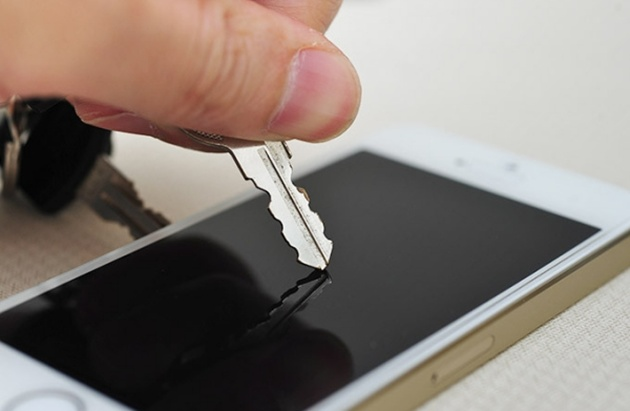
    remove scratches from cell phone lcd and screen

    7 Modern & Safe Ways to Remove Scratches From a Mobile Screen


    1. Clean the Screen Properly Before Any Treatment

    Before attempting any fix, always start with a clean surface. Dust or dirt can cause further micro-scratches during the process.

    How to clean safely:

    • Turn off your device
    • Use a soft microfiber cloth (same as used for spectacles)
    • Slightly dampen it with screen-safe cleaning spray or distilled water
    • Wipe gently in straight motions

    Avoid circular scrubbing, harsh cloths, paper tissues, or alcohol-based cleaners.

    A clean screen helps you see the true depth of scratches and prevents worsening them.


    2. Use a High-Quality Tempered Glass Screen Protector to Hide Scratches

    This is one of the most effective and low-risk ways to improve the appearance of your phone.

    Why this works:
    Tempered glass has a uniform thickness and coating. When applied, it fills minor gaps, making light scratches almost invisible. It also prevents new scratches.

    Steps:

    1. Clean the screen thoroughly
    2. Align the tempered glass
    3. Apply slowly to avoid bubbles
    4. Press down to seal edges

    If your scratches are minor, you will see an instant improvement.


    3. Use a Plastic Polish or Display-Polishing Compound

    For phones with plastic screens—mainly older models, budget devices, or some foldable phones—light scratches can be reduced with special-purpose polish.

    Use only phone-safe polishing compounds, such as:

    • PlastX
    • PolyWatch (plastic polish version)

    These products contain micro-abrasives designed to gently level the scratched surface.

    How to use:

    • Apply a small drop on the scratch
    • Use a microfiber cloth to rub gently in a controlled direction
    • Polish for 10–20 seconds
    • Wipe clean and inspect

    Do NOT use plastic polish on glass screens.


    4. Use Cerium Oxide for Glass Screen Scratch Reduction

    For glass displays, the safest professional-grade solution is cerium oxide, a polishing compound used for glass restoration.

    While it won’t remove deep scratches, it can visibly reduce light marks.

    Usage tips:

    • Mix cerium oxide powder with a few drops of water to make a thin paste
    • Apply with a microfiber cloth
    • Polish lightly for 20–30 seconds
    • Clean and check the improvement

    This method requires patience, but it gives the best DIY result for glass screens.


    5. Apply a Liquid Screen Protector as a Scratch Filler

    Liquid screen protectors are made of silica-based nanolayers that bond to the screen surface.
    They do not remove scratches, but they can reduce visibility and add a protective coat.

    Benefits:

    • Helps hide micro-scratches
    • Enhances smoothness
    • Adds a thin protective layer

    How to apply:

    • Clean the screen
    • Apply liquid evenly
    • Let it cure for the recommended time
    • Buff gently with a microfiber cloth

    This is ideal for very fine hairline scratches.


    6. Install a Hydrogel Screen Protector for Flexible Scratch Coverage

    Hydrogel protectors have become popular because they self-heal minor scratches. The material is flexible and restores itself with heat or pressure.

    Why hydrogel works well:

    • Self-healing properties
    • Covers and hides small scratches
    • Excellent touch sensitivity

    Steps to apply:

    • Clean the screen
    • Align and place the hydrogel sheet
    • Use the squeegee to smooth out the material
    • Allow it to “heal” over the next 24–48 hours

    Perfect for curved screens, foldable phones, and devices with minor marks.


    7. Choose Professional Polishing or Screen Replacement for Deep Scratches

    If the scratch is deep enough to feel with a nail, DIY methods won’t fix it. Professional technicians use controlled glass polishing machines and compounds safe for laminated displays.

    Professional services may include:

    • Oleophobic coating reapplication
    • Controlled glass micro-polishing
    • Full display replacement

    When the scratch affects display performance or touch, replacement is the only long-term solution.

    As people often say:
    “Not everything needs fixing at home—some repairs deserve expert hands.”


    Practical Tips to Prevent Future Scratches

    Once you fix your screen, protect it from new marks by following a few simple habits.

    1. Use a high-quality screen protector

    Choose between tempered glass, hydrogel, or nano-coating for the best protection.

    2. Keep your phone away from sharp objects

    Avoid storing your phone in pockets with keys or coins.

    3. Clean your screen regularly

    Dust particles act like sandpaper over time.

    4. Use a protective case

    Raised edges prevent the screen from touching surfaces.

    5. Avoid keeping your phone face-down

    Especially on rough or dusty surfaces.

    6. Handle your phone with care outdoors

    A small fall on concrete can instantly damage the display.

    These small habits help maintain screen clarity and prolong the lifespan of your device.


    When Should You Not Attempt Any DIY Scratch Repairs?

    Avoid DIY methods in the following cases:

    • Your phone has cracks or spiderweb patterns
    • Scratches affect the touch response
    • The scratch lies near edges or corners
    • Liquid has entered the phone previously
    • You feel unsure or uncomfortable performing repairs

    In these cases, choose a professional repair service to avoid worsening the damage.


    Common Myths About Fixing Phone Screen Scratches

    Let’s clear up some misconceptions:

    ❌ Toothpaste removes scratches

    Fact: Toothpaste is abrasive and damages coatings.

    ❌ Baking soda works like polish

    Fact: It can worsen the scratch and dull the screen.

    ❌ Nail polish fills deep scratches

    Fact: It ruins the oleophobic coating and is impossible to clean completely.

    ❌ Alcohol removes marks

    Fact: Strong alcohol dissolves the protective layer.

    Sticking to safe, modern methods ensures your phone stays in good condition.


    Summary

    Scratches on a mobile screen are frustrating, but they don’t always require expensive repairs. With modern solutions like tempered glass protectors, hydrogel films, liquid coatings, and safe polishing compounds, you can reduce or hide many light marks.

    Remember:

    • Light scratches → Can be polished or hidden
    • Surface-level scuffs → Tempered glass or hydrogel works well
    • Deep scratches → Only professional repair or replacement

    Stay gentle, stay patient, and avoid outdated remedies that can harm modern screens.
  • How to Start A Cell Phone Repair Shop – Step By Step Business Guide

    How to Start A Cell Phone Repair Shop – Step By Step Business Guide

    Mobile phones have become an essential part of everyday life. People depend on them for work, communication, banking, entertainment, navigation, and even identity verification. With this level of dependency, one thing is certain: when a phone stops working, people need fast and reliable repair services.

    This is why the mobile repair industry continues to grow. Whether it’s a broken screen, dead battery, water damage, software issue, or faulty charging port—users seek quick solutions. What makes this business attractive is that demand never stops, and repairs are often more affordable than buying new devices.

    Many successful repair shop owners today started with a simple toolkit and a small workspace. With patience, skill, and the right strategy, they built profitable businesses. Like one expert said:
    “Every big repair center you see today began with one tool, one table, and one person willing to learn.”

    If you want to start your own cell phone repair shop, this complete guide will show you the exact steps—from skills to setup, tools, pricing, marketing, and running operations smoothly.


    1. Understand the Mobile Repair Industry

    Before you start, it’s important to understand the market. The mobile repair business includes:

    • Hardware repairs
    • Software troubleshooting
    • Chip-level and board-level repairs
    • Data recovery
    • Phone unlocking and configuration
    • Accessory sales

    The market is strong because:

    • Smartphones are expensive, so people prefer repair over replacement.
    • Even new models face issues like cracked screens or charging faults.
    • Customers want quick service, often within the same day.
    • A repair shop can operate with small investment and grow over time.

    To succeed, you must focus on quality, speed, transparency, and trust. Customers return when they feel safe handing over their device.


    2. Learn the Required Repair Skills

    You cannot run this business effectively without understanding repairs. Even if you plan to hire technicians, you must know the basics so you can manage quality, pricing, and customer expectations.

    Learn both hardware and software repairs:

    • Screen replacement
    • Battery replacement
    • Charging port repair
    • Speaker/mic repairs
    • Water damage treatment
    • Camera issues
    • Motherboard diagnosis
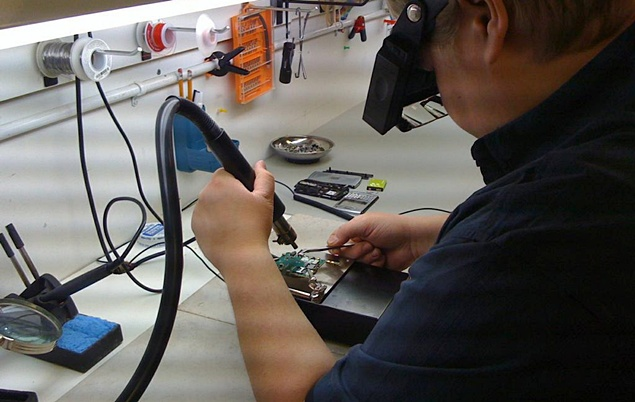
    • Soldering and micro-soldering for board components
    • Software flashing, unlocking, and device reset
    • IMEI and network configuration (within legal limits)

    You can learn from:

    • A professional mobile repair training institute
    • Online courses
    • YouTube for basic techniques
    • Forums and communities
    • Practice on old or faulty phones

    Tip: Start by mastering basic repairs, then progress to chip-level repairs as your skills grow. You can also join a self-study online cell phone repair course at Prizm institute to get yourself trained.


    3. Decide the Type of Repair Business You Want to Start

    There are multiple models depending on investment:

    A. Home-based Repair Service

    • Lowest startup cost
    • Flexible working hours
    • Best for beginners

    B. Small Shop / Kiosk

    • Moderate cost
    • High visibility
    • Good for walk-in customers

    C. Full-Service Repair Store

    • Higher investment
    • Can offer advanced services
    • Suitable for major markets

    D. On-Site / Doorstep Repair Service

    • Growing trend
    • Customers love single-visit repairs
    • Requires skilled technician and portable tools

    Choose a model based on your budget, skills, and area demand.

    small cell phone repair shop

    4. Register Your Business and Legal Setup

    Every serious repair shop should complete basic legal steps. It builds trust with customers and prevents future issues.

    Key formalities:

    • Register your business
    • Set up GST (or local tax registration)
    • Create a service invoice format
    • Open a business bank account
    • Maintain proper billing records

    Customers often trust shops that appear professional and organized.


    5. Choose the Right Location

    Location plays a big role in success.

    Best places:

    • Near markets
    • Near colleges or schools
    • Inside commercial complexes
    • Near bus stations or railway stations
    • High-footfall residential areas

    Choose a place that:

    • Has good visibility
    • Is easy to find
    • Has enough space for customers and repair work
    • Is affordable

    Remember the saying:
    “A great location can reduce your marketing cost by half.”


    6. Set Up Your Repair Workspace

    Your shop must look professional, clean, and trustworthy.

    Components of an ideal shop:

    • Workbench with bright lighting
    • Anti-static mat
    • Organized tool storage
    • Display counter for accessories
    • Waiting area for customers
    • CCTV for security and trust
    • Computer for billing and diagnosis
    • Clean and clutter-free environment

    Customers judge your skills by the cleanliness of your shop.


    7. Essential Tools and Equipment You Need

    To start a repair shop, invest in reliable tools. Avoid the cheapest kits because accuracy and safety depend on the quality of tools. You can excellent tools from rewa tools and union repair.

    Basic tools:

    • Screwdrivers and bit sets
    • Tweezer set
    • Pry tools and opening picks
    • Suction cup
    • Magnetic mat
    • Multimeter

    Advanced tools for professional repairs:

    • Hot air rework station
    • Soldering station
    • Microscope for chip repair
    • Separator machine for screen removal
    • OCA machine (optional for big shops)
    • Battery tester
    • Power supply for board testing
    • Ultrasonic cleaner

    Software tools:

    • Flashing tools
    • Data recovery software
    • Unlocking tools (only legal methods)

    Start small and upgrade tools as your business grows.


    8. Build Relationships With Spare Parts Suppliers

    Reliable suppliers are essential for fast repairs. Look for suppliers who provide:

    • High-quality spare parts
    • Warranty on screens and batteries
    • Bulk price discounts
    • Consistent stock availability
    • Fast delivery

    Keep 2–3 suppliers for safety. Compare prices, quality, and delivery time.


    9. Hire Skilled Technicians (optional)

    If you plan to scale, hire skilled staff.

    Qualities to look for:

    • Good technical knowledge
    • Honest and reliable
    • Quick and careful
    • Friendly with customers
    • Willing to learn new techniques

    Create a clear job role:

    • Repairing
    • Inventory management
    • Customer updates
    • Quality check

    You can also hire a receptionist if your footfall increases.


    10. Offer the Right Services

    The best repair shops offer a mix of fast services and profitable add-ons.

    Core repair services:

    • Screen replacement
    • Battery replacement
    • Charging port repair
    • Camera replacement
    • Speaker and mic repair
    • Liquid damage treatment
    • Software installation
    • Data recovery
    • Motherboard repair (high-profit)

    Additional income sources:

    • Selling accessories
    • Selling refurbished phones
    • Buying old phones
    • Selling new phones (optional)
    • Tempered glass installation
    • Phone cleaning service
    • Doorstep repair

    Offering multiple services increases customer value and generates more income.


    11. Pricing Your Repair Services

    Your pricing must cover:

    • Spare parts cost
    • Technician labor
    • Shop rent
    • Tools and equipment
    • Your profit margin

    Common pricing method:

    Cost of part + service charge + margin

    Offer transparent pricing. Customers appreciate honesty.


    12. Create a Strong Brand Identity

    Branding makes you different from your competitors.

    Branding elements:

    • Logo
    • Shop name
    • Staff uniforms
    • Printed invoices
    • Professional signage
    • Branded packing for repaired phones

    A strong brand builds trust.


    13. Online Presence and Digital Marketing

    A repair shop cannot grow without online visibility.

    Must-have online assets:

    • Google Business Profile
    • WhatsApp Business
    • Instagram page
    • Facebook page
    • Simple website (optional)

    Promote your business with:

    • Before/After repair photos
    • Customer reviews
    • Short repair videos
    • Offers and discounts
    • Location posts

    Local SEO matters:

    When people search “mobile repair near me”, your shop must appear on top.

    Encourage customers to leave reviews. More reviews = more walk-ins.


    14. Offline Marketing Methods That Still Work

    Some traditional methods still attract customers:

    • Flyers in nearby buildings
    • Posters in colleges
    • Business cards
    • Referral discounts
    • Partnerships with shops like gadget stores, photo studios, etc.

    Word-of-mouth remains one of the strongest marketing tools in this business.


    15. Customer Service – The Secret to Long-Term Success

    Your repair skills may attract customers once.
    Your service quality will bring them back again and again.

    Focus on:

    • Clear communication
    • Honest diagnosis
    • Upfront pricing
    • Timely updates
    • Quality checks before delivery
    • Polite behavior

    Customers trust shops that are transparent and friendly.


    16. Managing Inventory and Spare Parts

    Keep track of:

    • Screens
    • Batteries
    • Charging ports
    • Cameras
    • Cases
    • Tempered glass

    Use a simple Excel sheet or POS software to manage stock.


    17. Maintain Repair Records and Customer Data

    Record:

    • Customer name
    • Model
    • Problem
    • IMEI number
    • Parts replaced
    • Warranty given

    This protects you from disputes and improves customer trust.


    18. Avoid Common Mistakes New Repair Shops Make

    • Using cheap spare parts
    • Overpromising and underdelivering
    • Not giving receipts
    • Not learning advanced repairs
    • Ignoring online presence
    • Working with outdated tools
    • Poor communication
    • No clear warranty policy

    Avoid these mistakes to grow faster.


    19. Expand Your Business Step-by-Step

    As your business grows:

    • Add more technicians
    • Offer chip-level repair
    • Introduce doorstep service
    • Start selling accessories
    • Sell refurbished phones
    • Open a second branch

    Growth comes from consistency and quality.


    Conclusion

    Starting a cell phone repair shop is one of the most practical business opportunities today. You can begin with small investment, grow gradually, and achieve consistent income if you focus on skills, quality service, transparency, and modern marketing.

    This industry rewards those who keep learning and treating customers well.
    Remember the quote:
    “A repair shop doesn’t just fix devices—it fixes someone’s day.”

    If you follow this step-by-step guide, you will be much better prepared to launch a successful and profitable repair business.

  • How to Use an Ultrasonic Cleaner for Mobile Repair Safely (Guide)

    How to Use an Ultrasonic Cleaner for Mobile Repair Safely (Guide)

    Motherboards are the heart of every mobile device. Even a small amount of moisture, corrosion, or hidden dust can disrupt the flow of current and create faults that are difficult to diagnose. Technicians often face issues where a phone appears dead, restarts randomly, heats up, or shows network problems—only to discover that the root cause was residue or corrosion under the components.

    Simple cleaning solutions like isopropyl alcohol (IPA) or circuit cleaner work for light contamination. But when the motherboard has moisture, water damage, rust, flux buildup, or microscopic debris lodged beneath ICs, you need a deeper cleaning process.

    That’s where an ultrasonic cleaner becomes essential.

    Ultrasonic cleaning is one of the safest and most effective methods to restore faulty phone PCBs without aggressive chemicals or scraping. As many technicians say:
    “A clean motherboard solves faults that tools can’t detect.”

    This guide will teach you exactly how ultrasonic cleaning works, how to use the machine properly, plus common mistakes and safety tips every technician must know.


    1. What an Ultrasonic Cleaner Does in Mobile Repair

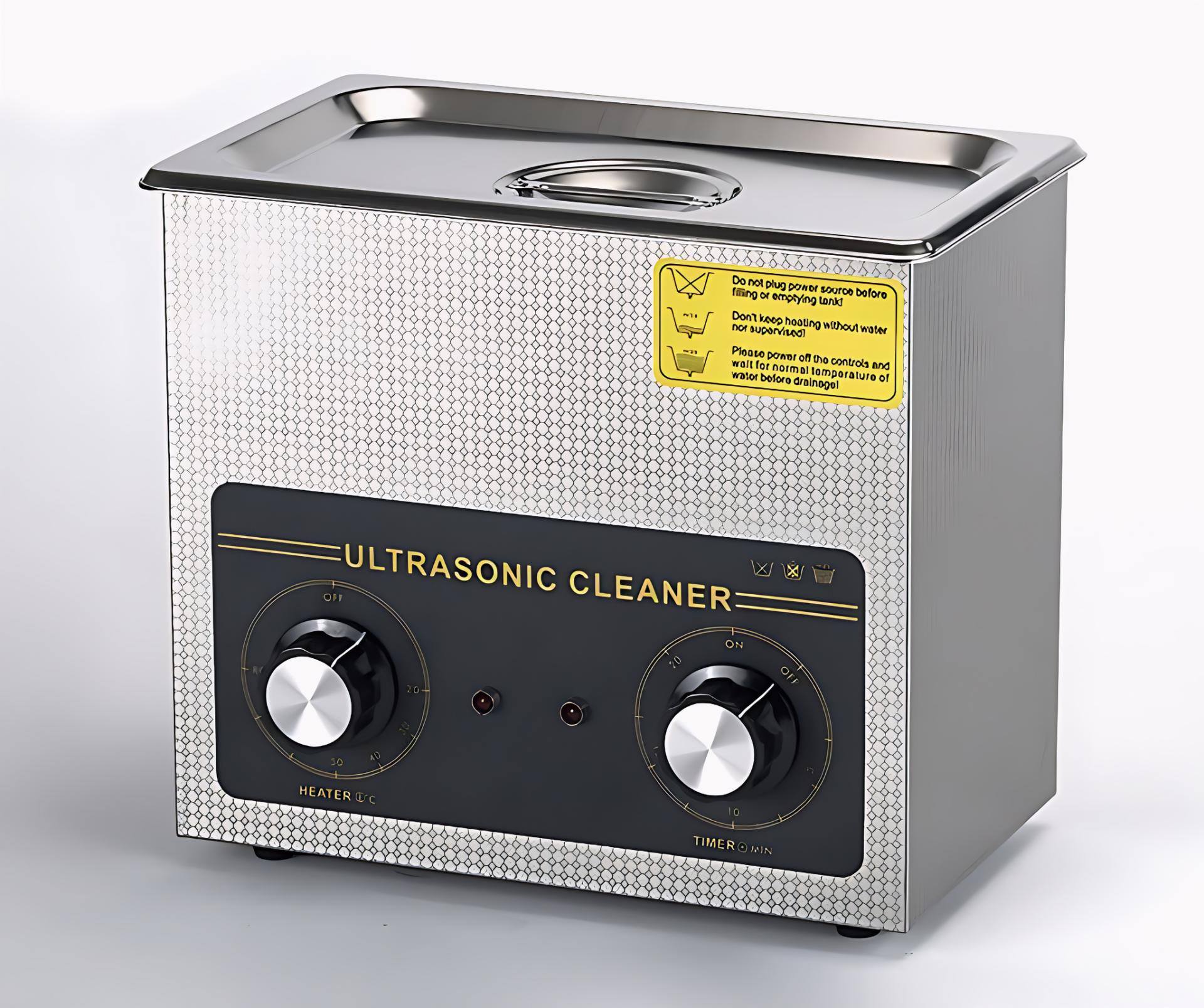
    An ultrasonic cleaner uses high-frequency sound waves (typically 20–40 kHz) to create microscopic bubbles in a cleaning liquid. These bubbles collapse instantly, producing a scrubbing effect strong enough to remove:

    • Dust
    • Corrosion
    • Oxidation
    • Flux residue
    • Salts from water damage
    • Oil and stickiness
    • Micro-debris trapped under ICs and components

    This process is called cavitation, and it reaches areas where hand cleaning cannot.

    Why technicians rely on ultrasonic cleaning:

    • It restores dead or partially working motherboards affected by liquid damage.
    • It removes hidden contamination that causes heating, short circuits, and poor performance.
    • It is safer than scraping or brushing delicate components.
    • It offers consistent results and reduces repeat failures.
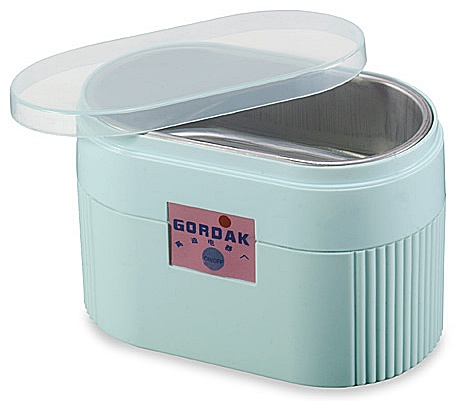
    ultrasonic cleaner for cell phone repair

    Many experienced repair experts consider it an essential tool in every professional workshop.


    2. When to Use an Ultrasonic Cleaner in Mobile Repair

    You should use ultrasonic cleaning when:

    ✔ The motherboard has signs of corrosion

    Especially when exposed to water, humidity, sweat, or liquid chemicals.

    ✔ The phone is dead after liquid damage

    Ultrasonic cleaning can dissolve corrosive salts lodged under ICs.

    ✔ There is no visible fault, but the phone behaves abnormally

    Issues like:

    • Random restarts
    • Touch failure
    • Camera not working
    • Network instability
    • Heating

    often come from contamination.

    ✔ You see sticky residue

    Flux, old glue, or oil deposits can block circuits.

    ✔ After board-level or chip-level repairs

    Cleaning removes leftover flux and ensures stability.

    Important:
    Ultrasonic cleaning is not for every issue. It should be used only when needed, not routinely.


    3. Understanding How Ultrasonic Cleaning Works

    Ultrasonic machines work using cavitation bubbles that scrub without damaging the board.

    Key elements involved:

    • Frequency (20–40 kHz) — lower frequencies clean more aggressively; higher frequencies are gentler.
    • Cleaning solution — mild, non-corrosive solutions like Elma or PCB-safe detergents.
    • Heat — some machines gently warm the solution to increase effectiveness.
    • Time — the cleaning cycle usually lasts 3–6 minutes for mobile PCBs.

    Ultrasonic cleaning is used across industries: jewellery, surgical tools, watches, automotive parts, and optical components. Its reliability and depth make it ideal for modern motherboards.


    4. Preparing the Motherboard for Ultrasonic Cleaning

    Before putting a PCB into the machine, proper preparation is critical.

    A. Remove all detachable parts

    Detach:

    • Battery
    • Display
    • Cameras
    • Speakers
    • Vibrator motor
    • Antenna lines
    • SIM tray
    • Memory card
    • Charging cable connectors

    These components cannot be submerged.

    B. Remove fragile connectors or shields if needed

    If a connector is already damaged, remove or protect it.

    C. Inspect the board

    Look for:

    • Burn marks
    • Broken ICs
    • Missing components
    • Heavy corrosion areas

    D. Pre-clean with IPA

    Gently brush away loose dirt and dust.
    This ensures the ultrasonic process works more efficiently.


    5. Choosing the Right Cleaning Solution

    Using the correct solution is essential. Do not use harsh chemicals or strong acids.

    Recommended solutions:

    • Elma PCB Cleaning Solution
    • Mild detergent (phone-safe)
    • Commercial ultrasonic PCB cleaner liquids

    Do NOT use:

    • Petrol
    • Kerosene
    • Alcohol mixed with water
    • Acidic cleaners
    • Vinegar
    • Any corrosive liquid

    Using the wrong liquid can damage ICs, connectors, and the entire board.


    6. Step-by-Step Procedure: How to Use an Ultrasonic Cleaner for Mobile Repair

    Below is the updated, safe, modern method technicians follow:


    Step 1: Fill the Ultrasonic Machine

    Pour your cleaning solution into the tank.

    Important:
    Ensure the PCB can be submerged fully without touching the bottom surface directly. Some technicians use a metal mesh tray.


    Step 2: Remove Delicate Components

    Detach:

    • Cameras
    • Front/back sensor units
    • Switch flexes
    • Fingerprint sensor
    • Any removable shields

    These parts should never be dipped.


    Step 3: Place the PCB Into the Solution

    Dip only the mainboard. Keep flex cables or partially attached modules out of the liquid.

    Position it horizontally to allow even cleaning.


    Step 4: Switch On the Ultrasonic Cleaner

    Set the timer between 3 to 6 minutes depending on corrosion level.

    You will see slight movement in the liquid—this is the cavitation effect.

    Do NOT exceed recommended time, as excessive exposure may cause:

    • Delamination
    • Pad lifting
    • Weakening of solder joints

    Step 5: Remove the Board and Inspect

    After the cycle:

    • Take out the PCB
    • Inspect for remaining deposits
    • Repeat for 1–2 minutes if needed (not longer)

    Step 6: Rinse With IPA or Circuit Cleaner

    This is a crucial step.

    Ultrasonic cleaning liquid leaves micro residues. Rinsing with IPA:

    • Removes leftover chemicals
    • Helps quick evaporation
    • Adds a protective layer

    Step 7: Dry the PCB Completely

    Drying is the MOST important step.

    Any remaining droplet can cause short-circuit.

    Use:

    • Hot air gun (low heat)
    • Blower
    • PCB preheater at safe temperature
    • Sunlight in emergency (not preferred for professionals)

    Dry until absolutely no moisture remains under ICs.


    Step 8: Test the Motherboard

    After drying:

    • Reassemble the essential components
    • Test with DC power supply or battery
    • Observe current reading
    • Check booting, charging, and basic functions

    7. Safety Tips for Using Ultrasonic Cleaning Machines

    Using the machine without precautions can damage the board.
    Below are the most important safety rules every technician must follow.

    ✔ Do not use high temperature

    Excess heat can warp the board or loosen solder.

    ✔ Do not keep the PCB for too long

    Long exposure weakens joints.

    ✔ Never dip the display, battery, or cameras

    Even a few seconds of submersion can destroy them.

    ✔ Use only PCB-safe solutions

    Avoid household liquids.

    ✔ Ensure proper drying

    This is the biggest cause of post-cleaning short circuits.

    ✔ Use a clean tank

    Dirty solution can contaminate the board further.


    8. What Problems Can Ultrasonic Cleaning Solve?

    Technicians often recover boards with issues like:

    1. Dead phones after liquid damage

    Cleaning removes corrosive salts causing shorts.

    2. Touchscreen not working

    Moisture under touch ICs affects signals.

    3. Heating issues

    Contamination around power ICs causes excessive current.

    4. Charging problems

    Corrosion on charging ICs or filters leads to poor performance.

    5. Network failure

    Rust near RF ICs can disrupt communication.

    6. Camera or sensor errors

    Moisture around ICs causes disconnection.

    7. Boot loop and restart issues

    Short circuits caused by hidden corrosion are resolved.

    Ultrasonic cleaning solves faults that are invisible to the naked eye.


    9. Common Mistakes Technicians Must Avoid

    Even experienced technicians sometimes make errors. Avoiding the following mistakes prevents motherboard damage:

    ❌ Using the machine with water only

    Water alone cannot clean effectively.

    ❌ Overheating the board

    High temperature harms ICs and solder.

    ❌ Running the machine for 10–20 minutes

    Strong cavitation can break solder joints.

    ❌ Not rinsing with IPA

    Residue from solutions can cause issues later.

    ❌ Using poor-quality chemicals

    Cheap detergents leave deposits.

    ❌ Not drying properly

    Even one droplet trapped under ICs can kill the board.

    Make sure the PCB is completely dry before connecting a battery or power supply. Even a tiny drop of water can hide under ICs and components, and this invisible moisture can cause a short circuit. Always dry the board thoroughly after cleaning to avoid damage.


    10. Advanced Tips for Better Ultrasonic Cleaning Results

    Professionals use a few additional techniques:

    ✔ Preheat the solution slightly

    Warm liquid cleans better (but never too hot).

    ✔ Use an ultrasonic cleaner with frequency adjustment

    Higher frequency = gentle cleaning
    Lower frequency = stronger cleaning

    ✔ Clean the tank regularly

    Clean liquid ensures consistent results.

    ✔ Use a mesh tray

    Prevents the board touching the tank floor.

    ✔ Clean again after chip-level repair

    Removes flux and improves stability.


    11. When You Should NOT Use an Ultrasonic Cleaner

    Avoid ultrasonic cleaning in these cases:

    ❌ The board has burnt ICs

    Fire-damaged boards may disintegrate.

    ❌ The board has loose components

    Cavitation may detach them.

    ❌ Phones with glued components that cannot be removed

    Damage risk increases.

    ❌ If you cannot dry the board fully

    Improper drying leads to returns or permanent damage.


    12. Alternate Cleaning Method (Not as Effective but Useful)

    If you don’t have an ultrasonic machine: If you don’t have an ultrasonic cleaner, you can use a basic manual cleaning method.
    Simply submerge the PCB in a mild cleaning solution like Elma or a gentle soap mixture for 1–2 hours. After soaking, take out the board and scrub it carefully with a soft brush to remove dirt and corrosion. Once done, rinse the PCB with IPA or circuit cleaner to remove any leftover residue, and then dry it completely using warm air.

    This method works, but it’s not as powerful as ultrasonic cleaning, because it cannot remove dirt trapped under ICs and tiny components.

    Manual soaking method:

    1. Submerge PCB in mild cleaning solution
    2. Leave for 1–2 hours
    3. Brush thoroughly
    4. Rinse with IPA
    5. Dry completely

    However, this method cannot clean under ICs, which is why ultrasonic cleaning remains superior.


    13. Result Expectations After Ultrasonic Cleaning

    In many cases, ultrasonic cleaning:

    • Restores dead boards
    • Removes corrosion
    • Fixes short circuits
    • Improves performance

    However:

    • Some boards may need soldering or IC replacement
    • Corrosion may have already eaten tracks permanently
    • Water damage can be unpredictable

    Be transparent with customers. Honesty builds trust in your repair business.


    Conclusion

    Ultrasonic cleaning is one of the most effective ways to remove corrosion and restore faulty phone motherboards. It reaches areas that no brush or IPA can clean manually. When used correctly—with the right solution, time, and drying methods—it can revive devices that seem completely dead.

    But remember:
    A motherboard cleaned well is a motherboard repaired half.”

    With the steps and safety tips in this guide, you can use an ultrasonic cleaner confidently and professionally. Mastering this process not only improves repair success rates but also builds your reputation as a reliable technician.

  • What’s the Difference Between Soft Reset and Hard Reset on iPhone?

    What’s the Difference Between Soft Reset and Hard Reset on iPhone?

    iPhones are known for their stability, smooth performance, and secure operating system. Still, like any electronic device, they can freeze, lag, become unresponsive, or behave differently from normal. Apps may crash, the touch screen may stop responding, or the device may not react to any button.

    When that happens, many users panic. But in most cases, a simple reset is all you need.

    There are two main types of resets on an iPhone:

    • Soft Reset
    • Hard Reset (also called factory reset or full restore)

    Both serve different purposes and produce very different results. Understanding the difference helps you solve issues safely without losing important data.

    A useful reminder is:
    “Not every problem needs a factory reset—sometimes all your iPhone needs is a simple restart.”

    This guide explains each method in detail, how they work, how to perform them on modern iPhones, and when to use which reset.


    1. What Is a Soft Reset on an iPhone?

    A soft reset means restarting your iPhone. It does not delete data and is completely safe.

    Think of it as:

    • Refreshing the system
    • Clearing temporary glitches
    • Fixing minor app issues

    A soft reset is the first thing you should try when:

    • The screen freezes
    • Apps stop responding
    • The phone becomes slow
    • Buttons don’t react
    • The device feels stuck

    It is safe, quick, and effective for light system disturbances.


    2. How to Perform a Soft Reset (Modern iPhones)

    The method depends on whether the iPhone has a Home button or not.


    A. For iPhones With Face ID (no Home button)

    • Press and hold Volume Up + Side Button
    • A slider appears: “Slide to power off”
    • Slide it to turn the phone off
    • Wait a few seconds
    • Hold the Side Button to turn it back on

    B. For iPhones With a Home Button

    • Press and hold the Power/Side Button
    • Slide to power off
    • Restart by long-pressing the same button

    When To Use a Soft Reset

    Use this when:

    • The phone is slow
    • The screen freezes occasionally
    • An app crashes
    • Performance feels unstable
    • You just updated software and it feels glitchy

    A soft reset never deletes photos, apps, settings, or personal data.

    what is soft-reset and hard-rest -n iPhone?

    3. What Is a Hard Reset on an iPhone?

    A hard reset is a deeper process.
    It force-restarts the device or restores it to factory settings—depending on the method used.

    There are two meanings of “hard reset,” and many users confuse them:


    Meaning 1: Force Restart (No Data Loss)

    A stronger form of soft reset used when:

    • The screen is completely unresponsive
    • Buttons don’t work
    • The iPhone is stuck on the Apple logo
    • The touch screen is frozen

    Force restart is safe and does not erase data.


    Meaning 2: Factory Reset (Data Is Erased)

    This is the true hard reset.
    It restores the phone to original settings:

    • All data is wiped
    • All apps are removed
    • Settings return to default
    • The device becomes like new

    This process is used when:

    • Software problems are severe
    • The phone has frequent freezes
    • You are selling or giving away the device
    • You need a fresh installation
    • Malware or corrupted software is present

    Important:
    A factory reset deletes everything unless you have a backup.


    4. How to Force Restart (Hard Reset Without Data Loss)

    This method varies by model.


    A. iPhones With Face ID (most recent models)

    1. Press Volume Up quickly
    2. Press Volume Down quickly
    3. Hold the Side Button until the Apple logo appears

    B. iPhones With Home Button

    • Hold Home Button + Power Button
    • Keep holding until the Apple logo appears

    This is useful for:

    • Black screen issues
    • Frozen display
    • Apps that cause full system lock
    • Boot loop attempts
    • Touchscreen not responding

    A force restart simply forces the phone to shut down and reboot.
    It does not erase anything.


    5. How to Perform a Factory Reset (Hard Reset With Data Erase)

    A factory reset wipes all data. Make sure you back up your phone first.

    Here are updated methods used today.


    Method 1: Reset From iPhone Settings

    The easiest method:

    1. Open Settings
    2. Go to General
    3. Tap Transfer or Reset iPhone
    4. Select Erase All Content and Settings
    5. Enter passcode
    6. Confirm

    The iPhone will erase everything and restart fresh.


    Method 2: Reset Using a Computer (Mac or Windows)

    This method is used when:

    • The phone doesn’t boot
    • You forget your passcode
    • The screen is damaged

    Steps:

    1. Connect your iPhone to a Mac or Windows PC
    2. Open Finder (Mac) or iTunes (Windows)
    3. Select your iPhone
    4. Click Restore
    5. Download firmware and restore the device

    This installs a fresh version of iOS, removing all data.


    Method 3: Reset Through Recovery Mode

    Used for serious issues like:

    • Boot loops
    • Software corruption
    • Failed updates

    Steps (Face ID models):

    1. Press Volume Up
    2. Press Volume Down
    3. Hold Side Button
    4. Connect to computer when recovery screen appears
    5. Choose Restore

    Recovery restores iOS completely.


    6. Key Differences Between Soft Reset and Hard Reset

    Below is a clear, simple comparison for quick understanding:

    FeatureSoft ResetHard Reset (Force Restart)Hard Reset (Factory Reset)
    Data LossNoNoYes, everything is erased
    Use CaseMinor issuesFrozen or unresponsive phoneSevere problems / selling device
    Time RequiredSecondsSeconds5–20 minutes
    Tools NeededNoneNoneDevice or computer
    Risk LevelSafeSafeHigh (data wipe)
    Restores Factory Settings?NoNoYes
    Fixes System Corruption?PartiallySome issuesMost issues

    This table satisfies the primary user intent: understanding the difference quickly.


    7. When Should You Use Soft Reset vs Hard Reset?

    Use Soft Reset When:

    • The phone is slow
    • Apps freeze
    • You updated software recently
    • Touch stops responding sometimes
    • The device feels glitchy

    Use Force Restart (Non-erasing Hard Reset) When:

    • The display is completely frozen
    • The phone doesn’t turn off
    • Buttons don’t respond
    • iPhone is stuck on Apple logo
    • The screen is black but phone is on

    Use Factory Reset (Full Hard Reset) When:

    • The iPhone freezes frequently
    • Software is corrupted
    • You want to start fresh
    • You’re selling or giving away the device
    • Malware or configuration errors exist
    • System settings are completely messed up

    A useful reminder here:
    “Reset only what you need to reset—never erase more than the problem demands.”


    8. What Happens After a Factory Reset?

    Once the reset completes, your iPhone will:

    • Restart as a new device
    • Show the “Hello” setup screen
    • No longer contain your data
    • Require Apple ID login during setup

    You must restore your backup to get your photos, contacts, and apps back.

    Options for backup recovery:

    • iCloud backup
    • Computer backup
    • Transfer from another device

    Without a backup, data cannot be recovered after a full reset.


    9. Important Precautions Before Hard Resetting an iPhone

    A hard reset is powerful, so follow these precautions:

    ✔ Backup your data

    Use iCloud or a computer.

    ✔ Sign out of Apple ID

    Prevents activation issues when selling.

    ✔ Charge battery above 50%

    Avoid unexpected shutdown.

    ✔ Disable “Find My iPhone”

    Only when selling or giving away the device.

    ✔ Know your Apple ID password

    You will need it after reset.

    ✔ Avoid factory reset just for minor issues

    A soft reset usually solves them.


    10. Common Mistakes Users Make (and How to Avoid Them)

    ❌ Mistake 1: Confusing force restart with factory reset

    Many think holding buttons wipes data.
    It does not—only factory reset erases data.

    ❌ Mistake 2: Resetting the phone without backup

    This leads to permanent data loss.

    ❌ Mistake 3: Doing a factory reset for minor problems

    Most issues are solved with a soft reset.

    ❌ Mistake 4: Using iTunes on old instructions

    Modern iPhones rely mainly on Finder or updated Windows tools.

    ❌ Mistake 5: Hard resetting to remove iCloud lock

    This does not work and is not permitted.


    11. Tips to Keep Your iPhone From Freezing Again

    After resetting, prevent future problems by following these tips:

    ✔ Update iOS regularly

    Fixes bugs and improves stability.

    ✔ Avoid installing too many background apps

    They consume memory and slow down the device.

    ✔ Clear storage

    Keep at least 10–20% space free.

    ✔ Restart your phone once or twice a week

    Prevents small glitches from building up.

    ✔ Replace battery if the health is low

    Poor battery performance causes random shutdowns.

    ✔ Avoid overheating

    Heavy gaming or charging in hot environments causes lag.

    Good maintenance reduces the need for resets.


    Conclusion

    Soft reset and hard reset are two powerful tools for fixing iPhone performance issues.
    A soft reset simply restarts the phone and fixes light glitches.
    A hard reset goes deeper—either force restarting an unresponsive phone or performing a full factory reset that wipes everything.

    Use the correct method depending on the severity of the problem. Start simple, try safe solutions first, and only perform a factory reset when absolutely necessary.

    Resets are not just troubleshooting tools—they are ways of refreshing your device and starting clean when needed.

  • 6 Important Cell Phone Etiquettes Everyone Should Follow

    6 Important Cell Phone Etiquettes Everyone Should Follow

    Mobile phones are deeply woven into everyday life. We use them for communication, banking, work, entertainment, learning—practically everything. But as phone usage increases, so does the need for proper mobile etiquette. Good manners are not old-fashioned; they are essential for maintaining respect, professionalism, and harmony in social spaces.

    With increasing number of people, i.e almost all using mobile phones today, it is also necessary to follow all the etiquettes of using it, be it in a secluded place, an office or street. All users need to follow these basic principles or rules so as not to irritate others or make them feel inconvenient.

    Many people unintentionally disturb others simply because they are unaware of basic phone etiquette. A loud ringtone in a meeting, a private conversation made public on a train, or texting while someone is talking to you—these behaviors inconvenience people and leave a poor impression.

    A simple reminder says it best:
    “A phone connects you to others, but etiquette keeps you connected to the world politely.”

    In this guide, we’ll explore the six most important mobile phone etiquettes everyone should follow today, along with practical tips and real-life examples to help you use your phone more thoughtfully.


    1. When in Doubt, Step Out

    One of the simplest yet most powerful etiquette rules is to move away when making or receiving calls that may disturb others.

    Why it matters

    A ringing phone or loud conversation can interrupt meetings, classes, social gatherings, or quiet environments like libraries. Even in public spaces, people appreciate when others respect their peace.

    What you should do

    • Walk out of the room if you get a call during a meeting, prayer, seminar, or class.
    • Step aside in restaurants or waiting rooms instead of answering loudly at the table.
    • Use messaging or call-back options when stepping out is not possible.

    Useful phone features

    • Vibration mode
    • Quick reply messages
    • Call diversion
    • Do Not Disturb mode
    • Silent notifications

    These help you stay reachable without disturbing anyone.

    Moving away shows awareness and respect—two qualities people value in both personal and professional settings.


    2. If You Can’t Switch It Off, Keep It Silent

    A loud ringtone in an inappropriate place can easily annoy people. Most disruptions come not from the conversation itself but from the sudden sound of a ringtone.

    When silence is important

    • Offices
    • Hospitals
    • Prayer halls
    • Theatres
    • Classrooms
    • Conferences
    • Public transport
    • Courtrooms

    In such places, loud notifications are considered rude and avoidable.

    Good practice

    If you need your phone active for emergencies, switch to:

    • Vibration
    • Silent mode
    • Priority notifications only

    Tip:
    Always check your phone’s sound profile before entering sensitive spaces. This small habit prevents unnecessary interruptions.


    3. Turn Off Your Phone When Required—and Confirm It’s Off

    There are situations where using a phone is not just impolite but completely inappropriate. In some places, even a vibrating phone is considered disrespectful or distracting.

    Where phones must be switched off

    • Religious or meditation spaces
    • Training sessions
    • Interviews
    • Movie theatres
    • Clinics and diagnostic centers
    • Professional ceremonies
    • Courts
    • Confidential meetings

    Turning off your phone—or intentionally disconnecting—shows professionalism and respect.

    Important reminder

    After pressing the power button, double-check that the phone is actually off. Many users assume their device is off, but it may still be in sleep mode or silent mode.

    When a situation demands complete silence, full power-off is the safest choice.


    4. Keep Your Conversations Private

    Phone conversations often reveal more than we realize. Speaking loudly in public exposes personal matters and disturbs others.

    Consider the space you are in

    • Talking softly in a busy street is fine.
    • But discussing personal issues in elevators, trains, offices, or waiting rooms makes others uncomfortable.

    Privacy implications

    For your own safety:

    • Avoid sharing passwords, bank details, or private information in public.
    • Do not discuss workplace confidential topics where strangers may overhear.
    • Keep sensitive family matters private.

    Practice mindful communication

    Speak quietly and avoid converting shared spaces into your personal call zone. People appreciate calmness and discretion.


    5. Speak Softly—Volume Matters More Than You Think

    Many people unknowingly raise their voice while on call, especially when the signal is weak or the environment is noisy. But others around you hear every word clearly.

    Why speaking softly helps

    • Reduces disturbance
    • Maintains respectful atmosphere
    • Keeps your message private
    • Reflects maturity and good manners

    Practical tips

    • Use earphones or wireless earbuds
    • Move away from noise instead of shouting
    • Keep calls short if you’re around strangers
    • Adjust call volume rather than increasing voice volume

    People can always hear you at a soft volume—loud talking is rarely necessary.


    6. Avoid Using Your Phone While Sitting in a Group

    Using your phone when you’re physically present with others sends a message that the people around you are less important than your screen.

    Situations where this matters

    • Group meetings
    • Family functions
    • Office breaks
    • Outings with friends
    • Dining tables

    Why it’s considered rude

    • It breaks the flow of conversation
    • It appears disrespectful
    • It weakens relationships
    • It signals disinterest

    Important tip:
    If something urgent forces you to check your phone, politely excuse yourself or inform the group briefly. This shows courtesy.

    Being present is one of the strongest forms of respect you can offer.

    cell phone etiquettes in a group

    7. Additional Etiquette Tips for Modern Mobile Users

    As mobile usage evolves, so do the recommended manners. Here are some modern etiquette habits worth adopting:

    ✔ Don’t use speakerphone in public

    It disturbs everyone and exposes personal conversations.

    ✔ Avoid taking photos or videos without permission

    Respect privacy at gatherings, public places, and workplaces.

    ✔ Be mindful while walking

    Staring at your phone while walking can cause accidents.

    ✔ Don’t text and drive

    Use hands-free options and focus on the road.

    ✔ Keep your phone away during meetings

    It shows professionalism and active participation.

    ✔ Control notification overload

    Constant buzzing affects your productivity and irritates people around you.

    ✔ Use social media responsibly

    Avoid posting others’ photos or conversations without consent.

    These small habits go a long way in showing respect and maturity.


    8. Why Mobile Etiquette Matters Today

    Good phone etiquette is more than politeness. It strengthens relationships, protects privacy, and maintains harmony in shared spaces.

    Benefits of proper etiquette

    • People see you as respectful and professional
    • Conversations become more meaningful
    • You avoid awkward conflicts
    • You show emotional intelligence
    • You create a positive impression everywhere

    As the saying goes:
    “Etiquette is the language of respect, and your phone habits speak louder than words.”


    Conclusion

    Mobile phones are essential, but how we use them reflects our manners, character, and social awareness. Following these six important etiquettes—stepping away for calls, keeping the phone silent when needed, switching it off in sensitive spaces, maintaining privacy, speaking softly, and avoiding phone use in groups—helps you stay polite and considerate wherever you go.

    In a world full of screens, choosing to be present and respectful makes you stand out. The more mindful you are about phone usage, the better your interactions and relationships become.

  • How To Format A Cell Phone To Remove Virus

    How To Format A Cell Phone To Remove Virus

    Mobile phones are powerful tools, but they are also vulnerable to malware, spyware, adware, and malicious apps. When a phone becomes infected, it may slow down, freeze, restart repeatedly, or behave strangely. In such cases, formatting the phone—also known as performing a factory reset—is often the most effective way to remove deep infections and restore normal performance.

    A factory reset wipes user data stored in the internal memory and restores the device to its original settings. Unlike computers, phones do not require reinstalling the operating system after formatting. The built-in OS (Android or iOS) remains intact and automatically reloads during the reset.

    Think of it this way:
    “When software becomes too cluttered to fix, a clean slate is the fastest solution.”

    This guide explains virus symptoms, the difference between formatting and flashing, step-by-step reset procedures, backup methods, and how to protect your phone afterwards. Everything has been updated to match modern phone features and security practices.


    1. What Formatting a Phone Actually Means

    Formatting a phone means erasing all data stored in internal storage, including:

    • Contacts (unless synced with cloud)
    • Photos and videos
    • Installed apps
    • Messages
    • Downloads
    • Saved accounts
    • Settings
    • Cache and temporary files

    Important:

    Formatting does not reinstall the operating system.
    The device automatically reloads its OS after reset.

    This is different from flashing, where a technician installs fresh firmware manually—usually after severe corruption or failed updates.

    What formatting does NOT erase:

    • Data stored on a microSD card
    • Cloud-synced items (Google/Apple account data)
    • SIM card contacts (if stored there)

    To fully remove infections, you may also need to clean or format the SD card, as many viruses hide inside external storage.


    2. Difference Between Formatting and Flashing

    Many DIY users confuse these two terms, but they are completely different.

    ProcessFormatting (Factory Reset)Flashing (Firmware Installation)
    Data WipeYesYes
    OS ReinstallNoYes
    Technical SkillLowHigh
    Removes MalwareYes, in most casesYes, fully
    When UsedVirus infection, slow phoneSevere system corruption
    Who Does ItAnyoneTrained technician

    Formatting solves most virus-related problems. Flashing is used mainly for phones that won’t boot, freeze permanently, or have damaged software.


    3. Signs Your Phone May Have a Virus

    Modern phone viruses behave differently than old-style malware. They often hide inside apps, notifications, or browser redirects.

    Here are the most common symptoms:

    1. Phone becomes slow

    Apps take longer to open, scrolling lags, or the screen freezes.

    2. Phone restarts by itself

    Unexpected shutdowns or frequent reboot loops.

    3. Apps crash or misbehave

    Certain apps close automatically, refuse to open, or behave strangely.

    4. Pop-ups appear frequently

    Random ads or warnings even when apps are closed.

    5. High data consumption

    Malware running in the background may use your internet without permission.

    6. Overheating

    Unwanted background processes overload the processor.

    7. Unknown apps show up

    Apps you didn’t install appear in your app drawer.

    8. Battery drains faster than normal

    Malicious software often runs continuously.

    9. Security warnings

    Your phone may alert you about harmful behavior from an app.

    If you face several of these issues together, formatting is often the best solution.


    4. Precautions Before Formatting a Phone

    Formatting wipes everything. So before resetting, follow these steps:

    ✔ Backup your data

    Use:

    • Google Drive (Android)
    • iCloud (iPhone)
    • External backup apps
    • Copy to computer manually

    ✔ Save WhatsApp chats

    WhatsApp > Settings > Chats > Chat Backup

    ✔ Sync contacts

    Make sure your contacts are saved to Google/Apple.

    ✔ Ensure phone battery is above 50%

    A reset requires sufficient power.

    ✔ Sign out of accounts only if required

    For example, before selling a device, sign out of accounts and disable device lock features.

    ✔ Remove SD card

    Prevents accidental wipe and protects external data.

    Once your backup is ready, you can safely format your device.


    5. How to Format an Android Phone (Factory Reset)

    Most modern Android devices support two reset methods:


    Method 1: Reset Through Settings (Recommended)

    1. Open Settings
    2. Select System
    3. Tap Reset options
    4. Choose Erase all data (factory reset)
    5. Review what will be erased
    6. Enter PIN or password
    7. Tap Erase everything

    Your phone will restart and begin wiping internal storage.


    Method 2: Reset Using Recovery Mode

    Used when:

    • The phone freezes
    • You cannot access settings
    • A virus blocks system controls

    Steps:

    1. Power off the phone
    2. Press Power + Volume Up together (varies by model)
    3. Enter Recovery Mode
    4. Select Wipe data/Format Data/factory reset
    5. Confirm the action

    This bypasses the OS and performs a clean reset. You can also format Android smartphones through various special software like UMT dongle and Unlock Tool.

    how to format an android phone

    6. How to Format an iPhone (Erase All Content and Settings)

    iPhones rarely get viruses, but malicious profiles, unsafe apps, or system bugs can still affect performance.


    Method 1: Reset Through Settings (Best Option)

    1. Go to Settings
    2. Select General
    3. Tap Transfer or Reset iPhone
    4. Choose Erase All Content and Settings
    5. Enter passcode and Apple ID (if asked)
    6. Confirm reset

    The iPhone will erase all internal data and reboot.


    Method 2: Reset Using a Computer

    Useful when:

    • The iPhone won’t turn on properly
    • You forgot the passcode
    • The device is in recovery mode

    Steps:

    1. Connect your iPhone to a Mac or Windows PC
    2. Open Finder (Mac) or iTunes (Windows)
    3. Select your device
    4. Click Restore iPhone
    5. Confirm

    This restores the latest firmware while wiping all data.


    7. Formatting Internal Storage vs Formatting Memory Card

    A virus can infect both internal memory and SD cards.

    After formatting the phone, ensure your SD card is clean:

    Option A: Format SD card

    Insert → Settings → Storage → Format SD card

    Option B: Scan SD card with antivirus

    Good for removing malware without deleting files.

    Option C: Backup → Format → Restore

    Fastest and safest method.

    Important:
    Although memory cards have almost become extict, if you are using one, never insert an infected SD card into a newly formatted phone without cleaning it first.


    8. Can Formatting Remove All Viruses?

    In most cases, yes. A factory reset removes:

    • Malicious apps
    • Hidden scripts
    • Corrupted system data
    • Browser hijackers
    • Most adware and trojans

    However, a hard reset cannot remove:

    • Firmware-level malware (rare)
    • Root-installed spyware
    • Infections embedded in the SD card
    • Malware from custom ROMs

    For severe infections, flashing firmware may be required.


    9. What To Do After Resetting Your Phone

    Once your device restarts, you’ll need to set it up again. But this time, you can take steps to prevent reinfection.

    ✔ Install apps only from official stores

    Google Play Store or Apple App Store.

    ✔ Avoid installing unknown APKs

    Third-party apps often contain hidden malware.

    ✔ Update your device

    Security patches fix vulnerabilities.

    ✔ Use a mobile security app (optional but helpful)

    Choose a reputable antivirus brand.

    ✔ Enable Google Play Protect

    It regularly scans installed apps.

    ✔ Check app permissions

    Remove unnecessary access to:

    • Location
    • Contacts
    • Microphone
    • Files

    ✔ Avoid clicking unknown links

    Malicious links in SMS, email, or WhatsApp are common infection sources.

    ✔ Be careful with public Wi-Fi

    Use a VPN for extra protection.

    By following these habits, you significantly reduce the risk of future infections.


    10. Common Mistakes People Make While Formatting Phones

    Avoid these to ensure a smooth, safe reset:

    ❌ Not backing up data

    Always save important files before wiping.

    ❌ Forgetting to clean the SD card

    The virus may return immediately.

    ❌ Resetting without checking battery

    A shutdown during reset can corrupt the system.

    ❌ Installing the same infected apps again

    Only restore apps from trusted sources.

    ❌ Confusing reset with flashing

    Flashing is not required unless the OS is heavily corrupted.

    Formatting should be done carefully but confidently—it’s simpler than many users think.


    11. Real-Life Example: When Formatting Actually Works

    A common scenario in repair shops:

    A customer brings a phone that:

    • Opens apps slowly
    • Displays random ads
    • Installs apps by itself
    • Restarts frequently

    Technicians check the device and find several malicious apps running in the background. After backing up important data, they perform a factory reset and clean the SD card. In nearly all such cases, the phone works perfectly again.

    Such examples show how a reset can restore a device without complicated repairs.


    Conclusion

    Formatting your phone is a powerful way to remove viruses, clean corrupted files, and restore smooth performance. It wipes internal data but keeps the operating system intact, making it one of the simplest and most reliable troubleshooting methods.

    Whether your phone is slowing down, freezing, showing pop-ups, or behaving strangely, a factory reset may be all it needs.

    As technicians often say:

    “When the system becomes cluttered, the cleanest repair is a fresh start.”

    Use this guide to format your device safely, protect it afterwards, and keep it running smoothly for the long term.ill have to format the memory card or scan it with an antivirus.

    You can also format mobile phones with the help of secret codes. Read secret codes of cell phones to know how to format phones with secret codes.

  • What Is the Future Scope of Mobile Phone Repair Business?

    What Is the Future Scope of Mobile Phone Repair Business?

    Smartphones have become essential for communication, work, education, entertainment, payments, health tracking, and daily life. As mobile phones become more expensive and complex, the demand for skilled technicians has risen dramatically. People rely on their devices every minute, so when a smartphone, iPhone, or Android device stops working, they need fast, reliable, and affordable repair services.

    This shift in user behavior has transformed what used to be a small trade into a large, stable, and highly profitable industry. For anyone considering a career or business in gadget repairs, understanding the future scope of the mobile phone repair business is crucial.

    The mobile phone repair industry has grown massively over the years. In the past, especially in countries like the US, Canada, and across Europe, many people believed it was better to buy a new phone instead of repairing a damaged one. Faulty devices were often thrown away and replaced immediately.

    That mindset has changed. Today, people prefer repairing their smartphones and tablets because it is far cheaper than buying a new device. With the high prices of iPhones, Samsung Galaxy phones, and other premium models, repairs have become the smarter choice.

    I personally know many technicians who started with almost nothing and built successful repair businesses. If repairs were not profitable, these repair centers would not have grown so much. The demand keeps increasing because users now understand that fixing a phone costs only a fraction of replacing it.

    A simple truth captures the heart of this industry:

    “As long as people use smartphones, they will always need someone to fix them.”

    In this guide, we explore the real opportunities, income potential, global demand, service expansion, and long-term future of the smartphone repair market.


    1. The Changing Mindset of Smartphone Users

    Years ago, especially in developed countries, people often replaced faulty phones instead of repairing them. New devices were relatively affordable, and repair shops were less common.

    Today, the scenario is very different.

    Why the mindset changed

    • Smartphones are more expensive now—premium iPhones and flagship Android phones cost as much as a laptop.
    • Repairing a damaged device is far cheaper than buying a new one.
    • Data stored inside the phone—photos, chats, contacts—is extremely valuable.
    • Eco-friendly habits and sustainability awareness encourage repairs over replacements.
    • Fast repair services make fixing devices more convenient than shopping for new ones.

    Customers now prefer a repair over replacement for even moderate issues. This shift itself has created a massive business opportunity.


    2. Global Scope of the Mobile Phone Repair Industry

    The smartphone repair industry has grown consistently because:

    • Every region uses mobile phones extensively
    • The lifespan of smartphones is increasing
    • People upgrade less frequently
    • Repairs are now standard practice

    High scope regions

    • Europe – Repairs are cost-effective compared to buying new flagship devices.
    • North America – Professional repair chains are growing rapidly.
    • Africa – High demand, limited repair centers, excellent business potential.
    • Australia & Middle East – High-income markets with expensive devices.
    • Asia – Very high competition but also very high demand.

    Even in competitive countries like India, Pakistan, Sri Lanka, Bangladesh, Philippines, Egypt, and Indonesia, technicians earn consistently because the number of smartphone users keeps rising.

    Competition exists in every business, but the repair industry continues to thrive because:

    • Devices break daily
    • More users join the digital world every year
    • Repairs offer high profit margins
    • Skills matter more than the number of shops

    As one technician said:

    “In this business, the one who solves problems quickly becomes the busiest shop in town.”


    3. Why the Future of the Repair Business Is So Bright

    1. Smartphones are getting more expensive

    People prefer repairing rather than replacing, especially flagship models.

    2. More smartphones = more repairs

    Every new user eventually needs help—broken screens, battery issues, charging problems, software glitches, etc.

    3. Growing awareness about sustainability

    Repairing reduces electronic waste. Many countries promote repairability through regulations.

    4. Rapid technological upgrades

    Each new smartphone brings new issues, creating consistent demand for skilled technicians.

    5. High profit margins

    Repairs often require low-cost parts but generate premium service charges.

    6. Repairs cannot be fully automated

    Technicians will always be required for:

    • Chip-level repairs
    • Soldering
    • Water damage treatment
    • Display replacements
    • Advanced diagnostics

    7. Online and doorstep repair models are booming

    Customers love same-day convenience.

    8. Repairs are needed by individuals AND businesses

    Corporate clients, schools, offices, and delivery companies all require bulk repairs.

    The future demand is not just strong—it’s expanding into new service categories.

    cell phone repair business

    4. Services You Can Offer in a Mobile Repair Business

    A phone repair shop can earn from multiple services, not just fixing screens or batteries. Here are the most profitable ones:

    1. Smartphone and tablet repairs

    • Screen replacement
    • Battery replacement
    • Charging port repair
    • Camera issues
    • Speaker/mic repairs
    • Water damage treatment
    • Software troubleshooting
    • Chip-level motherboard repair

    2. Selling accessories

    Headphones, chargers, cables, phone cases, screen guards, power banks, etc.

    3. SIM cards and mobile plan services

    Still works in regions where people prefer offline support.

    4. Digital downloads or support

    Assisting customers with apps, backups, transfers, or settings.

    5. Buying and selling used smartphones

    Huge demand—many prefer affordable second-hand devices.

    6. Selling refurbished phones

    High profit margins for technicians who restore phones professionally.

    7. Selling new phones

    Optional, but beneficial if you have investment.

    8. Doorstep repair services

    Fastest-growing segment; customers pay premium charges for convenience.

    9. Corporate repair services

    Schools, offices, banks, logistics companies often require bulk repairs.

    Even if competition is high, diversification keeps a shop profitable.


    5. Income Potential in Mobile Phone Repair Business

    Earnings depend on:

    • Location
    • Skill level
    • Number of services offered
    • Reputation and customer trust
    • Marketing
    • Quality and speed of work

    However, most repair shop owners earn a healthy profit because:

    • Repair parts often cost far less than the service fee
    • Chip-level repairs give very high margins
    • Bulk repairs from corporate clients add steady income
    • Accessory sales provide daily revenue
    • Buying/selling second-hand phones increases profit significantly

    A well-established repair center with good reviews can easily fix 8–15 devices a day, leading to a strong monthly income.

    A skilled technician often earns more than many traditional jobs, especially in areas with limited competition.


    6. How Competition Impacts the Repair Business

    Competition exists everywhere, but in this industry, it is not a threat—it is proof of market demand.

    Why competition is not a problem

    • Skill level varies widely; people prefer trusted technicians.
    • Customer loyalty is strong when you deliver quality.
    • New customers come continuously because phones keep breaking.
    • Many shops offer only basic repairs; advanced technicians stand out.

    How to stay ahead

    • Learn chip-level repairs
    • Maintain transparency with customers
    • Offer quick turnaround time
    • Keep spare parts in stock
    • Use good marketing—Google Maps, WhatsApp, social media
    • Provide warranties on repairs
    • Maintain a clean, professional workspace

    If you build trust, customers will travel far to visit your shop.


    7. The Future of the Mobile Repair Industry: Trends to Watch

    1. Chip-level repair demand will increase

    Modern devices are more complex, making advanced soldering skills valuable.

    2. Battery replacements will rise

    Users keep their phones longer, increasing battery service demand.

    3. Foldable phones repair market will grow

    Specialized tools and skills will be needed.

    4. Data recovery services will become important

    People value their data more than the device itself.

    5. Software repair skills will evolve

    Android and iOS security updates require constant learning.

    6. Doorstep repair will continue growing

    Convenience is king.

    7. Recycled and refurbished smartphones will dominate budget markets

    Repair shops benefit greatly from this trend.

    8. Corporate partnerships will expand

    Businesses rely heavily on phones, creating lucrative B2B repair opportunities.

    Overall, the future trend is expansion, not decline.


    8. What Makes Repairs the Most Profitable Service?

    Among all services a shop can offer, repairs have the highest scope because:

    ✔ Customers need fast solutions

    A broken device cannot wait.

    ✔ Replacement parts are affordable

    Margin between part cost and repair charge is profitable.

    ✔ Repair skills cannot be automated

    Hands-on expertise remains essential.

    ✔ High customer loyalty

    Once someone trusts you, they return for every issue.

    ✔ People care more about their data than the device

    This increases willingness to repair instead of replace.

    Repairs create a steady, almost guaranteed stream of income daily.


    9. Challenges in the Mobile Repair Business (and How to Overcome Them)

    Every business has challenges. Being aware of them prepares you for long-term success.

    1. Fake or low-quality spare parts

    Solution: Use trusted suppliers and give customers clear warranty details.

    2. Handling difficult customers

    Solution: Maintain professionalism, transparency, and clear communication.

    3. Rapid changes in technology

    Solution: Keep updating your skills every few months.

    4. Competition

    Solution: Stand out through service quality, speed, and reputation.

    5. Managing inventory

    Solution: Track stock, order in advance, and avoid unnecessary purchases.

    6. Maintaining trust

    Solution: Be honest, provide clear pricing, and show damaged parts when explaining repairs.

    Challenges are real, but manageable if you stay committed.


    10. Final Verdict: Is There a Future Scope in Mobile Phone Repair Business?

    Absolutely—the scope is not only high, it is growing every year.

    The industry will continue expanding because:

    • Smartphones are essential
    • Repairs are cheaper than replacements
    • Users update devices less frequently
    • Screens, batteries, and boards fail often
    • Corporate repairs are rising
    • Chip-level skills are in high demand
    • Eco-friendly repair culture is increasing

    If you gain proper technical skills, maintain honesty, and offer dependable service, the mobile repair business can give you strong income, long-term stability, and a respected position in your community.


    Conclusion

    The future scope of the mobile phone repair business remains extremely promising. With rising smartphone prices, increasing reliance on digital devices, and growing consumer awareness about repairability, skilled technicians are more valuable than ever.

    Whether you plan to open a shop, work from home, or start a doorstep repair service, this industry offers impressive income potential and long-term growth.

    Smartphones will keep evolving—but so will the opportunities for people who know how to fix them.

  • Default Security Codes Of All Cell Phones

    Default Security Codes Of All Cell Phones

    Feature phones and older keypad handsets were shipped with simple, factory-set numeric security codes. These default codes made it possible to access restricted settings, unlock keypads, or perform factory resets. Today’s smartphones use stronger security methods and cloud-linked protections, so factory default codes no longer apply to most modern devices.

    If you work in phone repair, refurbishing, or support people with older phones, knowing default codes is still useful. But it’s equally important to understand what modern devices use instead and how to protect devices and data safely.

    “Security habits matter more than default numbers — change defaults, back up data, and use account protection.”


    1. What exactly is a “default security code”?

    A default security code is a simple numeric password pre-programmed by the manufacturer and set at the factory. It usually appears on feature phones and older models to:

    • Unlock the keypad or basic menus
    • Allow access to restricted settings (call barring, SIM lock, etc.)
    • Permit a simple restore or soft reset in older firmware

    These codes are intentionally simple (e.g., 0000, 1234) because the user is expected to change them during setup.


    2. Feature phones vs modern smartphones — the difference

    Feature phones (keypad / basic phones)

    • Often shipped with a factory code (4–6 digits).
    • Codes are consistent across many models from the same brand.
    • Used to unlock keys, parental controls, or reset options.
    • Still common in low-cost or legacy markets.

    Modern smartphones (Android / iPhone / iOS)

    • Use PINs, passwords, patterns, fingerprints, Face ID.
    • Rely on account-based protections (Google Account / Apple ID).
    • Include Factory Reset Protection (FRP) or Activation Lock, which tie the device to the owner’s account after a reset.
    • No universal default numeric code is usable to bypass security.

    In short: default numeric factory codes = feature phones; modern smartphones = stronger, account-based security.


    3. Common default codes used on feature phones

    Below are default codes commonly found on older or basic feature phones. These are factory values — they will not work if the user changed them.

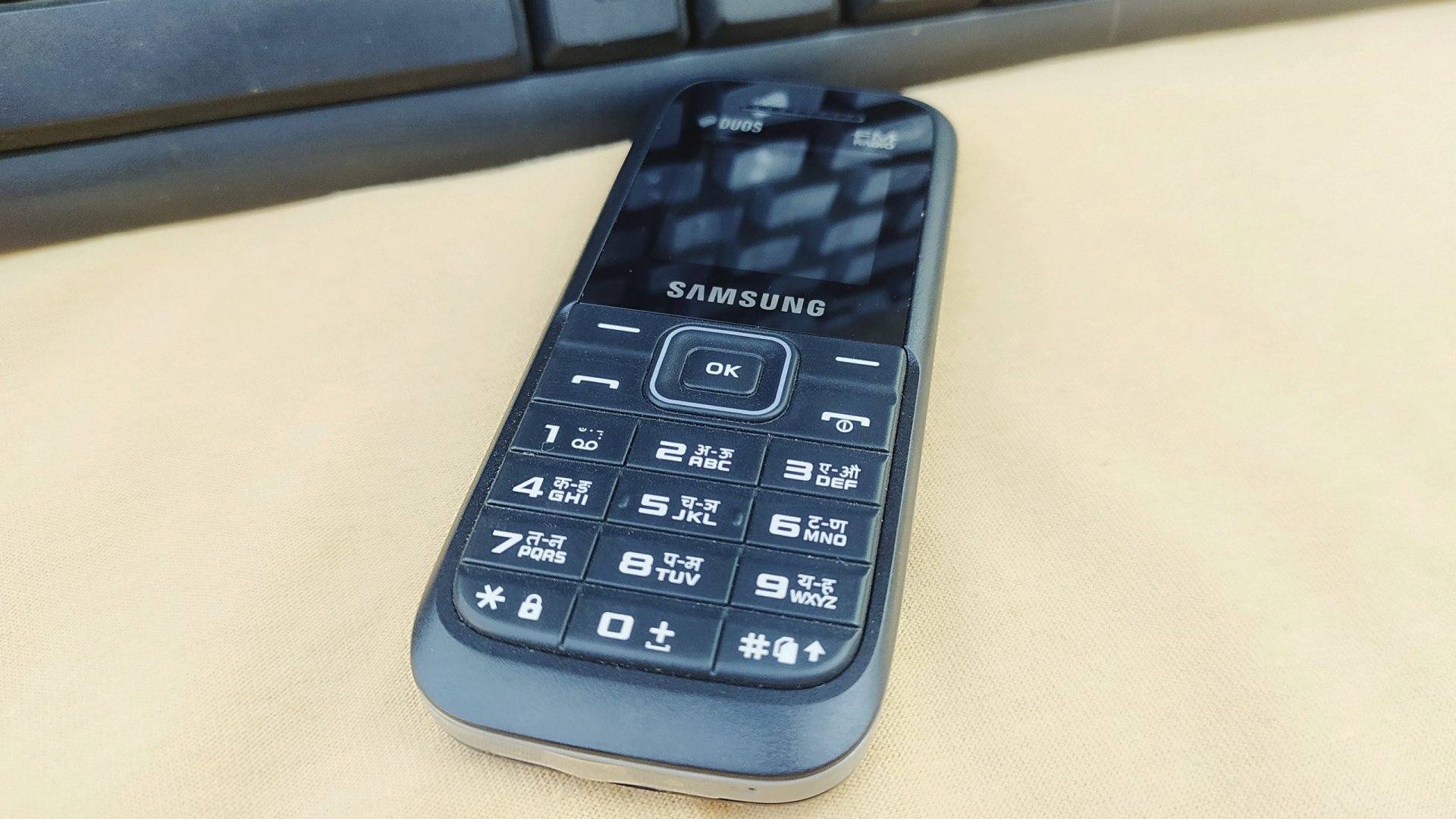
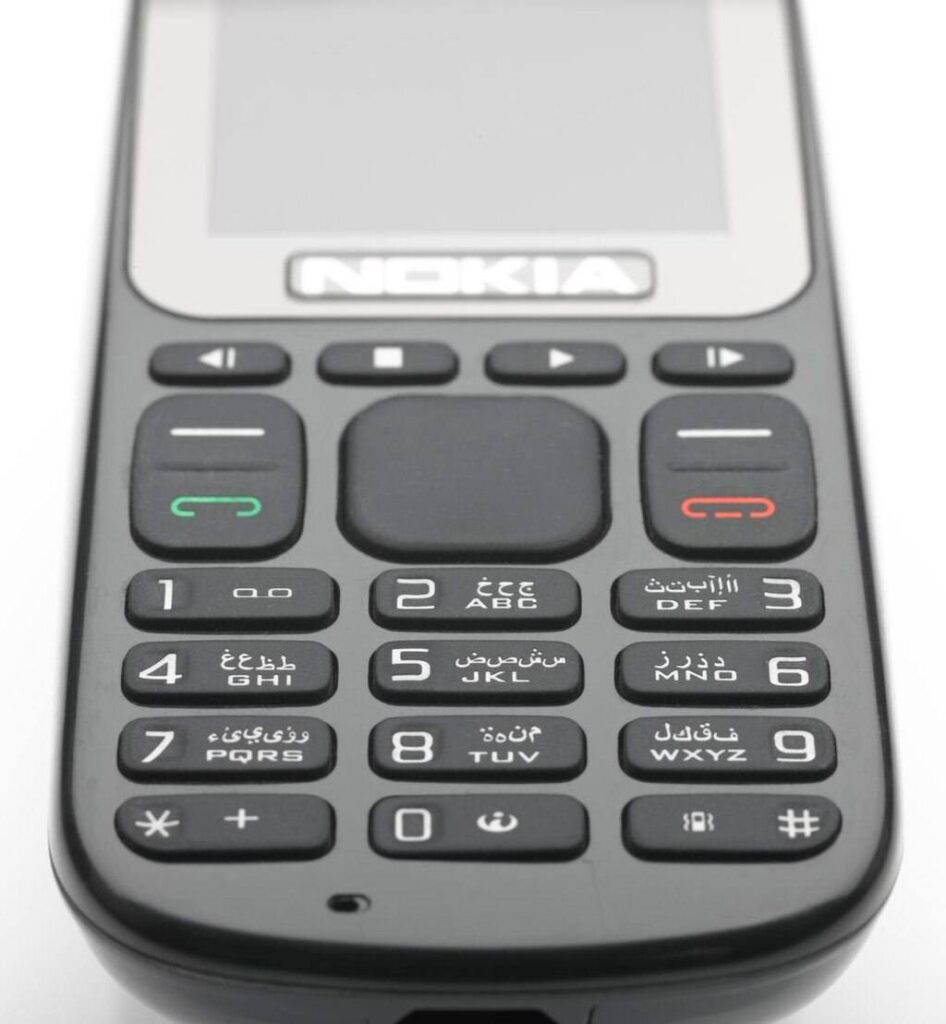
    • Nokia12345
    • Samsung (older/keypad models)0000 (also 000000 or 00000000 on some models)
    • Generic Chinese/entry-level brands0000, 1122, 1234
    • Sony / LG / Motorola (older models)0000, 1234
    • Lava (feature phones)4321

    Note: Most new keypad phones today do not come with a default factory security code. Instead, the device asks you to set your own security code the first time you open any security setting such as phone lock, SIM lock, or restore options. This means the phone will not accept generic codes like 0000 or 1234 unless you set them yourself.

    Once you create your personal code, you must remember it, because the phone will ask for the same code every time you change settings or perform a reset. If you forget it, the device may get locked and you may need professional help to unlock it.

    Note: These codes are for feature and keypad phones only. They do not unlock modern Android phones or iPhones. If you try these on a modern smartphone you will not bypass account locks.

    Secret Security Codes for All Feature Phones

    4. Why modern smartphones don’t use default codes

    Smartphones are designed to protect user data better than older feature phones. Reasons include:

    • Biometric security (fingerprint, facial recognition) offers stronger protection.
    • Account-based security ties a device to a Google or Apple account; after a reset the account credentials are required. This prevents theft and unauthorized reuse.
    • Regulatory and market pressure pushed manufacturers to improve anti-theft features.
    • Frequent software updates hardened OS layers; a simple factory code would be a major vulnerability.

    Therefore, the idea of a universal factory code for modern phones is outdated and inaccurate.


    5. When you might encounter default codes today

    Default codes still appear in a few real-world scenarios:

    • Repairing or testing feature phones and basic handsets.
    • Working with old stock or refurbished keypad devices.
    • Accessing service menus on some low-end models used by technicians.
    • Handling legacy devices for users in regions where feature phones remain popular.

    If your work or audience includes any of the above, knowing default codes is useful.


    6. What to do if default codes don’t work

    If the factory code returns “WRONG CODE” or “CODE ERROR”, it usually means:

    • The owner changed the code.
    • The device was previously owned and customized.
    • There may be a software fault or corruption.

    Safe next steps:

    1. Ask the owner for the custom code if possible.
    2. Back up any accessible data before making changes.
    3. For feature phones: try known manufacturer defaults (carefully).
    4. For smartphones: rely on account recovery (Google/Apple) or authorized service channels.
    5. When unknown, seek professional technician help to avoid permanent lockouts.

    Important: Avoid repeated wrong attempts — too many tries can permanently lock some devices.


    7. Security best practices — change defaults immediately

    If you have a feature phone with a factory code, change it immediately to protect your personal data.

    Best practices:

    • Set a unique PIN or code you can remember.
    • Use longer PINs when possible.
    • Don’t share your code.
    • Back up contacts and important data regularly.
    • Remove default codes before donating or selling a device.

    Bold tip: Always replace factory defaults with a unique code you control.


    8. Smartphones: what protects you instead of default codes

    Modern devices rely on layered protection:

    • Screen lock (PIN, password, pattern)
    • Biometric locks (fingerprint, Face ID)
    • Cloud account protection (Apple ID, Google Account)
    • Find My Device / Activation Lock — requires account login after reset
    • Two-factor authentication (2FA) on the associated account

    These protections make the simple default code model obsolete and far less secure for smartphone use.


    9. Advice for technicians and repair shops

    If you repair phones, follow these ethical and practical rules:

    • Always ask for proof of ownership before unlocking or resetting any device.
    • Use manufacturer-authorized procedures to avoid damaging the device.
    • Warn customers that a factory reset will erase any local data.
    • For modern smartphones, advise customers to remove their Google/Apple account before servicing (when possible).
    • Keep updated on brand-specific service tools and official unlock procedures.
    • Keep a clean record of actions taken during repair for transparency.

    These steps build trust and protect you legally.


    10. Final checklist: handling default codes safely

    1. Confirm device type: feature phone or smartphone.
    2. If feature phone, consult manufacturer default list (and owner confirmation).
    3. Back up data if possible.
    4. Change defaults immediately once you access the device.
    5. For smartphones, use account recovery and authorized tools only.
    6. Never try to bypass account locks with unauthorized methods.

    Conclusion

    Default factory security codes are a legacy feature primarily tied to feature (keypad) phones and basic handsets. They are not applicable to the majority of modern smartphones, which use stronger, account-based security and biometric methods. If you handle older devices, knowing the common defaults is useful — but for modern iPhones and Android devices, rely on proper account recovery, official unlock routes, and secure reset procedures.

    “Technology changes — security habits should too. Replace defaults with strong, memorable protections and keep backups.”

  • How to Run a Mobile Repair Business Successfully (Easy Guide)

    How to Run a Mobile Repair Business Successfully (Easy Guide)

    Running a mobile phone repair business today is easier than many people think, but it requires proper skills, discipline, planning, and consistent service quality. Smartphones, tablets, and other handheld devices have become essential to everyone’s daily life. Because people rely on their digital devices for communication, payments, work, and entertainment, the demand for quick and reliable repair services continues to grow.

    The mobile repair market is one of the few trades where a small shop can grow steadily with low investment, high demand, and repeat customers. A well-managed repair business can give faster returns than many other retail businesses. In this guide, you’ll learn practical, up-to-date methods for running a successful repair shop based on real industry experience and proven strategies.

    “In the repair business, your skill earns the money, but your service earns the customer.”


    Why Mobile Phone Repair Is Still a Strong Business

    People today own multiple devices—smartphones, tablets, smartwatches, and sometimes even backup phones. As device prices continue to rise, users prefer repairing instead of replacing. Whether it’s an iPhone with a broken back glass or an Android phone with a drained battery, repairs are often more affordable than buying a new device.

    In most cities, the number of repair shops has grown, but so has the number of devices. The industry has matured, but demand remains strong because:

    • People don’t want to lose their data.
    • Repairs are much cheaper than new devices.
    • Smartphone users expect quick service.
    • High-end devices are expensive to replace.
    • E-waste awareness encourages repair over replacement.

    This means that if you run your repair business professionally, you can earn stable income and build a trusted brand.


    Services You Can Offer in a Modern Mobile Repair Shop

    Here are the most relevant services a repair business can offer today. Obsolete services like ringtone downloads, old firmware loading, and outdated multimedia transfers have been removed and replaced with modern, necessary services.

    1. Smartphone and Tablet Repairs (Main Income Source)

    2. Sale of Common Mobile Accessories

    3. Data Transfer and Device Setup Services

    4. Buying & Selling Old or Refurbished Devices

    5. Selling New Mobile Devices (Optional, but high investment)

    6. Value-added Services (Tempered glass installation, cleaning, etc.)

    Each of these services can generate strong revenue when managed efficiently.


    1. Mobile Phone Repairs — Your Core Profit Area

    Repairing smartphones and tablets is the heart of your business. This includes:

    • Screen replacement
    • Battery replacement
    • Charging port repair
    • Back glass replacement
    • Camera issues
    • Software troubleshooting
    • Water damage treatment
    • Speaker and mic repairs
    • IC-level repairs (if you have the skill)

    On average, a single repair can earn anywhere from a small margin for basic fixes to large profits for advanced jobs. Repairs offer the fastest and most consistent income.

    Tips to Manage Repairs Professionally

    ✔ Repair devices within the promised time.
    Customers value speed. If you can complete simple repairs in 20–30 minutes, your shop becomes a preferred destination.

    ✔ Clearly communicate delays.
    If a part is not available or a repair is complicated, give a realistic time estimate. Customers appreciate honesty.

    ✔ Keep all customer items safe.
    Return SIM cards, memory cards, or cases immediately if not required. Small items often get misplaced.

    ✔ Inform customers before formatting or flashing a device.
    Let them know data will be lost. This avoids disputes later.

    ✔ Maintain a clean and organized workbench.
    A clean environment improves your reputation and reduces the chances of losing screws or components.

    ✔ Stock essential spare parts.
    Fast-moving parts include screens, batteries, charging pins, speakers, and cameras for popular brands.

    ✔ Track every repair.
    Use a software or register to record IMEI, customer contact, repair type, and payment.


    2. Sell Phone Accessories That Customers Need Daily

    Accessories can increase your profits without requiring extra skills.

    Popular, high-demand accessories include:

    • Chargers & fast chargers
    • Original and OEM cables
    • Tempered glass screen protectors
    • Earphones and Bluetooth headsets
    • Back covers and cases
    • Power banks
    • Car chargers
    • Mobile stands
    • Cleaning kits

    Focus on fast-moving and profitable products, and avoid unnecessary stock that will not sell.


    3. Data Transfer, Software Setup & Device Assistance

    Many customers, especially non-tech-savvy users, need help with:

    • Transferring data from old to new phones
    • Setting up a new smartphone
    • Installing important apps
    • Google or Apple ID configuration
    • Basic phone education for new users
    • Cloud backup support
    • Resetting a phone safely

    These services have low cost and high value. You only need a computer, internet, and basic knowledge.


    4. Buying and Selling Used or Refurbished Phones

    This is one of the most profitable parts of the mobile business. Many customers prefer buying refurbished phones instead of new ones.

    Tips for safely buying used smartphones:

    • Check if the phone is not stolen.
    • Verify IMEI number online.
    • Test the battery health, display, camera, and buttons.
    • Check speaker, mic, WiFi, Bluetooth, and network.
    • Confirm that the device is free from Google/Apple lock.
    • Inspect for water damage.
    • Ensure it charges properly.

    Once refurbished, these phones can be sold at a profit.


    5. Selling New Mobile Phones (Optional)

    Selling new devices requires more investment and strong supplier relationships. If you choose to do it:

    • Keep only models that sell well in your region.
    • Don’t invest heavily in slow-selling phones.
    • Offer combo deals (case + tempered glass).
    • Provide EMI or finance options if available.

    This part of the business grows slowly but adds credibility to your shop.


    6. Additional Services to Increase Daily Earnings

    To stand out and increase income, consider offering:

    • Professional tempered glass installation
    • Mobile cleaning and polishing
    • Deep cleaning for charging ports
    • Device diagnosis services
    • Quick battery health checkups
    • Premium screen protector application

    Small services add up and increase customer loyalty.


    7. How to Handle Spare Parts and Inventory Carefully

    Spare parts are the backbone of your repair operations. Managing them well reduces delays and increases profit.

    Best practices:

    • Build relationships with reliable wholesalers.
    • Test parts before installing when possible.
    • Keep stock of fast-moving models (Samsung, iPhone, Xiaomi, Vivo, Oppo).
    • Store parts in labeled boxes.
    • Maintain a digital inventory list to avoid shortages.

    Avoid cheap, unreliable parts — they reduce your reputation and increase returns.


    8. Customer Service: The Real Difference Between Shops

    Your technical skills get customers in the door, but your service brings them back. One satisfied customer can refer 10 more.

    Provide excellent service by:

    • Greeting customers politely
    • Explaining the issue in simple language
    • Keeping repair charges fair and transparent
    • Giving customers a receipt and warranty on parts
    • Updating them if the repair takes longer
    • Delivering phones in clean, ready-to-use condition

    “A repair shop doesn’t grow because of profits; it grows because of trust.”


    9. Pricing Your Services Correctly

    Avoid undercharging or overcharging. Both hurt your business.

    How to price repairs:

    • Calculate cost of spare parts
    • Add service fee based on time and difficulty
    • Consider local competition
    • Offer warranty to boost customer confidence

    For advanced repairs like IC work, motherboard jobs, and water damage treatment, charge for your expertise.


    10. Marketing Your Mobile Repair Business in Today’s World

    Modern marketing is essential for growth.

    Effective marketing methods:

    ✔ Google Business Profile
    This helps local customers find you quickly.

    ✔ Social media marketing
    Post repair videos, before/after photos, reviews, and offers.

    ✔ WhatsApp Business
    Send updates, take orders, and offer quick support.

    ✔ Referral discounts
    Reward customers who bring new clients.

    ✔ Local area banners or small boards
    Still effective in many regions.

    ✔ Reliability and word of mouth
    The strongest marketing tool in this field.


    11. Workflow Management for a Smooth Business Operation

    A repair shop runs efficiently when processes are clear.

    Follow this workflow:

    1. Register device details and IMEI
    2. Describe the issue and charges clearly
    3. Give time estimate
    4. Perform repair
    5. Test thoroughly
    6. Clean the device
    7. Deliver with warranty and a smile

    This simple system builds confidence and reduces mistakes.


    Conclusion

    Running a mobile repair business successfully requires skill, discipline, and professionalism—not huge investment. Whether you repair smartphones, sell accessories, or refurbish devices, your success depends on the quality of your service and your commitment to customer satisfaction.

    If you follow the strategies in this guide, you can build a profitable business with long-term stability and a loyal customer base.

  • How To Make Your Smartphone Battery Charge Last Longer

    How To Make Your Smartphone Battery Charge Last Longer

    A smartphone is one of the most important gadgets you use every day. From messages and payments to navigation and social media, your mobile phone is constantly active. But the biggest frustration most users face is the same: the battery drains too fast. Even newly purchased devices lose charge quicker when not used properly.

    The good news is that you can easily extend your phone’s battery life by following simple, science-backed habits. These habits don’t require special apps, tools, or advanced settings. They only require awareness and small daily changes.

    “Battery life is not about how long your phone runs. It’s about how smartly you use the power it has.”

    In this guide, you’ll find 15 proven ways to extend your battery life on any smartphone — whether you use an iPhone, Android device, or tablet.


    Understanding How Smartphone Batteries Work

    Most modern mobile phones use Lithium-ion (Li-ion) or Lithium-polymer (Li-Po) batteries. These batteries support fast charging, last longer, and deliver stable power. But they also degrade over time, based on:

    • Heat exposure
    • Charging habits
    • Usage patterns
    • Background apps
    • Age of the battery

    Knowing how batteries behave helps you take better care of them. The goal is not just making the charge last longer today, but also extending the overall battery lifespan.


    1. Reduce Screen Brightness

    The display is the largest consumer of power in any smartphone. High brightness drains battery faster than most apps.

    What to do:

    • Keep brightness at 40–60%.
    • Use Auto-Brightness / Adaptive Brightness.
    • Avoid using the phone outdoors at full brightness for long periods.

    Why it works:

    Lower brightness reduces display power consumption significantly.


    2. Turn Off Unnecessary Connectivity Features

    Your device constantly searches for signals. Bluetooth, WiFi, GPS, Hotspot, NFC, and 5G can drain battery when left ON unnecessarily.

    Turn these off when not needed:

    • Bluetooth
    • WiFi
    • Location / GPS
    • Hotspot
    • NFC
    • 5G (switch to 4G when 5G signal is weak)

    Why it works:

    Your phone uses power to scan networks every few seconds. Turning these off stops continuous scanning.


    3. Close Background Apps You Don’t Need

    Some apps continue running even after you stop using them — especially:

    • Maps
    • Social media
    • Food delivery apps
    • Video apps
    • Online shopping apps

    What to do:

    • Close heavy apps from the recent apps menu.
    • Restrict background activity for apps you don’t trust.
    • Avoid keeping apps minimized for hours.

    Why it works:

    Background apps use RAM, processor, and network activity, which consumes battery.


    4. Enable Battery Saver / Low Power Mode

    Almost every Android and iPhone device includes a built-in battery-saving mode.

    This mode:

    • Limits background processes
    • Reduces animations
    • Restricts system performance
    • Extends battery life for hours

    Use this mode whenever your charge drops below 30% or when traveling.


    5. Disable Vibration for Calls and Notifications

    Vibration motors use more battery than ringtones.

    Turn off vibration for:

    • Calls
    • Notifications
    • Keyboard typing

    Why it works:

    Your phone uses mechanical movement to produce vibration — consuming extra power.


    6. Use Dark Mode on AMOLED Screens

    If your smartphone has an AMOLED or OLED display, enabling dark mode can save battery.

    Why:

    In AMOLED screens, black pixels are essentially off, reducing power consumption.

    Additional tips:

    • Use dark wallpapers
    • Enable dark theme on apps like YouTube, Instagram, etc.

    7. Turn Off Unnecessary Notifications

    Every time a notification pops up, your phone wakes the screen and uses power.

    Reduce alerts for:

    • Social media
    • News apps
    • Shopping apps
    • Games

    Why it works:

    Fewer wake-ups = more battery saved.


    8. Avoid Extreme Temperatures

    Heat is the biggest enemy of Li-ion batteries.

    Avoid:

    • Leaving your phone in a car
    • Using the phone under direct sunlight
    • Heavy gaming while charging
    • Charging with a thick case that traps heat

    Why it matters:

    Excess heat ages your battery faster and decreases capacity.


    9. Use Original or Certified Chargers Only

    Using cheap or unknown chargers can harm your battery and shorten its lifespan.

    Always use:

    • Original charger
    • MFi-certified chargers for iPhones
    • Brand-approved chargers for Android devices

    Why:

    Incorrect voltage damages the battery and increases heat generation.


    10. Avoid Charging Your Phone to 100% Frequently

    Lithium-ion batteries prefer short, shallow charges.

    Ideal charging level:

    Keep battery between 20% and 80% for best long-term health.

    Why:

    Charging to 100% repeatedly stresses the battery chemically.


    11. Do Not Let Your Battery Drop to 0% Frequently

    Letting the device power off completely is harmful.

    Keep charge above:

    20% most of the time

    Why:

    Deep discharges reduce battery longevity.


    12. Reduce Screen Timeout

    If your screen stays ON longer than needed, battery drains fast.

    Set screen timeout to:

    • 15 seconds
    • 30 seconds

    Why:

    A shorter timeout prevents accidental or idle screen usage.


    13. Uninstall Apps You Don’t Use

    Many users have dozens of apps they rarely open. These apps:

    • Run in the background
    • Take notifications
    • Sync automatically
    • Consume battery silently

    What to do:

    • Remove apps you don’t use
    • Disable pre-installed apps where possible

    Minimal apps = maximum battery.


    14. Use Lite Apps or Web Versions

    Heavy apps consume more data and battery.

    Examples:

    • Facebook Lite
    • Instagram Lite (in supported regions)
    • Use YouTube in browser if battery is low

    Why:

    Lite apps use less RAM and CPU power.


    15. Replace Your Battery if It’s Old

    No matter how careful you are, batteries weaken with time.

    Signs your battery needs replacement:

    • Drains quickly even after full charge
    • Phone shuts off randomly
    • Battery health below 80% (iPhone)
    • Phone heats up easily
    • Swollen battery (dangerous — replace immediately)

    A new battery can make your phone feel brand new.


    Bonus Tips (Highly Effective)

    Turn off Always-On Display (on compatible phones)

    Saves power on both iPhone and Android.

    Limit widgets on home screen

    Widgets refresh often and use power.

    Disable auto-sync for unused accounts

    Only sync what matters.

    Turn off keyboard sound

    Tiny reduction, but helps over time.

    Restart your phone once a week

    Clears system processes and improves battery performance. You can also go through our similar article on If Phone Battery Drains Fast Even When Idle: Fixes & Solutions


    How Android and iPhone Handle Battery Differently

    Android:

    • More customizable power controls
    • Allows background app restrictions
    • Offers Battery Saver and Adaptive Battery
    • Better control over network and display features

    iPhone:

    • Highly optimized system
    • Efficient background process management
    • Low Power Mode is extremely effective
    • Battery health feature helps monitor wear

    Both platforms benefit from the same battery care habits.


    Conclusion

    You don’t need expensive apps or advanced tools to make your smartphone battery last longer. Small daily habits create the biggest impact. When you understand how your device manages power and how batteries age, you can easily get more hours per charge — and more years out of your phone.

    Power management isn’t magic — it’s discipline.

    Practice the simple tips in this guide, and your phone will stay charged longer, perform better, and last much longer.