
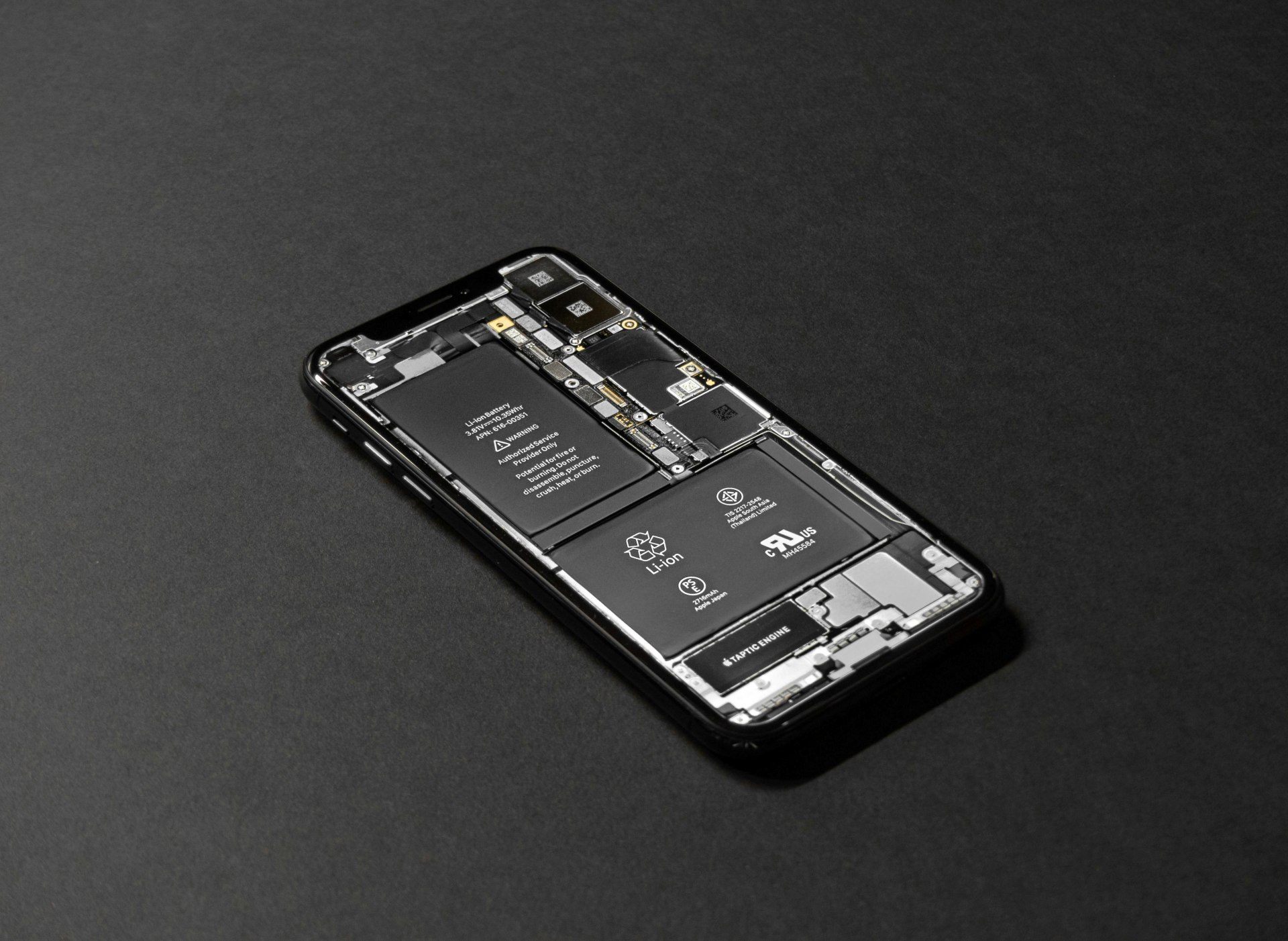
Your smartphone battery is the silent engine that keeps everything running. Without it, even the most advanced device becomes useless. A healthy battery means fewer interruptions, better performance, and a device that lasts longer before needing replacement. Yet most people unknowingly use habits that weaken battery health over time.
Understanding battery care is essential today because phones are thinner, more powerful, and often contain non-removable batteries. You cannot simply replace them easily. Learning to maintain battery health isn’t just cost-saving—it protects your device’s overall lifespan.
As one repair expert says, “A battery doesn’t die in a day. It dies a little every day—how you use it decides how fast.”
This guide explains everything you need to know about extending your battery’s life, using updated science, practical habits, and easy-to-apply tips.
Understanding Modern Smartphone Batteries
Most smartphones today use lithium-ion or lithium-polymer batteries. These batteries are powerful, lightweight, and support fast charging. However, they also have natural limitations.
Key facts you should know:
- Every battery has a fixed lifespan, measured in cycles.
- One cycle = using a total of 100% of battery capacity (not necessarily in one go).
- Most phone batteries last 300–500 cycles before noticeable degradation.
- Batteries age faster when exposed to heat, deep discharge, and constant full charging.
To increase battery life, your goal is simple:
Reduce battery stress and avoid behaviors that shorten its health.
This article teaches you exactly how to do that in the simplest, most practical way.
Does This Article Help the Battery Last Longer Per Charge?
No. This guide focuses on extending your battery’s lifespan, not increasing daily screen time.
If you want tips to make each charge last longer, you would follow a separate guide.
Here, we focus on how to make your battery stay healthy for months and years—not die early.
Do’s and Don’ts to Extend Smartphone Battery Life
These habits are the foundation of long-term battery health. Follow them consistently and you will see measurable improvement in your battery’s lifespan.
1. Do Not Charge Your Battery Frequently
Many people plug in their phone multiple times a day, even when their battery is above 50% or 70%. While this seems harmless, it consumes charging cycles faster.
Every full recharge adds up. Frequent unnecessary charging means your phone completes more cycles sooner, reducing its lifespan.
Important Tip:
Let the battery drop naturally before charging.
Avoid plugging in every time it hits 60–70%.
2. Charge Only When Battery Falls to 5–10%
This tip from your original content remains relevant today, with slight modern refinement.
Lithium batteries do not like being:
- Fully drained
- Charged too frequently
Let your phone discharge to about 10–20%, then charge it.
Do NOT wait until it reaches 0% unless you are recalibrating your battery occasionally.
Regularly draining to 0% puts strain on the battery chemistry and shortens its lifespan.
3. Avoid Charging to 100% Every Time
This is an updated scientific recommendation.
Keeping a lithium battery at full charge for long periods increases chemical stress.
The ideal charge range is:
- 20% to 80% for maximum long-term health
Charging to 100% occasionally is fine—just avoid keeping it at 100% constantly, especially overnight.
Many modern phones now include:
- Optimized charging
- Adaptive charging
- Slow overnight charging
Enable these settings to protect battery health.
4. Avoid Heat: The Number One Battery Killer
Heat destroys battery cells faster than anything else.
Your phone can heat up due to:
- Gaming for long hours
- Fast charging
- Using the phone while charging
- Keeping it under sunlight
- Running heavy apps
- Using poor-quality chargers
- High ambient temperatures
When your phone is hot, stop charging immediately.
Important:
Never leave your phone inside a parked car, under a pillow, or on top of a laptop exhaust.
5. Do Not Directly Plug Your Phone into a Car Charger
Your original content mentioned this point and it is still extremely useful today.
Car chargers deliver unstable voltage, especially when:
- AC is turned on
- Engine starts or stops
- Vehicle power fluctuates
This fluctuation can damage:
- Charging IC
- Battery
- Charge port
- Motherboard
Instead, use:
- A branded car charger with surge protection
- A USB PD (Power Delivery) supported accessory
- A converter where power is regulated
Cheap car chargers cause more damage than benefit.
6. Turn Off Unnecessary Services
Certain features constantly consume battery even when you’re not actively using them. They also increase heat, which directly weakens battery quality.
Turn off features like:
- GPS
- Bluetooth
- WiFi
- Hotspot
- NFC
- Auto-sync
- Background data for non-essential apps
- Constant notifications
You don’t need these services running 24/7.
Tip:
Use quick settings to toggle them ON only when required.
7. Switch Off or Use Airplane Mode When Not in Use
Your original content mentioned this — and it’s still valid.
When you are:
- Sleeping
- Driving
- In meetings
- Working offline
- In areas with weak network
Switching to Airplane Mode or simply turning the device off reduces battery stress and preserves long-term health.
Phones consume more power searching for networks in weak-signal areas. This accelerates wear.
8. Avoid Using the Phone While Charging
Using the phone during charging generates heat. The battery experiences two pressures:
- Charging
- Discharging due to usage
This damages the chemical structure of the battery.
Avoid especially:
- Gaming while charging
- Watching videos
- Using heavy apps
- Using social media for long durations
If you must use it, keep usage minimal. Also learn What to Do if Phone Battery Drains Fast Even When Idle
9. Use Only Quality Chargers and Cables
Poor-quality or off-brand chargers can:
- Deliver unstable current
- Damage the charging IC
- Cause overheating
- Shorten battery life
Always use:
- Original charger
- Trusted brands
- Certified fast chargers
Cheap accessories may save money today but damage your battery tomorrow.
10. Don’t Leave Your Phone Charging Overnight
Overnight charging keeps your battery at 100% for many hours.
This leads to:
- Heat buildup
- Chemical stress
- Faster aging
Although modern phones stop charging once full, trickle charging continues, holding the battery at its maximum level.
Use features like:
- Adaptive charging
- Scheduled charging
- Optimized charging
These help your phone reach 100% only when you wake up. Also learn How To Make Your Smartphone Battery Charge Last Longer
11. Keep Your Software Updated
Software updates include:
- Battery optimization
- Bug fixes
- Power-saving improvements
A well-optimized system puts less stress on the battery.
12. Avoid Heavy Cases That Trap Heat
Thick or poor-quality cases prevent heat from escaping. Since heat is the enemy of battery health, choose:
- Slim cases
- Heat-dissipating materials
- Cases with ventilation patterns
Remove the case while charging if your phone heats up frequently.
13. Reduce Screen Brightness and Use Auto-Brightness
High screen brightness increases heat and drains power.
Auto-brightness reduces strain by adjusting light based on your environment.
Also consider:
- Dark mode
- Shorter screen timeout
- Lower refresh rate if available (e.g., 60Hz instead of 120Hz)
These not only save power but also reduce wear on the battery.
14. Avoid Keeping Many Apps Running in Background
Apps running in the background consume:
- CPU
- RAM
- Battery
Close unnecessary apps, especially:
- Social media apps
- Browser tabs
- Maps
- Streaming apps
Use your device’s battery usage menu to identify power-hungry apps.
15. Store Your Phone Properly When Not Using for Long Periods
If you will not use your phone for many days or weeks:
- Charge it to around 50%
- Switch it off
- Store in a cool, dry place
Storing at 0% or 100% damages the battery permanently.
Real-Life Example: A Small Habit That Saved a Battery
A user was charging his phone three times a day, often using it while charging. The phone heated up, and within months, the battery health dropped drastically.
After switching to:
- One full charge daily
- Avoiding heat
- Letting it drop to 15% before charging
- Not using while charging
The battery health stabilized and stopped declining rapidly.
Small changes create big effects.
16. Use Battery Saver Mode When Needed
Battery saver reduces:
- Background activity
- Animations
- Location scanning
- Sync services
This reduces both daily battery usage and long-term chemical stress.
17. Understand That Fast Charging Has a Cost
Fast charging is convenient, but it generates heat.
Heat drives battery aging.
Use fast charging when:
- You need quick top-up
Use slow or normal charging when:
- You’re at home
- Overnight (with optimized charging enabled)
- You are not in a hurry
Balance convenience with long-term battery health.
18. Monitor Battery Health Regularly
Some phones provide built-in battery health indicators.
For others, use authorized service center diagnostics.
Monitoring helps you:
- Detect abnormal decline
- Identify heating patterns
- Replace battery before damage spreads
Common Battery Charging Myths You Should Stop Believing
Many people follow old charging habits that no longer apply to modern lithium-ion batteries. These myths not only create confusion but can also reduce battery health over time. Understanding the truth helps you charge your phone smarter and keep the battery healthy for longer.
Here are the most common myths — and the facts behind them.
Myth 1: “You must charge your phone to 100% every time.”
Most users still believe a full charge is good for the battery. But lithium-ion batteries actually prefer staying between 20% and 80% during regular use.
The Truth:
Charging to 100% occasionally is fine, but doing it daily increases battery stress. Short, frequent top-ups are healthier than deep charging cycles.
Myth 2: “You should always let your battery drain to 0%.”
Older nickel batteries needed full discharge to maintain calibration. Modern smartphone batteries do not work this way.
The Truth:
Letting your battery reach 0% frequently reduces its lifespan. Only do a full drain if you need to recalibrate battery percentage — and even that is rarely required.
Myth 3: “Fast charging damages your battery immediately.”
Fast chargers generate more heat, which worries many users. But phones today are designed with advanced temperature management and charging controls.
The Truth:
Fast charging is safe on supported devices. The phone automatically slows down charging if heat increases. What harms the battery is excess heat, not the fast charging technology itself.
Myth 4: “Using your phone while charging is dangerous.”
Some people think using a phone while charging causes battery explosions or long-term damage.
The Truth:
Using the phone while charging is safe as long as you are using original or certified chargers. However, heavy gaming or video editing can increase heat, which may slow down charging or affect long-term battery health.
Myth 5: “Third-party chargers always damage the battery.”
Not all non-original chargers are bad. The real concern is low-quality, uncertified chargers.
The Truth:
A good-quality, certified charger works as safely as the original. Avoid cheap, unbranded chargers because they may lack voltage protection and overheat the battery.
Myth 6: “Closing all apps improves battery life dramatically.”
People often force-stop apps thinking it reduces battery usage.
The Truth:
Constantly closing and reopening apps uses more battery. Modern operating systems manage background apps efficiently. Only stop apps that are stuck or misbehaving.
Myth 7: “Charging overnight always ruins the battery.”
Phones stay plugged in for hours at night, and many users worry that the battery keeps ‘overcharging.’
The Truth:
Phones stop charging once they reach 100%. They do not continuously keep pushing current into the battery. Overnight charging is safe, but heat build-up under pillows, cases, or bedsheets can be harmful. Good ventilation is key.
Myth 8: “Battery-saving apps significantly improve battery life.”
Many apps promise to extend battery life by killing background processes.
The Truth:
Most battery-saving apps do little to improve performance and may even drain more power. Built-in battery optimization from your phone manufacturer is far more effective.
Myth 9: “Keeping Wi-Fi, Bluetooth, or GPS ON drains your battery heavily.”
This was true many years ago, but not today.
The Truth:
Modern phones use very little power for Wi-Fi and Bluetooth when idle. GPS drains battery only when an app actively uses location in the background.
Myth 10: “Higher mAh always means better battery life.”
Many users assume a big battery capacity automatically equals great performance.
The Truth:
Battery life depends on many factors — software optimization, processor efficiency, screen type, refresh rate, and user habits. A well-optimized phone with lower mAh can last longer than a poorly optimized one with a bigger battery.
Conclusion
Your smartphone battery is designed to last long, but only if you treat it right. By following simple, science-backed habits like avoiding heat, charging smarter, using quality accessories, and reducing unnecessary strain, you significantly extend your battery’s lifespan.
Battery care is not complicated. It’s about forming better habits. A healthy battery means a reliable phone, fewer repairs, and a better user experience every day.
Always remember: “Take care of your battery, and your phone will take care of you.”