Buying a used or second-hand phone can save a lot of money, but it can also turn into a costly mistake if you don’t check the device properly. A pre-owned smartphone may look good from the outside yet hide internal faults that appear only after you take it home. That is why careful inspection is essential.
Whether you’re buying from a shop, an online marketplace, or an individual seller, this guide will help you understand exactly what to check before making the purchase. It also benefits people running a used phone business, and those who buy refurbished devices in bulk.
“A smart purchase is not about the price you pay — it’s about the problems you avoid.”
In this comprehensive guide, we’ll walk through authenticity checks, hardware tests, safety verification, performance evaluation, and pricing strategy. You’ll also find a helpful checklist table to make the process simpler.
Why You Must Inspect a Used Phone Carefully
Used phones typically come with:
- No warranty
- No exchange policy
- No guarantee of condition
- Hidden hardware or software problems
- Limited support from the seller
Because of this, you must take responsibility for the inspection. One mistake can result in:
- Locked devices
- Blacklisted IMEI
- Faulty batteries
- Broken motherboards
- High repair charges
- Data security issues

Fortunately, most problems are easy to detect if you follow a structured approach like the one below.
1. Check Authenticity and Ownership
The first and most important step is verifying that the phone is not stolen. Buying a stolen phone can lead to police issues and the device may get disabled later.
How to Check Authenticity
- Ask for the original bill, purchase receipt, or retail invoice.
- Check the IMEI number on the box, SIM tray, and device settings. All three must match.
- Cross-check IMEI on trusted websites like:
- Ask whether the phone is carrier unlocked or SIM-locked.
- For iPhones, check Activation Lock status using:
- Apple Support
- For Android devices, look for OEM unlock status and Google account removal confirmation.
If anything feels suspicious, do not buy the phone.
“A good deal is only good if it’s real.”
2. Check Warranty and Service Eligibility
A used phone with some warranty left is always a safer buy.
What to verify:
- Remaining warranty through the brand website:
- Apple Check Coverage
- Samsung Warranty Checker
- Xiaomi, Oppo, Vivo, OnePlus support pages
- Whether the phone is eligible for future repairs
- Check if extended warranty or insurance was purchased
- Confirm that the phone has not been previously tampered with
Phones that have undergone unauthorized repairs may be refused by official service centres.
3. Check the Physical Condition Thoroughly
The phone must be inspected from every angle.
Look for:
- Cracks on the screen
- Dead pixels, color patches, or burn-in marks
- Bent frame
- Loose back panel
- Dust inside lenses
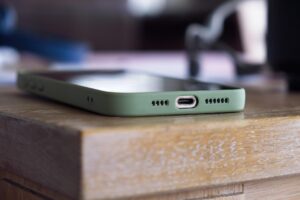
- Dents near the charging port (often indicate drops)
- Damaged speaker grills
- Loose buttons
Remember: A phone that shows heavy external damage may have deeper internal damage.
4. Check Working Condition and All Internal Functions
This is where most buyers make mistakes — they check only the screen and camera.
You must check everything.
Critical Hardware Tests
✔ Microphone – Record a voice note
✔ Earpiece speaker – Make a call
✔ Loudspeaker – Play music
✔ Vibration motor – Test vibration settings
✔ Cameras – Switch between all lenses
✔ Flashlight – Turn ON/OFF
✔ SIM detection – Try inserting a SIM
✔ Memory card detection – If applicable
✔ Charging port – Check alignment & charging speed
✔ USB data transfer – Connect to PC
✔ Wi-Fi, mobile data & hotspot
✔ Bluetooth pairing
✔ GPS accuracy
✔ Face unlock / fingerprint sensor
✔ Proximity sensor during calls
✔ Volume buttons & power button
✔ Battery health (in iPhone)
✔ Thermal behavior (phone shouldn’t overheat during testing)
Checklist Table for Easy Verification
Use this table when inspecting any second-hand phone:
| Item to Check | Why It Matters | What to Look For |
|---|---|---|
| IMEI Match | Confirms authenticity | Box IMEI = Phone IMEI = Settings IMEI |
| iCloud/Google Lock | Prevents activation issues | Ensure accounts are removed |
| Display | Most expensive part to repair | Lines, spots, dead pixels, touch accuracy |
| Battery Health | Determines long-term usage | iPhone: 85%+ recommended |
| Charging Port | Common failure point | Loose connection or slow charging |
| Speakers & Mic | Essential for calls | Test call quality |
| Network & Wi-Fi | For connectivity | Check stability & speed |
| Camera | Important for value | Test all lenses & focus |
| Storage | Prevents future issues | Ensure available space matches claim |
| Buttons | Hardware durability | Power + volume buttons must click properly |
| Body Condition | Reveals drop or damage | Dents, cracks, bent frame |
| Sensors | For daily use & apps | Test proximity, gyro, light sensor |
5. Check Battery Condition and Charging
Battery aging is a major issue in used phones.
For iPhones:
- Go to Settings → Battery → Battery Health
- Anything above 85% is acceptable
- Below 80% usually requires a replacement
For Android:
Battery health varies by brand.
Use the dial code (if available) or the brand’s device care feature.
Check charging behavior:
- Does it charge fast or slow?
- Does the device heat up unusually?
- Does the battery drain quickly after charging?
A swollen battery is a major red flag.
6. Confirm Performance and Speed
Even if the phone turns on, it may lag or freeze due to internal issues.
Test performance by:
- Opening multiple apps
- Browsing
- Playing a short video
- Switching between apps quickly
- Running a simple game
If the phone starts overheating or lagging, skip the device.
7. Ensure There Are No Software Issues
Software problems can make even a perfect phone frustrating to use.
Check for:
- Frequent app crashes
- Random restarts
- Boot loop
- System update issues
- Malware or suspicious apps
- Screen freezing
- Factory reset failure
Always check if the phone can be reset to factory settings.
A phone that cannot be reset may have security locks or corrupted software.
8. Check Storage Capacity and File System
Some sellers advertise incorrect storage.
To verify:
- Go to Settings → About / Storage
- Ensure listed storage matches what they claim
- Check system usage
- Look for signs of faulty storage such as:
- Apps opening slowly
- Files disappearing
- “Storage full” errors even when empty
Damaged storage chips (UFS/EMMC) are expensive to repair.
9. Check Connectivity Features
A modern smartphone must have properly working connectivity.
Test:
- Wi-Fi – Connect to a network
- Mobile Data – Check speed
- Bluetooth – Pair with speakers/earphones
- NFC – Make a quick tap test if possible
- Hotspot – Turn ON/OFF
- GPS – Check Maps accuracy
These features are essential for daily use.
10. Inspect Camera Quality Carefully
Don’t just click one photo and move on.
Test all camera modes:
- Front & rear cameras
- Wide-angle lens
- Macro lens
- Optical zoom
- Portrait mode
- Video stabilization
- Night mode
- Autofocus
Dirt inside the lens or a shaky OIS motor can ruin photos.
11. Check Accessories and Packaging
Ask for:
- Original box
- Charger
- Cable
- Earbuds (if included originally)
- Bill
- Warranty card
If accessories are missing, adjust the price.
12. Check Market Demand Before Buying
Some brands or models are easy to sell later, while others have almost no resale value.
A good used phone should:
- Belong to a well-known brand
- Have easily available spare parts
- Have stable software support
- Have strong demand in your area
Before buying, check online pricing on:
- Amazon
- Flipkart
- OLX
- Cashify
- Your local marketplace apps
This gives you an idea of the actual value.
13. Negotiate the Price Smartly
Keep these points in mind:
- Electronics lose value every few months
- Older models drop in price faster
- Damaged or repaired phones must be priced much lower
- If you are buying in bulk, negotiate aggressively
Price should be based on:
- Condition
- Age
- Warranty
- Battery health
- Model demand
If the seller refuses repairs before sale, offer a much lower price because you are taking the risk.
14. Where to Check Specifications of Any Model
Use these trusted websites:
- GSMArena.com – Specifications, comparisons, user feedback
- PhoneArena.com – Reviews and hardware details
- Manufacturer websites – Official specs
Authoritative websites help confirm whether the device matches what the seller claims.
“A good phone is not about being new — it’s about being reliable.”
Conclusion
Buying a second-hand phone is a smart way to save money — but only if you know how to check it properly. A few minutes of careful inspection can protect you from hidden faults, blacklisted devices, poor battery life, and expensive repairs later.
Once you learn what to check, you can confidently evaluate any used smartphone and pick the right one at the right price.