Tag: cell phones

  • How To Extend The Life of Your iPhone: Tips For Preventing Repair

    How To Extend The Life of Your iPhone: Tips For Preventing Repair

    If you own an iPhone, you already know it is not a small investment. You want it to last long, run smoothly, and stay in good condition. But many people end up spending a lot on repairs because their phones get damaged, slow down, or face battery issues. The good news is that you can avoid most of these problems by learning how to extend the life of your iPhone and following a few simple habits every day.

    This guide is based on real experiences shared by Apple technicians, repair experts, and long-time iPhone users. It includes only authentic information so you can trust what you are reading.


    Why it is Important to Learn How To Extend The Life of Your iPhone

    Understanding how to extend the life of your iPhone can save you a lot of trouble later. iPhone repairs like screen changes, back-glass replacement, and battery replacements can be expensive. In some cases, they cost almost half the price of a new phone.

    By learning how to care for your device, you benefit from:

    • Less repair cost
    • Better battery life
    • Smoother performance
    • Longer device lifespan
    • Higher resale value

    Most iPhones can last 4 to 6 years if you maintain them properly. So, these habits are worth your time.


    1. Use a Strong Case and Quality Screen Protector

    Physical damage is the most common reason iPhones need repairs. A single drop can crack the screen or damage internal components, especially the motherboard. So, one of the most basic but powerful steps in preventing repair is protecting your device.

    Choose:

    ✔ A shock-resistant or military-grade case
    ✔ A tempered glass screen protector
    ✔ A case with raised edges to protect the camera lenses

    Avoid carrying your phone with keys, coins, or sharp objects. Even tiny scratches can weaken the glass over time.


    2. Follow Proper Battery Care to Keep Health High

    Good battery health is essential if you want your iPhone to last several years. Apple uses lithium-ion batteries, and they age faster due to heat and overcharging. Proper charging habits pkays a major part in exteding the life of your iPhone or other smartphone and thereby preventing repairs.

    Battery care tips:

    • Keep battery between 20% and 80%
    • Turn on Optimized Battery Charging
    • Avoid charging overnight every day
    • Use Apple-certified chargers
    • Remove case if phone heats while charging

    If you plan to store your iPhone unused for a long time, keep it at around 50% charge.


    3. Keep Your iPhone Software Updated

    Many users skip updates, but Apple releases them for a reason. Updates fix bugs, prevent crashes, and improve security. They may even help battery performance. This is a key step to avoid software related issues.

    Do the following:

    • Install system updates when available
    • Restart your phone once a week
    • Avoid third-party system cleaning apps
    • Update apps regularly

    Experts say that regular updates help prevent overheating, battery drain, and app glitches.


    4. Smart Storage Management for Better Performance

    Too little storage slows down the phone and causes freezing or lag. That is why storage care is equally important.

    Useful storage tips:

    • Keep 10–20% storage free
    • Delete duplicate photos and downloaded files
    • Enable Offload Unused Apps
    • Move large files to iCloud or a computer drive

    Try not to install heavy apps you do not use.


    5. Prevent Overheating – A Silent Phone Killer

    Heat destroys battery life faster than anything else. Many users ignore this, but temperature control is one of the strongest Tips For Preventing Repair.

    Avoid:
    🚫 Playing heavy games while charging
    🚫 Leaving the phone inside a parked car
    🚫 Keeping the screen brightness too high for long periods

    If your iPhone feels hot:

    • Close background apps
    • Stop charging
    • Remove the case
    • Keep it in shade until temperature reduces

    6. Charge Your iPhone Correctly

    People damage their phones by using cheap chargers and overcharging. Safe charging is a crucial part of extending the life of your iPhone.

    Recommended charging habits:

    ✔ Use original or MFi-certified chargers
    ✔ Prefer slow charging when possible
    ✔ Avoid fast charging all the time
    ✔ Do not use power banks of unknown brands

    Wireless charging is fine, but it generates more heat, so avoid very long sessions.


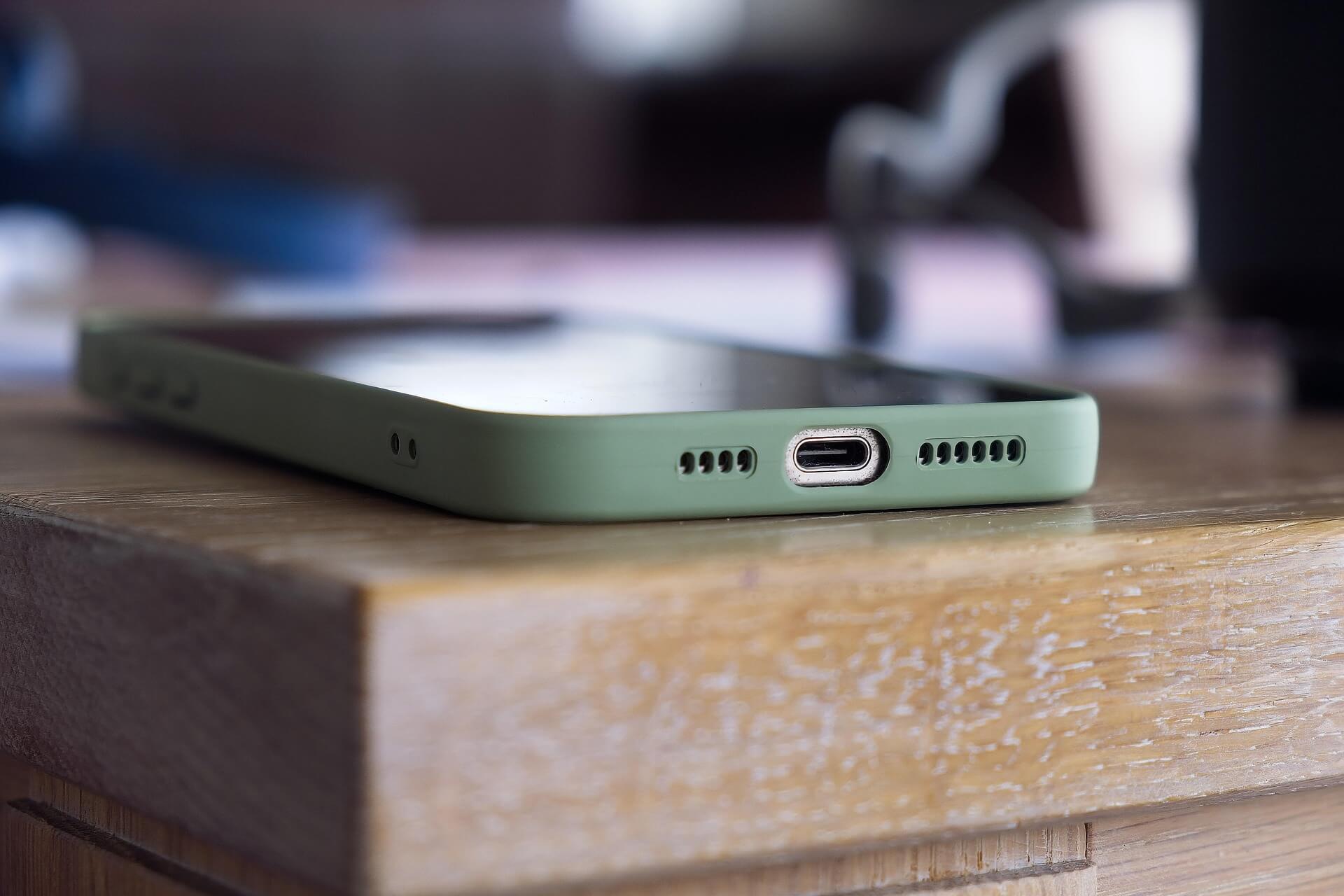
    7. Keep the Charging Port, Mic & Speakers Clean

    Dust can block your microphone, reduce speaker volume, and disturb charging. For safe cleaning:

    • Use a soft, dry brush
    • Do not use needles or toothpicks
    • Keep your phone in a clean pocket or bag

    Many charging issues happen because people force the cable into a dusty port and bend the pins inside.


    8. Reduce Battery Drain with Smart Usage

    You can make battery life longer and reduce heating by following a few daily habits:

    • Use Wi-Fi instead of mobile data when possible
    • Turn on Low Power Mode when battery is low
    • Disable Bluetooth, AirDrop, Location when unused
    • Lower screen brightness when indoors

    Small habits make a big difference in How To Extend The Life of Your iPhone: Tips For Preventing Repair.


    9. Handle Your Phone Carefully

    Even small drops and pressure can damage internal parts. Be mindful of how you use your iPhone.

    Avoid:
    🚫 Sitting with your phone in the back pocket
    🚫 Keeping it under pillows while sleeping (heat danger)
    🚫 Using it near water, sinks, pools, or rain without protection

    Even water-resistant models can get damaged by steam or saltwater.


    10. Replace Battery When Needed, Not Too Late

    If your battery health falls below 80%, Apple recommends a replacement. For better safety and reliability:

    ✔ Use Apple Authorized Service Providers
    ✔ Avoid low-quality local batteries

    A weak battery can swell and damage the display, causing expensive repairs.


    Final Words

    These simple steps will help you keep your iPhone fast, safe, and reliable for years.

    To summarize, remember to:

    ⭐ Use a strong case and tempered glass
    ⭐ Protect and maintain battery health
    ⭐ Update iOS regularly
    ⭐ Manage storage wisely
    ⭐ Avoid overheating
    ⭐ Charge safely with certified chargers
    ⭐ Clean the ports carefully
    ⭐ Handle your iPhone with care
    ⭐ Replace the battery at the right time

    With these habits, you save money, reduce repair needs, and enjoy a smooth, long-lasting iPhone experience.

    Do let us know your views in the comments below.
  • Why Nokia Is Not Successful in Mobile Phones: Full Analysis

    Why Nokia Is Not Successful in Mobile Phones: Full Analysis

    There was a time when Nokia ruled the world of mobile phones. Millions trusted the brand for its durability, long battery life, simple interface, and strong network reception. Nokia wasn’t just a company—it was a symbol of reliability and innovation. Yet today, the same brand struggles to gain even a small share of the smartphone market.

    How did one of the most powerful mobile brands in history lose its dominance?
    And why hasn’t it been able to bounce back, even after embracing Android and relaunching globally?

    This article offers a complete, updated, and deeply researched analysis of Nokia’s decline, its strategic missteps, and the challenges that still prevent it from succeeding today. As one industry expert says, “Markets don’t forgive delay, and technology doesn’t wait for anyone.”

    Let’s explore every factor that contributed to Nokia’s downfall and why the brand still struggles despite attempts to revive itself.


    Nokia’s Early Dominance: What Made It Great

    Before we understand why Nokia failed, we must understand why it succeeded so massively.

    Nokia once provided:

    • Strong, almost unbreakable phones
    • Long-lasting batteries
    • User-friendly interface
    • Reliable network performance
    • Affordable options for every budget
    • Trust and emotional connection with customers

    For years, Nokia set global standards for mobile design, battery life, and hardware quality. People used their phones for years without issues. Enthusiasts still remember the legendary Nokia 3310, which became a cultural icon.

    At one time Nokia was the No. 1 handset manufacturer in terms of ease of use & sales.

    However, markets change, and companies must evolve with them. Nokia’s biggest problem was not competition—it was resistance to change.


    The Core Reasons Behind Nokia’s Failure

    Below is a detailed breakdown of the major strategic, technological, and market-related factors that led to Nokia’s decline and continue to limit its success.


    1. Nokia Ignored the Shift to Smartphones

    The smartphone revolution began when touchscreens and app-based ecosystems became the future. Nokia had all the resources to lead this revolution but failed to act quickly.

    Instead of embracing modern operating systems, Nokia continued promoting:

    • Symbian OS
    • Physical keypad devices
    • Old-style interfaces

    This decision delayed their entry into the smartphone era.
    Competitors like Apple and Samsung moved fast, offering touchscreen devices with intuitive software. Nokia stayed stuck in the past.

    This single mistake allowed competitors to capture the market before Nokia even responded.


    2. Overdependence on Symbian OS

    Symbian was once a great platform. It was stable, lightweight, and perfect for feature phones. But it wasn’t built for modern smartphones.

    Its disadvantages became clear:

    • Poor touchscreen support
    • Complicated UI
    • Slow app development
    • Difficult for developers to program
    • Fragmented versions across devices

    While Android and iOS offered smooth, app-driven experiences, Symbian struggled to keep up.

    Nokia’s leadership underestimated the importance of modern software, believing hardware was enough to win. They failed to notice that software became the true heart of smartphones.


    3. Delaying Android Adoption: A Costly Mistake

    When Android arrived, many brands immediately adopted it. Samsung, HTC, Motorola, and later Xiaomi, Vivo, Oppo, and Realme built massive success on Android’s flexibility.

    Nokia, however, refused to adopt Android during its early growth.
    Instead, Nokia partnered with Microsoft to create Windows Phone.

    This was a turning point—and a mistake.

    Windows Phone offered:

    • Beautiful UI
    • Smooth animations
    • Strong security

    But lacked:

    • Apps
    • Developer support
    • Customization
    • Global adoption
    • Google services

    Users simply didn’t want a smartphone without the apps they loved.
    By the time Nokia finally adopted Android years later, the market was already dominated by powerful competitors.

    As someone once said, “In business, timing is often more important than talent.”


    4. The Microsoft Partnership: A Strategic Misalignment

    Nokia and Microsoft hoped to compete with Android and iPhone together. But the partnership faced many issues:

    • The Windows ecosystem was incomplete
    • App developers didn’t support the platform
    • Google rejected developing apps for Windows Phone
    • Customers didn’t want to switch
    • Carriers didn’t push the devices

    Internally, Nokia employees were divided about the partnership.
    The company’s direction became unclear.

    When Microsoft eventually bought Nokia’s mobile division, the decline accelerated instead of improving.


    5. Aggressive Competition From New Chinese Brands

    While Nokia struggled to find its identity, new brands entered the market with aggressive strategies:

    • Xiaomi
    • Vivo
    • Oppo
    • Realme
    • OnePlus
    • Huawei

    These companies offered:

    • Great cameras
    • Large storage
    • Fast charging
    • High refresh-rate displays
    • Stylish designs
    • Feature-packed smartphones at affordable prices

    Meanwhile, Nokia phones remained:

    • Underpowered
    • Overpriced compared to competitors
    • Slow to innovate
    • Behind on specifications
    • Lacking appealing features

    In a market driven by value and specifications, Nokia failed to match expectations.


    6. Outdated Design Choices and Slow Innovation

    Nokia phones were known for durability. But durability isn’t enough in the modern smartphone world. Today’s users want:

    • Sleek designs
    • Punch-hole cameras
    • Fast processors
    • High-resolution screens
    • Multiple lenses
    • Fast charging technology

    For years, Nokia released phones with:

    • Basic LCD screens instead of AMOLED
    • Average processors
    • Mid-tier cameras
    • Slow charging
    • Conservative designs

    Consumers found Nokia outdated, especially compared to more modern-looking alternatives.


    7. Poor Pricing Strategy

    Nokia’s pricing did not match user expectations. Many Nokia phones were:

    • Too expensive for the features offered
    • Placed directly against smartphones that outperformed them
    • Targeted at segments already dominated by aggressive competition

    In an industry where every rupee matters, price mismatch can destroy potential sales.


    8. Slow and Inconsistent Marketing

    Brands like Samsung, Xiaomi, and Apple invest heavily in marketing and brand visibility. Nokia, on the other hand, has:

    • Minimal online presence
    • Weak promotional campaigns
    • Low influencer or media collaborations

    Many buyers simply forget Nokia exists until they see it in a store.

    A brand cannot succeed without strong marketing support.


    9. Limited Focus on Camera Innovation

    Today, people choose smartphones based on camera performance. Social media platforms like Instagram, TikTok, and YouTube have changed how users value photography.

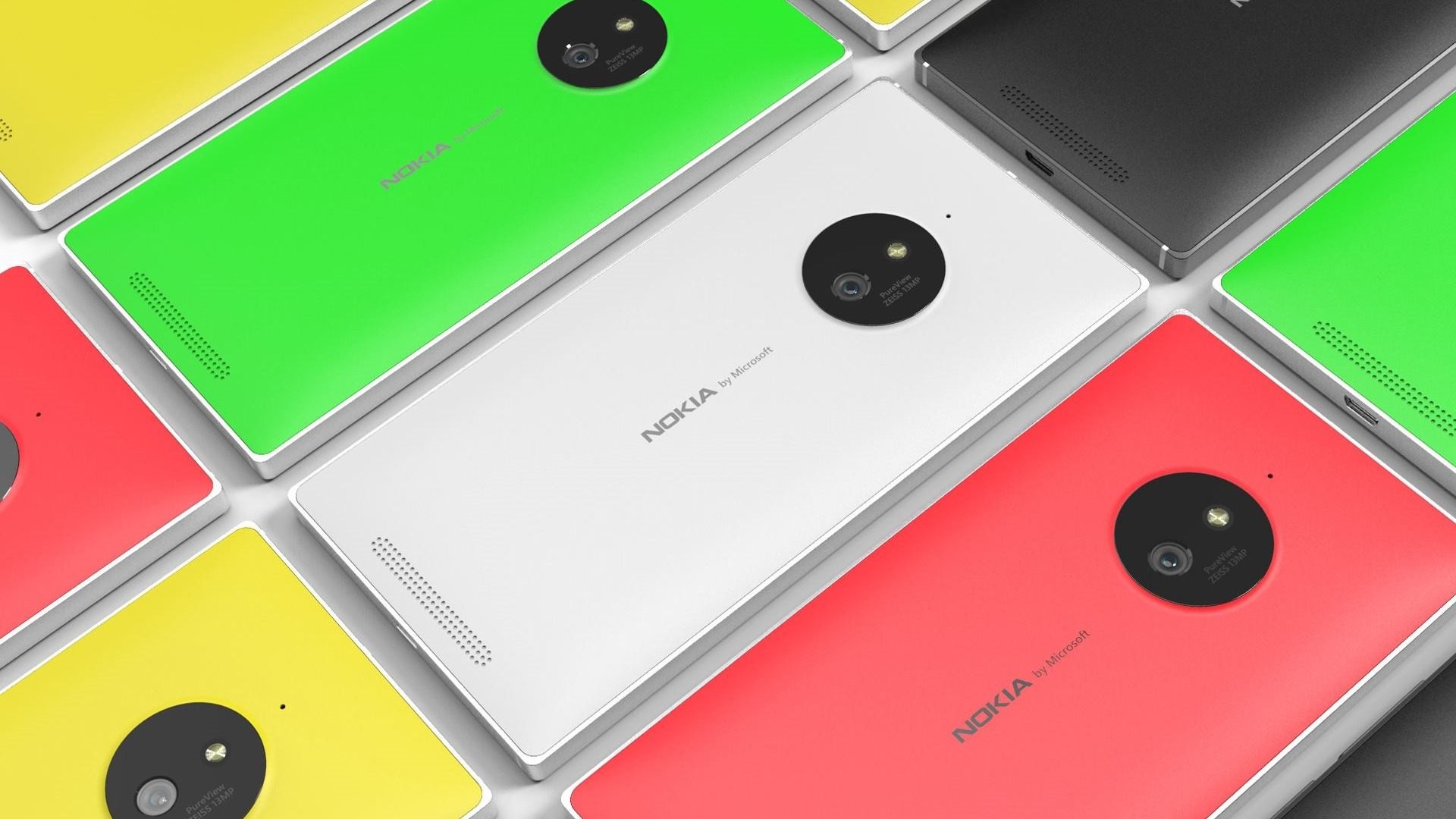
    Nokia once dominated mobile photography with its earlier models like Lumia 1020 and PureView.
    But in recent years, the brand has failed to keep up with:

    • Computational photography
    • AI enhancements
    • Low-light improvements
    • High-resolution sensors
    • Video stabilization features

    Other brands raced ahead while Nokia remained slow to innovate.


    10. Weak App Ecosystem and Developer Support (Historically)

    Even though Nokia uses Android now, its historical failure to build a strong ecosystem hurt its long-term reputation. Users who left Nokia years ago rarely returned.

    Many associate Nokia with:

    • Limited apps
    • Missing features
    • Uncertain platform future

    Brand perception takes years to rebuild.


    11. Failure to Capture the Youth Market

    The youth segment drives the majority of smartphone purchases today. They want:

    • Stylish designs
    • Smooth gaming performance
    • Social media-ready cameras
    • Fast charging
    • Trendy features

    Nokia’s image remained conservative, appealing more to:

    • Older users
    • Feature phone customers
    • Basic smartphone buyers

    This left the biggest market segment untouched.


    12. Confusing Product Line and Weak Differentiation

    Modern smartphone brands clearly categorize their devices:

    • Budget
    • Mid-range
    • Flagship

    Nokia often releases:

    • Overlapping models
    • Similar-looking devices
    • Confusing naming schemes
    • Minimal differentiation

    This confuses buyers and reduces brand clarity.


    13. Limited Global Availability and Distribution Challenges

    Unlike brands that aggressively expand across markets, Nokia’s distribution remains limited in many regions. Some models are difficult to find. Some arrive late. Others never launch in certain countries.

    A phone cannot succeed if customers cannot buy it easily.


    14. Slower Software Update Delivery (Despite Promises)

    Nokia initially promised fast Android updates as a selling point. But over time:

    • Updates slowed down
    • Some devices received delayed patches
    • A few models lacked consistent support

    This weakened consumer trust.


    15. Relying Too Much on Nostalgia

    Nokia relaunches classic models like the 3310, 8110, or slide phones. While nostalgic, these devices:

    • Do not drive significant sales
    • Appeal to older users, not the youth
    • Cannot compete with modern smartphones

    Nostalgia alone cannot rebuild a global brand.


    Can Nokia Recover? Challenges and Opportunities

    Despite the struggles, Nokia still has strengths:

    • Strong brand recognition
    • Good build quality
    • Clean Android interface
    • Security-focused software
    • Loyal feature phone customers

    But to succeed again, Nokia must:

    • Improve pricing strategy
    • Innovate aggressively
    • Target youth-oriented features
    • Strengthen marketing and online presence
    • Offer better specifications
    • Release competitive camera systems
    • Build trust with consistent software updates

    Nokia has potential, but the smartphone market demands speed, innovation, and bold decisions.


    Practical Real-Life Example of Nokia’s Decline

    Consider a customer comparing two phones:

    Nokia mid-range phone:

    • LCD screen
    • 4GB RAM
    • Basic camera
    • Slow charging
    • Higher price

    Competitive brand:

    • AMOLED screen
    • 6GB RAM
    • Triple AI camera
    • 33W/65W fast charging
    • Lower price

    Even if customers trust Nokia, the value difference is too large. They choose the competitor.

    This scenario reflects millions of real buying decisions that pushed Nokia down.


    Why Nokia Is Still Relevant (But Limited)

    Even though Nokia is not a top smartphone brand today, it remains relevant in areas like:

    • Feature phones
    • Basic smartphones
    • Enterprise and secure communication devices
    • Certain geographic markets
    • Software and telecom equipment

    However, the mainstream smartphone battle is highly competitive—and Nokia remains far behind.


    Conclusion

    Nokia’s decline is not due to one mistake but a combination of strategic missteps, late decisions, poor software choices, slow innovation, pricing issues, and intense competition. The brand once shaped the mobile world, but failing to adapt allowed faster, more innovative companies to take its place.

    Yet Nokia’s story is far from over. With the right decisions, stronger products, modern features, and customer-focused strategies, the brand still has an opportunity to regain significance—though perhaps never the dominance it once enjoyed.

    A powerful reminder remains:
    “Technology rewards those who innovate—and forgets those who stand still.”

    Note: This article is for information purpose only. This is our view according to the information we have.

  • How to Find A Lost Cell Phone: Easy Tracking Guide

    How to Find A Lost Cell Phone: Easy Tracking Guide

    Losing a phone is one of the most stressful experiences in today’s digital world. Your device holds your contacts, memories, banking apps, personal data, and everyday tools. Misplacing it — even for a few minutes — can create panic. But the good news is that most lost phones can be found if you take the right steps immediately.

    “A lost phone is only lost when you stop trying to find it.”

    This guide explains simple, practical, and effective methods to track, locate, and recover your missing mobile. Whether you misplaced it at home, left it at work, or fear it was stolen, you’ll learn exactly what to do — calmly, confidently, and step by step.

    We’ll cover everything from calling your device to using advanced tracking systems like Google Find My Device and Apple’s Find My network, plus what to do if your phone has no internet or is switched off.


    Why Losing a Phone Feels So Stressful

    Your phone today is more than just a gadget. It is:

    • Your communication tool
    • Your camera
    • Your digital wallet
    • Your authentication device
    • Your navigation assistant
    • Your identity and security hub

    Misplacing it feels like losing a part of your daily life. But most phones leave digital footprints that help you track them down — if you know how to use the right tools.


    First Steps: Simple Methods to Recover a Missing Phone

    Before using tracking apps or reporting theft, try these straightforward methods.


    1. Call Your Phone

    This is the fastest and simplest way to locate a misplaced mobile.

    • If it’s ringing, follow the sound.
    • If it’s vibrating, move slowly around the room to sense the vibration.
    • If someone finds it, they may answer and return it.

    Important Tip:
    If your phone is on silent, many modern Android and iPhone tools allow you to force it to ring remotely. We will cover that later.

    lost your cell phone somewhere

    2. Retrace Your Steps

    Think about where you last used your device. Then search:

    • Your desk
    • Couch or bed
    • Kitchen counter
    • Car seat or dashboard
    • Pockets or bags
    • Restaurant or shop where you visited recently

    Often, the phone is hiding in obvious places.


    3. Ask People Around You

    Don’t feel embarrassed. Simply ask:

    • Family members
    • Friends
    • Colleagues
    • Neighbors

    Sometimes someone picks it up for safekeeping and forgets to inform you.


    4. Send a Text Message to Your Phone

    If you suspect someone might find your lost phone, send a message like:

    “This phone is lost. Please call me at [your number]. Reward if returned.”

    Honest people often respond quickly.


    5. Use a Secondary Device to Check Recent Locations

    If you have another phone, tablet, or laptop connected to the same Google or Apple ID, you may be able to see your last location history even before launching a tracking tool.


    Using Technology to Track Your Lost Phone

    This is the most important part of the guide. Modern smartphones come with built-in tracking systems that work even if the device is silent, lost indoors, outdoors, or connected to a network.

    We’ll start with Android, then move to iPhone.


    🟢 How to Find a Lost Android Phone Using Google Find My Device

    Google’s Find My Device is one of the most powerful tracking tools available. It can:

    • Show your phone’s location on a map
    • Force the phone to ring
    • Lock your phone remotely
    • Display a custom message
    • Erase your data
    • Show last known location
    • Track nearby devices using Google’s crowdsourced Find My Device network

    To use this tool, your phone must have:

    • A Google account logged in
    • Location services ON
    • Internet or Bluetooth nearby device detection

    Even if the phone is offline, the last known position will be shown.


    Step-by-Step Guide: Track Your Android Phone

    Step 1: Visit the Find My Device website

    Go to: google.com/android/find
    (Or use the Find My Device app on another device.)

    Step 2: Sign in to your Google account

    Use the same Google ID linked to your missing phone.

    Step 3: Select your device

    Your phone’s approximate or exact location will appear on the map.

    Step 4: Choose an action

    1. Play Sound

    Your phone rings at full volume for 5 minutes — even in silent mode.

    2. Secure Device

    You can lock the phone and display a message like:
    “Phone lost. Please call 98xxxxxxx.”

    3. Erase Device

    If stolen and unrecoverable, you can erase all data remotely.
    (Note: Once erased, you cannot track the device.)


    Tracking an Offline Android Device

    Google’s modern Find My Device network uses Bluetooth signals from nearby Android devices to help locate your lost phone — even if:

    • It has no internet
    • It’s switched off
    • The SIM card is removed

    The moment a nearby device detects it, the location updates automatically.


    Track a Lost Android Phone Through Google Maps Timeline

    If Find My Device doesn’t show the phone, try this method.

    Steps:

    1. Open Google Maps on another device.
    2. Tap your profile → Your Timeline.
    3. Check location history for your last movements.

    This is useful for tracking lost or stolen phones after the battery dies.


    🔵 How to Find a Lost iPhone Using Apple Find My

    Apple’s Find My network is extremely powerful and works through:

    • GPS
    • Wi-Fi
    • Bluetooth
    • Nearby Apple devices detecting your missing phone

    It can track your phone even:

    • When it’s offline
    • When turned off
    • Without SIM
    • Without active internet

    This network is connected to millions of Apple devices worldwide.


    Step-by-Step Guide: Track Your iPhone

    Step 1: Open iCloud.com/find

    Or use the Find My app on another Apple device.

    Step 2: Sign in with your Apple ID

    Use the ID linked to your missing iPhone.

    Step 3: Select your iPhone

    Your device location appears on the map.


    Actions You Can Take

    1. Play Sound

    Forces the iPhone to ring, even on silent.

    2. Lost Mode

    This locks your phone and shows a custom message such as:
    “Lost iPhone. Please contact me.”

    It also disables Apple Pay for your safety.

    3. Erase iPhone

    Use only if you’re sure the device cannot be recovered.


    🟣 Advanced Tracking Features for Apple Devices

    Apple’s Find My network can:

    ✔ Track your phone even when switched off

    Recent models send Bluetooth signals even in shut-down mode.

    ✔ Track via nearby devices

    Any Apple device passing near your phone can anonymously update the location for you.

    ✔ Show location of AirPods, Apple Watch, and items attached to AirTag

    Useful if they are connected to your phone.


    If Your Phone Is Switched Off or Has No Signal

    A turned-off phone is not the end. You can still:

    • See its last known location
    • Check location history
    • Get updates when it switches ON
    • Track via Bluetooth-based Find My networks (Android & Apple)

    If stolen, do not confront the thief — let authorities handle it.


    What to Do If Your Phone Is Stolen

    If you believe the phone was taken:

    1. Lock the device immediately

    Use Find My Device or Find My iPhone.

    2. Display a message on the lock screen

    Offer a safe number for contact.

    3. Track the movement

    Do not approach dangerous locations.

    4. Report to the police

    Provide:

    • IMEI number
    • Last location
    • Purchase bill

    IMEI allows authorities to request telecom assistance.

    5. Inform your mobile operator

    They can block the SIM to prevent misuse.


    How to Get Your IMEI Number When the Phone Is Missing

    Look in:

    • Your phone’s retail box
    • Purchase invoice
    • Email receipts
    • Google account device list
    • Apple ID device list

    IMEI helps in filing police complaints.


    Useful Tips to Prevent Losing Your Phone Again

    Prevention is better than searching later. Here’s how to avoid future problems.


    1. Enable Tracking Services Immediately

    • Turn ON Google Find My Device (Android)
    • Turn ON Apple Find My (iPhone)
    • Allow location access
    • Keep Bluetooth ON if using the Find My network

    2. Use a Smart Tracker or Tag

    Attach tags like:

    • Bluetooth trackers
    • AirTag (iPhone)
    • SmartTag

    If your phone is attached to your bag, keys, or wallet, these tags can help track everything together.


    3. Keep Your Phone in the Same Place Every Day

    Create a habit:

    • A specific pocket
    • Bag compartment
    • Drawer
    • Desk area

    Consistency reduces misplacements.


    4. Use Lock Screen Information

    Add your alternate number to the lock screen.
    This allows honest people to contact you instantly.


    5. Avoid Keeping Your Phone on Silent All the Time

    Silent mode makes finding the phone harder.
    Use vibration + ring, or enable “Find My” ring override.


    What Not to Do When Your Phone Is Lost

    Avoid these mistakes:

    • Do not panic
    • Do not try to track a thief alone
    • Do not erase the phone unless necessary
    • Do not delay contacting authorities
    • Do not share your tracking dashboard with strangers

    Staying calm helps you think clearly.


    Conclusion

    Losing a phone can be frustrating, but modern smartphones are built with powerful recovery tools. Whether you use an Android or an iPhone, you can track your device, force it to ring, secure it remotely, or even erase your data if needed.

    With the right steps, your chances of recovering your phone increase dramatically.

    “It’s not about how fast you react — it’s about knowing the right steps to take.”

    Most importantly, enable tracking features before something goes wrong. A few minutes of setup today can save hours of stress later.

  • Things To Check Before Buying A Used Or Second-Hand Cell Phone

    Things To Check Before Buying A Used Or Second-Hand Cell Phone

    Buying a used or second-hand phone can save a lot of money, but it can also turn into a costly mistake if you don’t check the device properly. A pre-owned smartphone may look good from the outside yet hide internal faults that appear only after you take it home. That is why careful inspection is essential.

    Whether you’re buying from a shop, an online marketplace, or an individual seller, this guide will help you understand exactly what to check before making the purchase. It also benefits people running a used phone business, and those who buy refurbished devices in bulk.

    “A smart purchase is not about the price you pay — it’s about the problems you avoid.”

    In this comprehensive guide, we’ll walk through authenticity checks, hardware tests, safety verification, performance evaluation, and pricing strategy. You’ll also find a helpful checklist table to make the process simpler.


    Why You Must Inspect a Used Phone Carefully

    Used phones typically come with:

    • No warranty
    • No exchange policy
    • No guarantee of condition
    • Hidden hardware or software problems
    • Limited support from the seller

    Because of this, you must take responsibility for the inspection. One mistake can result in:

    • Locked devices
    • Blacklisted IMEI
    • Faulty batteries
    • Broken motherboards
    • High repair charges
    • Data security issues
    how to check a used second phone smartphone

    Fortunately, most problems are easy to detect if you follow a structured approach like the one below.


    1. Check Authenticity and Ownership

    The first and most important step is verifying that the phone is not stolen. Buying a stolen phone can lead to police issues and the device may get disabled later.

    How to Check Authenticity

    • Ask for the original bill, purchase receipt, or retail invoice.
    • Check the IMEI number on the box, SIM tray, and device settings. All three must match.
    • Cross-check IMEI on trusted websites like:
    • Ask whether the phone is carrier unlocked or SIM-locked.
    • For iPhones, check Activation Lock status using:
      • Apple Support
    • For Android devices, look for OEM unlock status and Google account removal confirmation.

    If anything feels suspicious, do not buy the phone.

    “A good deal is only good if it’s real.”


    2. Check Warranty and Service Eligibility

    A used phone with some warranty left is always a safer buy.

    What to verify:

    • Remaining warranty through the brand website:
      • Apple Check Coverage
      • Samsung Warranty Checker
      • Xiaomi, Oppo, Vivo, OnePlus support pages
    • Whether the phone is eligible for future repairs
    • Check if extended warranty or insurance was purchased
    • Confirm that the phone has not been previously tampered with

    Phones that have undergone unauthorized repairs may be refused by official service centres.


    3. Check the Physical Condition Thoroughly

    The phone must be inspected from every angle.

    Look for:

    • Cracks on the screen
    • Dead pixels, color patches, or burn-in marks
    • Bent frame
    • Loose back panel
    • Dust inside lenses
    • Dents near the charging port (often indicate drops)
    • Damaged speaker grills
    • Loose buttons

    Remember: A phone that shows heavy external damage may have deeper internal damage.


    4. Check Working Condition and All Internal Functions

    This is where most buyers make mistakes — they check only the screen and camera.
    You must check everything.

    Critical Hardware Tests

    ✔ Microphone – Record a voice note
    ✔ Earpiece speaker – Make a call
    ✔ Loudspeaker – Play music
    ✔ Vibration motor – Test vibration settings
    ✔ Cameras – Switch between all lenses
    ✔ Flashlight – Turn ON/OFF
    ✔ SIM detection – Try inserting a SIM
    ✔ Memory card detection – If applicable
    ✔ Charging port – Check alignment & charging speed
    ✔ USB data transfer – Connect to PC
    ✔ Wi-Fi, mobile data & hotspot
    ✔ Bluetooth pairing
    ✔ GPS accuracy
    ✔ Face unlock / fingerprint sensor
    ✔ Proximity sensor during calls
    ✔ Volume buttons & power button
    ✔ Battery health (in iPhone)
    ✔ Thermal behavior (phone shouldn’t overheat during testing)


    Checklist Table for Easy Verification

    Use this table when inspecting any second-hand phone:

    Item to CheckWhy It MattersWhat to Look For
    IMEI MatchConfirms authenticityBox IMEI = Phone IMEI = Settings IMEI
    iCloud/Google LockPrevents activation issuesEnsure accounts are removed
    DisplayMost expensive part to repairLines, spots, dead pixels, touch accuracy
    Battery HealthDetermines long-term usageiPhone: 85%+ recommended
    Charging PortCommon failure pointLoose connection or slow charging
    Speakers & MicEssential for callsTest call quality
    Network & Wi-FiFor connectivityCheck stability & speed
    CameraImportant for valueTest all lenses & focus
    StoragePrevents future issuesEnsure available space matches claim
    ButtonsHardware durabilityPower + volume buttons must click properly
    Body ConditionReveals drop or damageDents, cracks, bent frame
    SensorsFor daily use & appsTest proximity, gyro, light sensor

    5. Check Battery Condition and Charging

    Battery aging is a major issue in used phones.

    For iPhones:

    • Go to Settings → Battery → Battery Health
    • Anything above 85% is acceptable
    • Below 80% usually requires a replacement

    For Android:

    Battery health varies by brand.
    Use the dial code (if available) or the brand’s device care feature.

    Check charging behavior:

    • Does it charge fast or slow?
    • Does the device heat up unusually?
    • Does the battery drain quickly after charging?

    A swollen battery is a major red flag.


    6. Confirm Performance and Speed

    Even if the phone turns on, it may lag or freeze due to internal issues.

    Test performance by:

    • Opening multiple apps
    • Browsing
    • Playing a short video
    • Switching between apps quickly
    • Running a simple game

    If the phone starts overheating or lagging, skip the device.


    7. Ensure There Are No Software Issues

    Software problems can make even a perfect phone frustrating to use.

    Check for:

    • Frequent app crashes
    • Random restarts
    • Boot loop
    • System update issues
    • Malware or suspicious apps
    • Screen freezing
    • Factory reset failure

    Always check if the phone can be reset to factory settings.
    A phone that cannot be reset may have security locks or corrupted software.


    8. Check Storage Capacity and File System

    Some sellers advertise incorrect storage.

    To verify:

    • Go to Settings → About / Storage
    • Ensure listed storage matches what they claim
    • Check system usage
    • Look for signs of faulty storage such as:
      • Apps opening slowly
      • Files disappearing
      • “Storage full” errors even when empty

    Damaged storage chips (UFS/EMMC) are expensive to repair.


    9. Check Connectivity Features

    A modern smartphone must have properly working connectivity.

    Test:

    • Wi-Fi – Connect to a network
    • Mobile Data – Check speed
    • Bluetooth – Pair with speakers/earphones
    • NFC – Make a quick tap test if possible
    • Hotspot – Turn ON/OFF
    • GPS – Check Maps accuracy

    These features are essential for daily use.


    10. Inspect Camera Quality Carefully

    Don’t just click one photo and move on.

    Test all camera modes:

    • Front & rear cameras
    • Wide-angle lens
    • Macro lens
    • Optical zoom
    • Portrait mode
    • Video stabilization
    • Night mode
    • Autofocus

    Dirt inside the lens or a shaky OIS motor can ruin photos.


    11. Check Accessories and Packaging

    Ask for:

    • Original box
    • Charger
    • Cable
    • Earbuds (if included originally)
    • Bill
    • Warranty card

    If accessories are missing, adjust the price.


    12. Check Market Demand Before Buying

    Some brands or models are easy to sell later, while others have almost no resale value.

    A good used phone should:

    • Belong to a well-known brand
    • Have easily available spare parts
    • Have stable software support
    • Have strong demand in your area

    Before buying, check online pricing on:

    • Amazon
    • Flipkart
    • OLX
    • Cashify
    • Your local marketplace apps

    This gives you an idea of the actual value.


    13. Negotiate the Price Smartly

    Keep these points in mind:

    • Electronics lose value every few months
    • Older models drop in price faster
    • Damaged or repaired phones must be priced much lower
    • If you are buying in bulk, negotiate aggressively

    Price should be based on:

    • Condition
    • Age
    • Warranty
    • Battery health
    • Model demand

    If the seller refuses repairs before sale, offer a much lower price because you are taking the risk.


    14. Where to Check Specifications of Any Model

    Use these trusted websites:

    • GSMArena.com – Specifications, comparisons, user feedback
    • PhoneArena.com – Reviews and hardware details
    • Manufacturer websites – Official specs

    Authoritative websites help confirm whether the device matches what the seller claims.

    “A good phone is not about being new — it’s about being reliable.”


    Conclusion

    Buying a second-hand phone is a smart way to save money — but only if you know how to check it properly. A few minutes of careful inspection can protect you from hidden faults, blacklisted devices, poor battery life, and expensive repairs later.

    Once you learn what to check, you can confidently evaluate any used smartphone and pick the right one at the right price.