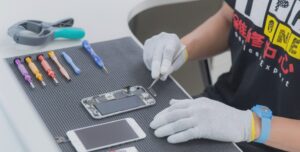
Short circuits are among the most common reasons for mobile phones to turn dead, overheat, restart, drain battery fast, or stop functioning suddenly. Every technician, whether beginner or experienced, must know how to diagnose shorting accurately before attempting any repair.
A shorted motherboard requires careful handling and systematic testing. If diagnosed incorrectly, it may lead to further component damage. Fortunately, with the right tools and the right approach, finding a short circuit becomes simple and methodical.
“A technician’s real skill lies not in replacing parts, but in identifying the root cause with precision.”
This guide explains how to check shorting in mobile phones using two reliable methods:
- Continuity testing with a multimeter
- Current draw testing with a DC Power Supply (Battery Eliminator / Jhatka Machine)
It also covers why shorting happens, how tracks work, and early symptoms of a short circuit.
What Is Shorting in Mobile Phones?
In simple terms, shorting happens when two electrically separate paths unintentionally touch each other, causing current to flow where it should not.
✔ Open Circuit
- When a track breaks and current cannot flow
- Example: cracked PCB or broken connection
✔ Short Circuit
- When two separate tracks or components touch
- Causes excessive current flow
- Leads to heat, failure, or complete shutdown
Shorting is one of the most damaging faults on a motherboard.
Common Reasons for Shorting in Mobile Phones
Short circuits do not happen randomly. They usually have specific causes:
1. Water Damage
The number one cause.
Moisture creates conductive paths between tracks.
2. Overheating
Excessive heat melts solder joints and causes bridging.
3. Using Faulty or Non-Compatible Chargers
Cheap or fake chargers cause voltage spikes and component burns.
4. Electrical Shock or Sparks Inside the Motherboard
Can occur due to damaged components or loose connections.
5. Physical Damage
Drops or bends deform internal layers of the PCB.
6. Manufacturing Defects
Though rare, improper soldering from factory can cause short circuits later.
Symptoms of a Shorted Motherboard
Before testing the phone, technicians should look for signs:
✔ Phone completely dead
✔ No charging indication
✔ Phone heats up without powering on
✔ Auto-restart or shutdown
✔ Battery draining unusually fast
✔ DC Power Supply showing high current draw
✔ Burning smell or spark from inside
✔ Fast heating of a particular component
These symptoms help narrow down the diagnosis.
Understanding Tracks on a Mobile Motherboard
Phones do not use wires internally. Instead, they use microscopic tracks on the PCB.
Tracks carry different types of signals:
- VBAT Tracks → Battery voltage
- GND Tracks → Ground
- RX/TX Tracks → Communication
- I2C/SPI Tracks → Control signals
- LDO Lines → Regulated power lines
A short circuit happens when VBAT touches GND or any other unintended line.
⚠️ Very Important Safety Warning Before Testing
Since this article is technician-level:
- Do NOT use DC Power Supply without training
- Do NOT touch exposed components during power tests
- Always remove the battery before board testing
- Avoid testing on a wet or unclean board
- Wear anti-static protection when possible
“A moment of care saves hours of repair.”
METHOD 1: How to Check Shorting With a Multimeter (Continuity / Diode Mode)
This is the fastest and safest method.
Step 1: Set Multimeter Correctly
- On digital multimeter → Continuity Mode / Diode Mode
- On analog multimeter → Ohms (×10) Mode
In diode mode:
- A beep sound = electrical connection
- No beep = open circuit
Step 2: Identify Battery Connector Pins
Most phone batteries have these pins:
- VBAT (+) → Battery positive
- GND (–) → Battery negative
- BSI / ID → Battery status communication pin
- BTEMP → Temperature sensor pin (varies by model)
For shorting test, we focus on:
- VBAT
- GND
Step 3: Position the Probes Correctly
For multimeter short testing:
✔ Touch RED probe (+) to GND
✔ Touch BLACK probe (–) to VBAT
Why this reverse connection?
It creates a safe current path for testing without damaging components.
Step 4: Read the Multimeter Response
Case 1: Continuous Beep / Reading Shows Values
This confirms:
➡ The motherboard is short.
Case 2: No Beep / No Reading
This confirms:
➡ The board is NOT short.
Understanding Readings in Diode Mode
If you test both ways:
- If readings appear both times → Short circuit confirmed
- If reading appears only once → Normal behavior
Some motherboards may show numeric values (e.g., 254, 302, 1000).
If values appear in both directions = shorting.
Extra Checks With Multimeter
✔ Check heat
Touch the board lightly to see if any component heats up during tests.
(This should be done quickly and carefully.)
✔ Check for ground short near connectors
Test charging IC, backlight section, power IC, audio IC, etc.
METHOD 2: How to Check Shorting Using DC Power Supply (Jhatka Machine)
This method is more advanced and must be done only by trained technicians.
DC Power Supply is also called:
- Battery Eliminator
- Jhatka Machine
- DC Regulator
It supplies stable DC voltage for motherboard testing. Use a high quality, high precision DC Power Supply of 5 Amperes
Step 1: Set Correct Voltage
- Most mobile batteries operate at 3.7V – 4.4V
- Set DC Supply to 4.0V for safe testing
Never test above safe voltage levels.
Step 2: Connect the Probes
- Red Clip → VBAT Pin
- Black Clip → GND Pin
Do NOT touch other components during testing.
Step 3: Read the Current Draw
The current reading tells you a lot.
Scenario 1: Current jumps instantly (0.5A – 2A)
➡ Short circuit confirmed.
This means the power line is connected to ground.
Scenario 2: Current remains at 0.00A
➡ No shorting.
Scenario 3: Current slowly rises even without pressing power key
➡ Half short or leakage.
This requires component-level diagnosis.
Step 4: Identify Heating Component
The fastest way to find a shorted component is:
- Drop a little coolant spray
- Apply DC Power again
- See which area melts first (that’s the faulty part)
Or use:
- Thermal camera
- Alcohol method (evaporates quickly at heating spot)
Common Components That May Short
- Power IC (PMIC)
- Charging IC
- Backlight IC
- Audio IC
- CPU caps
- RAM/CPU solder joints
- WIFI/Network IC
- Filter capacitors (most common)
- Diodes and coils
90% of short circuits happen because of a single capacitor failure.
Fixing Shorting in Mobile Phones
After identifying the short, the repair steps include:
✔ Removing shorted capacitors
✔ Replacing faulty ICs
✔ Cleaning corrosion from water damage
✔ Reworking solder joints
✔ Checking line voltage again after removal
Technicians must ensure the short is completely cleared before applying battery.
Preventing Short Circuits in Mobile Phones
Your customers can prevent shorting by:
- Avoiding cheap chargers
- Keeping phones away from water
- Not using the phone while charging
- Avoiding extreme heat
- Using protective back covers
- Getting phones serviced after water exposure
“Prevention costs nothing—repairs cost time, money, and sometimes trust.”
Conclusion
Short circuits are one of the most serious faults in mobile phones. But with the right tools, techniques, and a systematic approach, diagnosing shorting becomes straightforward and safe.
Technicians must always begin any dead phone repair by checking for shorting, because a shorted board cannot boot, charge, or function normally until the short is removed.
Learning to test shorting using a multimeter and DC power supply gives you a strong foundation in mobile hardware repair, helping you diagnose faults confidently and accurately.