Short circuits—often called “shorting”—are among the most challenging hardware faults in mobile phone repair. A shorted phone may not turn on, may restart repeatedly, may drain the battery quickly, or may heat up even when idle. For technicians, removing shorting correctly is essential to restoring the phone to working condition without damaging other components.
Today’s mobile phones use complex multilayer PCBs, advanced PMIC structures, and highly integrated systems. As a result, removing shorting requires a structured, safe, and methodical approach.
“In mobile repair, knowledge saves the board. Guesswork destroys it.”
This guide explains how to remove shorting in mobile phones using modern professional methods, including:
- Main-line (VBAT) short removal
- Sub-line short diagnosis
- Voltage injection safe technique
- Thermal camera and freeze spray heat spotting
- IPA evaporation method
- Component isolation
- PMIC and CPU short precautions
- Ultrasonic cleaning
- Safe board handling
This is a professional technician-level guide, written in simple language so students and beginners can follow easily.
1. What Is Shorting in a Mobile Phone?
A short circuit occurs when two points that should not touch each other become electrically connected. This creates an abnormal current path, leading to:
- Heating
- Phone not powering on
- Battery draining fast
- Overcurrent damage
- Component burnout
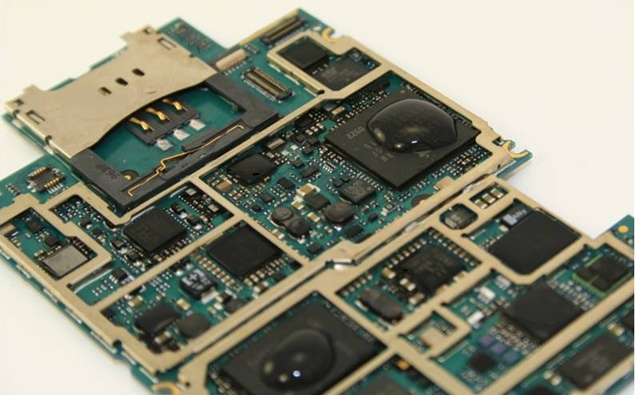
In a mobile motherboard, shorting usually occurs in either:
✔ Main Power Line (VBAT Rail)
Or
✔ Secondary Power Rails
(1.0V, 1.2V, 1.8V, 2.8V, 3.0V, 4.2V, etc.)
A main-line short is typically caused by:
- Shorted capacitor
- Blown diode
- Damaged PMIC
- Water damage
- Physical force bending PCB layers
A sub-line short usually involves:
- LDO regulator lines
- Specific IC supply lines
- Camera/Display/Charging sections
Understanding which type you are dealing with helps you remove the short safely.
2. Common Reasons for Shorting
Shorting rarely happens without cause. The most common triggers include:
1. Liquid Exposure
Water or moisture bridges tracks, causing instant VBAT-to-ground short.
2. Overheating or Thermal Stress
Leads to solder cracks and component bridging.
3. Faulty Chargers or Power Surge
Cheap chargers can blow PMIC, CPU regulators, or filter capacitors.
4. Physical Damage
Drops bend internal layers of the PCB or crack micro-lines.
5. Manufacturing Defects
Can cause premature component failure.
6. Aging Components
Old motherboards may develop carbon residue or internal breakdown.
3. Symptoms That Indicate Shorting
Common signs include:
- Phone completely dead
- No charging
- Overheating without being powered
- Battery drops rapidly
- DC Power Supply shows high current draw
- Phone restarts automatically
- Component-level heating
- Burning smell
Once these symptoms appear, the technician must begin short-diagnosis immediately.
“A shorted phone speaks through its symptoms—listen carefully.”
4. Tools Required for Safe Short Removal
Modern shorting repair requires proper tools:
✔ Multimeter (Diode/Continuity Mode)
✔ DC Power Supply (0–5A, 0–5V range)
✔ Hot Air Rework Station
✔ Soldering Iron
✔ Ultrasonic Cleaner (for water-damaged boards)
✔ 99% IPA (Isopropyl Alcohol)
✔ Thermal Camera (optional but ideal)
✔ Freeze Spray (or coolant spray)
✔ Microscope (recommended)
✔ Tweezers and board brushes
Using the correct tools reduces repair time and prevents motherboard damage.
5. Step-by-Step Procedure to Remove Shorting in Mobile Phones
Below is the modern and safe workflow followed by advanced technicians:
STEP 1: Visual Inspection
Before touching the board with any tool:
Look for:
- Burn marks
- Corrosion
- Broken components
- Missing components
- Bent PCB
If the phone fell in water, corrosion under ICs may be a major cause of the short.
STEP 2: Clean the PCB Properly
Use 99% IPA or professional PCB cleaner.
Cleaning steps:
- Remove all flexes, shields, and detachable modules.
- Brush the PCB with IPA to remove dirt and corrosion.
- Use an ultrasonic cleaner for water-damaged boards (8–12 minutes).
- Dry the board completely using hot air at a safe temperature (no overheating).
If the short disappears after cleaning, the cause was internal corrosion or conductive debris.
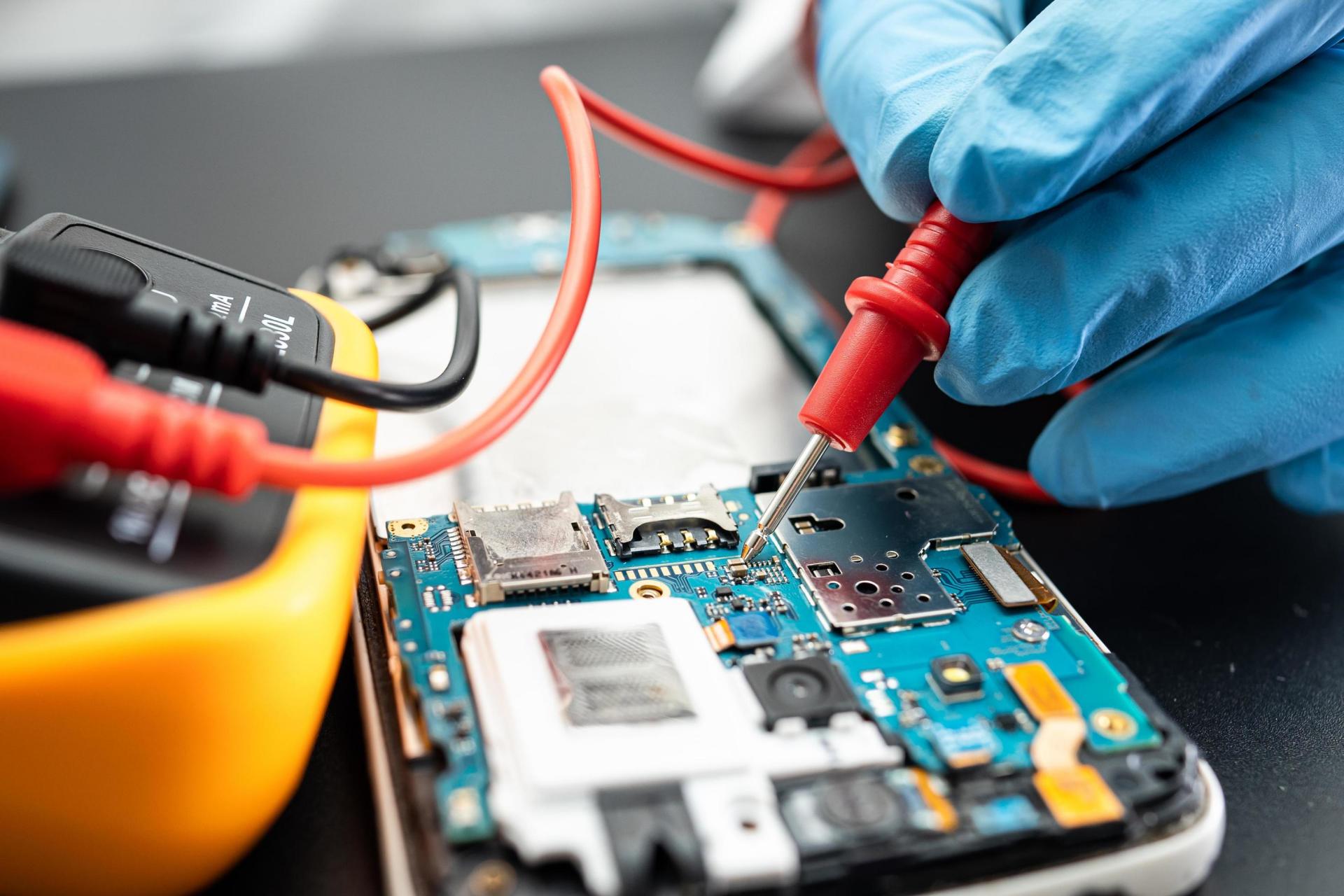
STEP 3: Check Main-Line Shorting Using Multimeter
Use diode mode:
- Place RED probe on GND.
- Place BLACK probe on VBAT.
Readings:
- Beep or value in both directions → Main-line short
- Value in only one direction → Normal
If the main line is short, proceed to Step 5.
STEP 4: Check Sub-Line Shorting (Advanced)
Sub-lines include:
- 1.8V
- 2.8V
- 3.0V
- 4.2V
- Camera lines
- Display lines
- RF power lines
Check each coil output line:
- If a coil output line has low resistance in both directions → sub-line short.
- Trace that line to the connected IC or capacitor group.
This helps you identify which section is affected.
STEP 5: Voltage Injection to Locate Heating Component (Safe Method)
This is one of the most effective modern techniques.
Steps:
- Set DC Power Supply to 1V and 2A current limit.
- Connect:
- Red clip → VBAT line
- Black clip → GND
- Switch ON the power supply.
Observe current behavior:
- High current (1–2A instantly) → Hard short
- Slow rise in current (0.2–0.4A) → Soft short or leakage
Now identify the heating component using:
STEP 6: Heat Detection Methods (Choose Any)
Method A: Thermal Camera (Best Method)
Component heating appears instantly on screen.
Method B: Freeze Spray
Spray the entire affected area →
When power is applied, the faulty part melts first.
Method C: IPA Evaporation (Popular Technique)
Pour a few drops of IPA on PCB →
The part that evaporates fastest is the shorted component.
STEP 7: Remove the Faulty Component
Once the heating component is identified, remove it safely:
- Use hot-air rework station
- Do not overheat nearby ICs
- Remove gently with tweezers
Most common short-causing components:
- Filter capacitors (90% of cases)
- Protection diodes
- Charging IC
- PMIC (Power Management IC)
- Backlight IC
- RF ICs
After removal, test VBAT line again:
- If short is gone → Replace component
- If still short → Continue diagnosis
STEP 8: Check PMIC and CPU Short Precautions (Critical)
If heating is found under:
✔ PMIC
✔ CPU
✔ RAM
✔ Storage IC
Then:
- These are risky to remove
- Many require reballing, not replacement
- Underfill on CPUs makes removal complicated
In most cases:
- CPU short → Board is beyond economical repair
- PMIC short → Replace PMIC only if technician is skilled
STEP 9: Re-Test VBAT and Sub-Lines
After removing components:
- Test multimeter readings again.
- Ensure VBAT shows no short.
- Ensure sub-lines have normal diode readings.
This confirms the short is successfully removed.
STEP 10: Reassemble and Power On
Once the board is stable:
- Attach battery
- Power on phone
- Check charging
- Check temperature
- Test network, camera, display, sound
Why Most Shorting Happens in Capacitors
In modern smartphones, capacitors act as filters and stabilizers. They sit across VBAT and ground.
If a capacitor breaks internally:
- Positive and negative plates touch → direct short
- Battery drains instantly
- Motherboard draws high current
This is why capacitors are the main cause of mobile shorting.
Tips to Prevent Shorting in Mobile Phones
You can advise customers to:
- Avoid cheap chargers
- Keep phone away from water
- Use protective cases
- Avoid exposing phone to direct heat
- Get phone serviced immediately after water damage
- Replace aging batteries
Conclusion
Removing shorting in mobile phones is a technical skill that improves with experience. The key is to diagnose the short correctly and follow a systematic workflow.
“When you follow the right process, the board reveals the fault on its own.”
With modern techniques like voltage injection, thermal imaging, and ultrasonic cleaning, short removal is now safer and faster than ever before.
This guide gives you the complete professional workflow — from identifying main-line and sub-line shorts to safely removing faulty components and restoring the device back to life.