Your phone goes everywhere with you—your home, office, gym, market, public transport, and sometimes even the bathroom. It touches dozens of surfaces daily, comes into contact with your hands, face, pockets, and bags, and collects dust, oils, sweat, germs, and environmental pollutants. Cleaning your device is not only about hygiene—it also helps your phone run smoother and last longer.
Many people clean only the screen, ignoring the ports, speakers, microphone holes, and tiny spaces where dirt accumulates and slowly affects performance. A clean phone charges better, stays cooler, lasts longer, and looks more presentable.
“A little care every week keeps your phone healthy for years—maintenance is cheaper than repair.”
This guide explains how to clean and service your cell phone safely using modern and trustworthy methods. Whether you use an iPhone, Samsung Galaxy, Xiaomi, Realme, OnePlus, Motorola, Vivo, Oppo, or any other brand, these steps apply to all.
Why You Should Clean Your Cell Phone Regularly
Cleaning is not only for looks. It helps improve:
✔ Hygiene
Your phone can carry more bacteria than public surfaces if not cleaned properly.
✔ Touchscreen responsiveness
Oil, dust, and residues reduce touch accuracy.
✔ Charging performance
A dusty charging port causes slow or inconsistent charging.
✔ Call quality
Dust in microphone or speaker grill reduces clarity.
✔ Heat management
Dirt blocks ventilation and increases temperature.
✔ Component life
Clean hardware lasts longer because it avoids corrosion and moisture buildup.
Regular cleaning gives you a healthier device—and a better user experience.
“Your phone works hard for you every day. Treat it with a little respect, and it will return that care through reliable performance.”
Before You Begin: Safety Steps
Always follow these precautions before cleaning or servicing:
- Turn off the phone completely.
- Unplug the charger and remove accessories.
- Remove the case and screen guard if needed.
- Remove the SIM tray.
- If your phone has a removable battery, take it out—but never attempt to remove batteries in sealed phones unless you are trained.
- Never spray liquids directly on your phone.
- Avoid using household cleaners, bleach, or strong chemicals.
These steps protect your phone from accidental damage.
Tools and Materials You Should Use
Use only safe, phone-friendly cleaning items:
✔ Microfiber cloth
Lint-free and gentle on screens.
✔ Soft brush (paintbrush or anti-static brush)
For cleaning ports and corners.
✔ 70–99% Isopropyl Alcohol (IPA)
Safe for electronics. Evaporates quickly.
✔ Compressed air can (optional)
Helps remove dust from tiny holes.
✔ Toothpicks or SIM ejector pin
For cleaning edges (very gently).
✔ Cotton swabs (dry or lightly moistened)
Useful for small areas.
✔ UV or disinfecting wipes approved for phones
Safe for daily sanitizing.
✔ Ultrasonic cleaner (for technicians only)
For deep cleaning of PCBs.
Avoid harmful items such as glass cleaners, perfumes, hand sanitizers, paper towels, metal tools, or excessive water.
STEP 1: Clean the Phone Exterior
This includes the body, edges, buttons, and back panel.
1. Use a microfiber cloth
- Lightly moisten it with water or IPA.
- Wipe in straight strokes, not circles.
- Remove smudges, sweat, makeup, and dust.
2. Clean buttons and seams
Use a soft brush or cotton swab to remove dirt from:
- Volume buttons
- Power button
- Frame edges
- Speaker grill
- Microphone holes
Avoid using too much liquid—moisture can seep inside.
3. Clean the back panel
Especially if you use a polycarbonate or glass-backed phone.
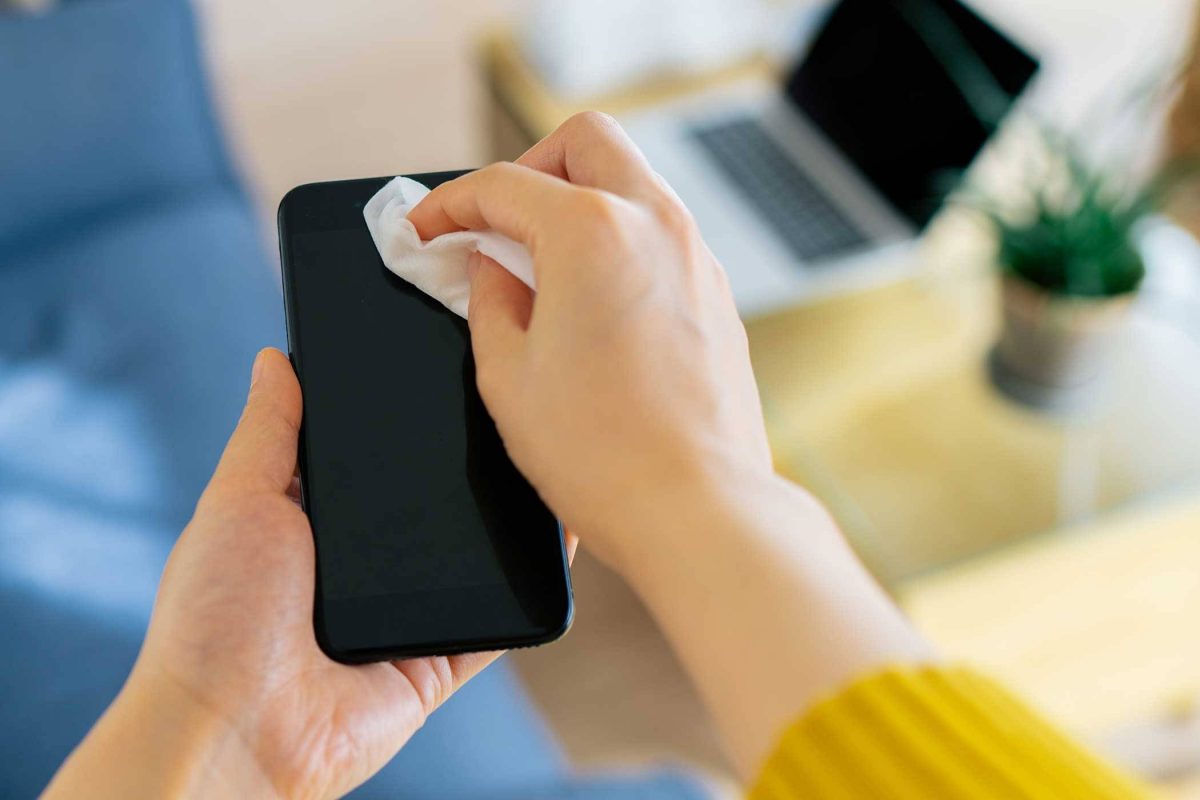
STEP 2: Clean the Display Safely
The screen is the most frequently touched part and attracts fingerprints, dust, and bacteria.
✔ Recommended Method
- Use a microfiber cloth slightly dampened with distilled water or IPA.
- Wipe gently in horizontal or vertical lines.
- Do not press hard—this may damage the display or touch sensors.
✔ To remove sticky stains
- Use 70% IPA—strong enough to clean, mild enough for coatings.
✔ Do NOT use:
- Cleaning sprays meant for glass windows
- Baby wipes
- Alcohol with fragrances
- Hand sanitizer
These can damage the oleophobic coating.
Optional: Reapply oleophobic coating
After long-term use, the coating fades. High-quality coating kits are available, but apply them only if comfortable following instructions.
STEP 3: Clean the Charging Port (Important)
A dirty charging port is one of the most common reasons for:
- Slow charging
- Loose connection
- Phone not charging
- Cable not fitting properly
✔ Clean using:
- Soft brush
- Compressed air
- Wooden toothpick (very gently)
Steps:
- Turn the phone off.
- Insert the toothpick gently and move it side-to-side.
- Remove lint or compacted dust.
- Blow compressed air to clear remaining particles.
Never use metal pins, needles, or water.
STEP 4: Clean Speakers and Microphone Holes
Dust often blocks sound pathways.
✔ Use a soft brush
Brush gently in one direction.
✔ Use adhesive putty
Roll it lightly over speaker grills to lift dirt.
✔ Use compressed air
Short bursts only; too much pressure can damage membranes.
STEP 5: Clean Phone Cases and Accessories
Your phone case collects more germs than the phone itself.
✔ Silicone Cases
- Wash with warm soapy water.
- Let them dry completely.
✔ Hard Plastic Cases
- Wipe with IPA.
✔ Leather Cases
- Use leather-safe cleaners.
✔ Screen Protectors
If the protector is scratched, lifting, or yellowing—replace it.
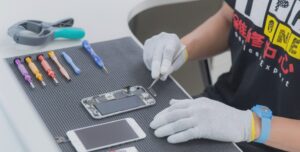
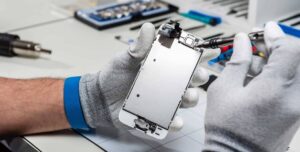
STEP 6: Service Your Phone Internally (Technician-Level)
Only perform these steps if you’re trained or experienced.
If not, leave these to a professional technician.
✔ Remove Back Panel
Some phones allow safe removal; others do not.
✔ Inspect for Dust or Corrosion
Use a magnifying glass or microscope.
✔ Clean Internal Components
Use:
- 99% IPA
- Soft brush
- Compressed air
✔ Ultrasonic Cleaning (Advanced)
Professionals use an ultrasonic cleaner to deep-clean PCBs, especially in cases of liquid damage. This removes corrosion and contaminants safely.
✔ Check for Loose Screws or Connectors
Loose connections can cause:
- No display
- Touch malfunction
- Battery drop
- Network issues
Gently reseat flex cables if required.
✔ Do NOT
- Remove batteries from sealed phones
- Pry forcefully
- Use water or soap inside
Internal servicing must be done only with correct tools and experience.
STEP 7: Clean SIM Tray and Slots
A dusty SIM slot can cause:
- SIM card not detected
- Weak network
- Call drop issues
✔ Steps
- Use a dry brush to clean the tray.
- Use compressed air to clear the slot.
- Avoid inserting liquids or cotton inside the slot.
STEP 8: Sanitize Your Phone (Final Step)
After cleaning, sanitize to kill germs.
✔ Use approved disinfectant wipes
Apple, Samsung, and other brands allow alcohol-based wipes for sanitizing.
✔ Do NOT use
- Bleach
- Excess water
- Vinegar
- Strong surface cleaners
These damage coatings and internal components.
How Often Should You Clean Your Phone?
✔ Light wiping: Daily
✔ Full cleaning: Weekly
✔ Deep cleaning/service: Every 2–3 months
✔ Professional servicing: Every 6–12 months
Regular maintenance improves hygiene, performance, and lifespan.
Signs Your Phone Needs Cleaning or Servicing
- Charging is slow or intermittent
- Touchscreen feels less responsive
- Sound is muffled
- Phone overheats
- Buttons feel sticky
- Screen has smudges or oily spots
- Dust around camera or speaker grills
- SIM not detected randomly
- Phone looks dull or dirty
If you notice any of these, clean your device following the steps above.
Advanced Servicing Benefits (Performed by Technicians)
Professional servicing includes:
- Deep PCB cleaning
- Port replacement if needed
- Battery health assessment
- Thermal paste reapplication (only in advanced repairs)
- Speaker and mic dust removal
- Rechecking board connections
- Power and charging diagnostics
These services help keep your phone running smoothly.
Conclusion
Cleaning and servicing your cell phone is simple, safe, and highly beneficial when done correctly. A clean phone performs better, stays healthier, and lasts longer. With regular care, you reduce the chances of overheating, slow charging, sound issues, and even hardware failure.
“Good maintenance isn’t just about protecting your device—it’s about protecting the investment you carry every day in your pocket.”
Take a few minutes every week to clean your phone, and enjoy a device that looks great, feels fresh, and works flawlessly.