A mobile phone battery is the heart of every smartphone. No matter how powerful the processor or how advanced the display, a weak battery can make even a premium device unusable. For mobile repair technicians, battery-related complaints are among the most common issues faced in daily work.
Customers often say things like “phone is not charging,” “battery drains too fast,” or “device switches off suddenly.” Behind these simple complaints can be multiple causes. That is why learning how to correctly check a mobile phone battery is a core skill for every technician, whether beginner or advanced.
This guide explains battery testing in a clear, practical, and professional way. It avoids myths, focuses on real workshop practices, and helps you make confident repair decisions.
“Power problems are rarely complicated. They only become expensive when testing is skipped.”
A Mobile Phone Battery is Also Called
In the repair industry, a mobile phone battery may be referred to as:
- Rechargeable battery
- Lithium-ion battery
- Li-ion battery
- Lithium-polymer battery
- Li-Po battery
- Power cell
- Battery pack
Although these names sound different, they often refer to the same function: storing and delivering electrical energy safely to the device.
Types of Mobile Phone Batteries Used Today
Understanding battery type helps in correct diagnosis and replacement.
Lithium-Ion Battery (Li-ion Battery)
This is the most widely used battery type in smartphones. Li-ion batteries are reliable but sensitive to heat, overcharging, and deep discharge.
Lithium-Polymer Battery (Li-Po Battery)
A lithium-polymer battery is a more flexible version of lithium technology. They have slim and lightweight design, can be shaped to fit thin phones and have better safety design compared to older lithium cells. They are often used in modern smartphones and iPhones
In practical repair work, Li-ion and Li-Po batteries are tested in almost the same way.
Minimum and Maximum Voltage of a Cell Phone Battery
Knowing voltage limits is extremely important for battery diagnosis.
Standard Voltage Ranges
For most mobile phone batteries:
- Minimum safe voltage: 3.0V
- Nominal voltage: 3.6V to 3.7V
- Fully charged voltage: 4.2V
- Over-voltage (danger zone): Above 4.25V
If a battery voltage drops below 3.0V, it is considered deeply discharged and may not recover safely.
A battery showing zero or very low voltage is usually damaged. However, if it has not been used for a long time, it should be recharged once and then tested for proper performance.
Problems Caused by a Faulty Mobile Phone Battery
A defective mobile phone battery can create many confusing issues that often look like software or motherboard faults.
- Dead phone – device does not power ON at all
- Fast draining – battery drops quickly even after full charge
- Stuck at logo / boot loop – phone restarts during startup
- Auto switch OFF – shuts down suddenly, often below 40%
- Swollen (pregnant) battery – back cover or display lifts
- Charging issues – slow charging, no charging, or unstable charging
- Works only on charger – phone turns OFF when unplugged
- Overheating – battery heats during charging or normal use
- Wrong battery percentage – sudden drops or jumps in charge level
Technician note: Always check or replace the battery first before assuming software or motherboard problems.
Tools Required to Check a Mobile Phone Battery
Every repair technician should have:
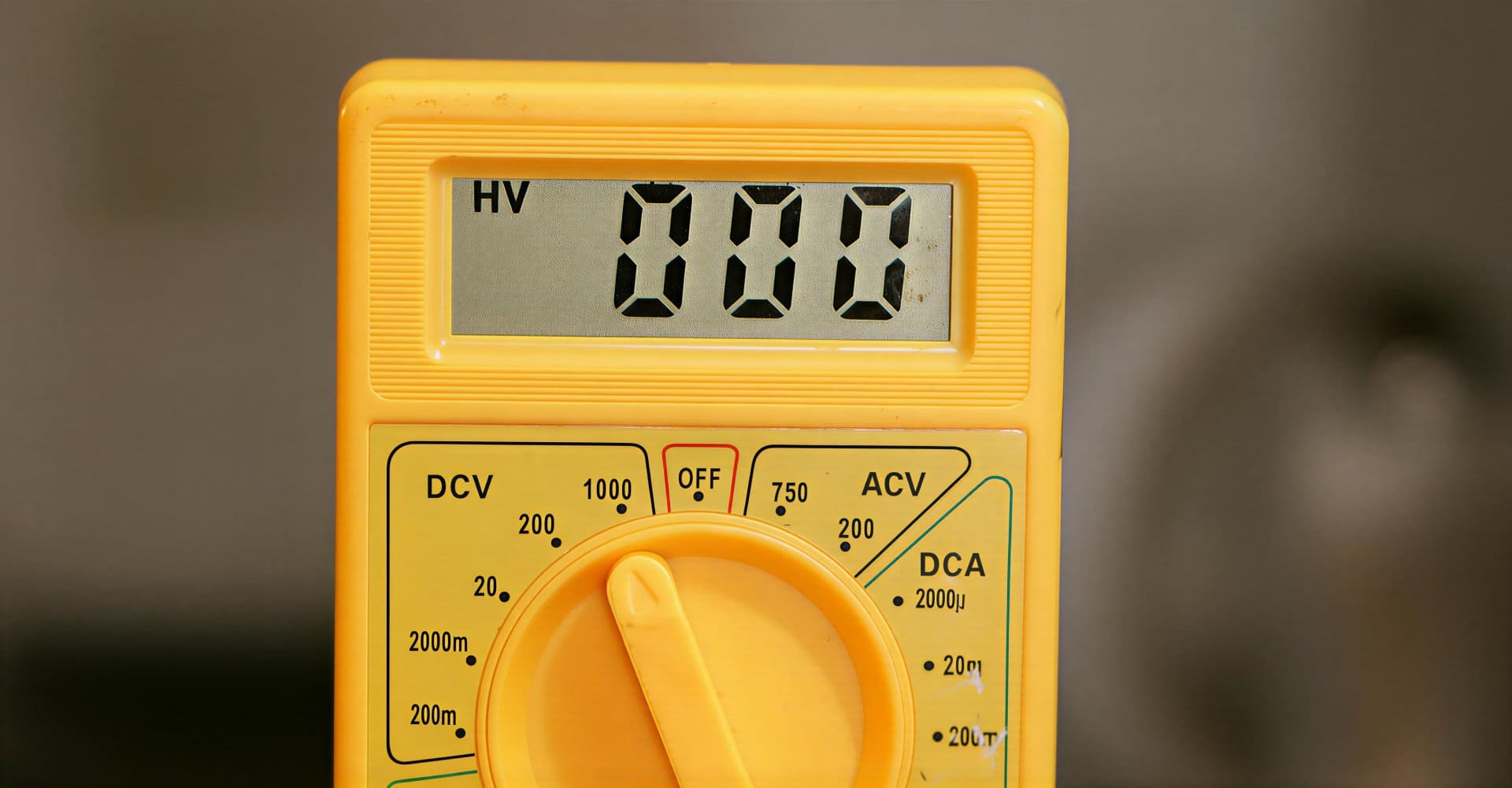
- Digital multimeter
- Known good battery (for comparison)
- Charging cable and adapter
- DC power supply (advanced level)
- Basic hand tools
Among these, the multimeter is the most important diagnostic tool.
How to Check Mobile Phone Battery Voltage Using a Multimeter
This is the most reliable and professional method.
Step-by-Step Battery Voltage Test
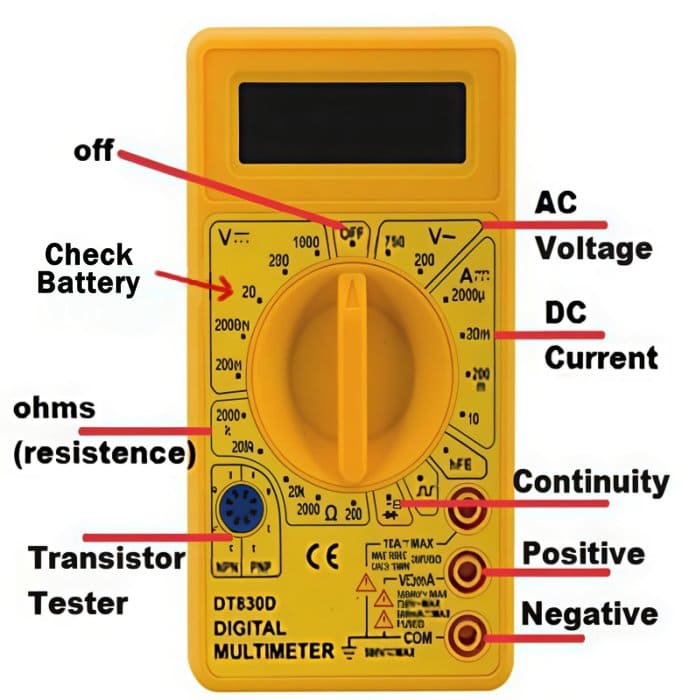
- Set the multimeter to DC voltage mode
- Select the 10V / 20V DC range (or auto-range)
- Place the red probe on the positive (+) terminal
- Place the black probe on the negative (–) terminal
- Read the voltage displayed
How to Interpret the Reading
- 4.1V – 4.2V → Battery fully charged
- 3.7V – 3.9V → Battery in good condition
- 3.3V – 3.6V → Battery partially discharged
- Below 3.0V → Battery weak or damaged
- 0V → Battery dead or protection circuit triggered
A mobile phone battery showing below 3.7V on a multimeter is partially discharged. Some smartphones may still power ON around 3.3–3.6V, but a weak battery often fails to deliver enough current during startup, causing the phone to not turn ON or to switch OFF immediately. Below 3.3V, most smartphones will not power ON at all due to low-voltage protection.
This test gives you a quick and accurate picture of the battery’s current charge level.
Checking Battery Terminals and Contacts
Sometimes the battery is fine, but power is not delivered properly.
Inspect:
- Battery terminals for corrosion
- Bent or damaged contacts
- Loose battery connectors
- Dirt or oxidation on pins
Poor contact can mimic battery failure.
Always clean and inspect before declaring a battery faulty.
A Funny but Unsafe Traditional Battery Checking Method (For Knowledge Only)
There is an old and widely known method used by some traditional mobile phone repair technicians.
They lightly touch the tip of their tongue to the positive (+) terminal of the battery.
If a mild tingling or “spicy” sensation is felt, the battery is assumed to have some charge.
If no sensation is felt, the battery is considered discharged.
This method may give a rough idea, but it is unsafe, unhygienic, and unprofessional.
It is mentioned here only for awareness and knowledge, and it is strongly advised not to use this method, except in extreme emergencies where no tools are available.
A multimeter is safer, accurate, and professional.
Why Multimeter Testing Is Not Enough for Fast Draining Batteries
Many technicians believe that if voltage is normal, the battery is good. This is not always true.
A multimeter only shows:
- Current voltage
- Surface charge level
It does not show:
- Internal chemical health
- Capacity loss
- Discharge speed
This is why fast-draining batteries often confuse beginners. If your smartphone battery is draining very fast, know how to fix if a Phone Battery Drains Fast Even When Idle
How to Check a Fast Draining Mobile Phone Battery
If a battery drains very quickly even after full charging, simple voltage testing will not reveal the problem.
This happens when:
- Battery chemicals have weakened
- Internal resistance has increased
- Battery capacity has dropped significantly
Practical Technician Method
The most reliable method is replacement testing:
- Fully charge the existing battery
- Insert a known good or new battery into the same phone
- Use the phone normally
- Observe battery performance
If the problem disappears:
- The old battery is faulty
If the problem remains:
- The issue is with software, charging circuit, or power management IC
This method reflects real-world usage and gives accurate results.
Common Signs of a Bad Mobile Phone Battery
Watch for these symptoms:
- Battery percentage drops suddenly
- Phone switches off at 20–30%
- Battery heats up during charging
- Phone restarts randomly
- Charging takes too long
- Battery drains even in idle mode
Any two or more symptoms usually indicate battery replacement is needed.
Charging Test: Another Important Battery Check
Battery testing is incomplete without charging observation.
Check:
- Charging current stability
- Charging time consistency
- Battery temperature rise
A battery that heats excessively during charging is unsafe and should be replaced immediately.
Built-In vs Removable Battery Considerations
Removable Battery Phones
- Easy voltage testing
- Easy replacement
- Lower labor risk
Non-Removable Battery Phones
- Require careful opening
- Risk of flex damage
- Adhesive removal needed
Regardless of design, battery testing principles remain the same.
Choosing the Right Replacement Battery
When replacing a battery:
- Match exact model number
- Prefer original or OEM-quality battery pack
- Avoid cheap, low-capacity duplicates
- Check voltage before installation
A poor-quality power cell can damage the device or reduce customer trust.
Technician-Level Best Practices
- Never short battery terminals intentionally
- Do not overcharge externally
- Store batteries at safe voltage levels
- Avoid swollen or leaking batteries
- Dispose damaged batteries properly
“Battery safety is not optional. One mistake can damage the phone or injure the technician.”
Summary: How to Check a Mobile Phone Battery the Right Way
To correctly diagnose a mobile phone battery:
- Identify battery type (Li-ion or Li-Po)
- Check voltage using a multimeter
- Understand minimum and maximum voltage limits
- Inspect terminals and contacts
- Test charging behavior
- Replace temporarily to confirm fast drain issues
This approach works for Android phones, iPhones, and most modern smartphones.
Final Thoughts
Battery testing is not about speed. It is about accuracy. A technician who understands voltage behavior, chemical wear, and real-world usage can solve power issues confidently and professionally.
Learning these fundamentals not only improves repair quality but also builds long-term customer trust.